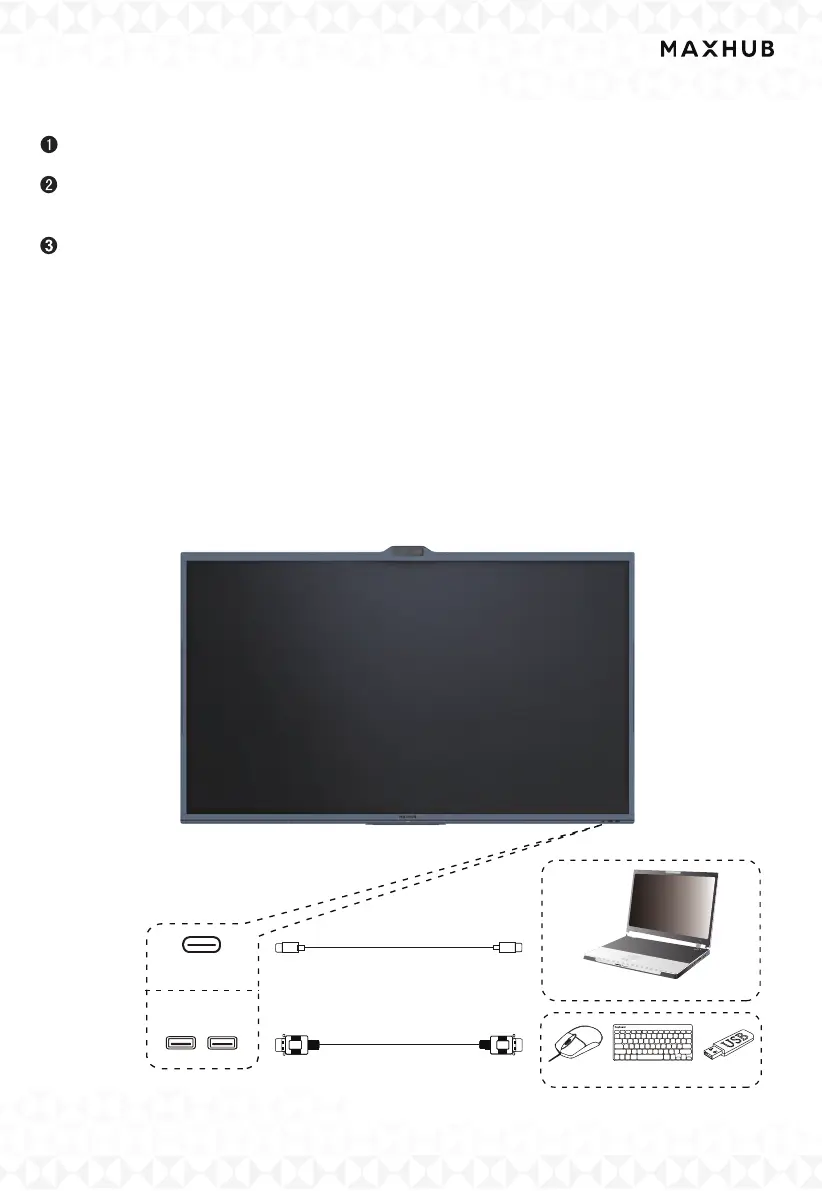
Computer
Type-C
USB
USB
USB Type-C Cable
USB cable
USB device
X.Frequently Connected Ports
There are three ways for connecting with an external device such as a laptop:
Through USB Type-C
Connect the laptop with a Type-C male and an audio cable or PC
Through HDMI in & Touch USB
Connect the laptop with an HDMI cable, a USB Type A male to USB Type B male cable
and an audio cable or PC. Please refer to
Screen-share with MAXHUB Share application.
Get to know more from MAXHUB Share User Manual.
The interactive flat panel can be set as an additional display.
• Display: The interactive flat panel can be used as a duplicate or extended display.
•Sound: Audio can be played through the panel.
•Touch Control: Touch control can be enabled through the USB cable connection or by using the
MAXHUB Share App.
Function:
1.Wired Screen Share from your laptop to the display
2.Control your laptop from the touch display
3.Access to the display's camera/speaker/Microphone from your laptop



 To Next Page