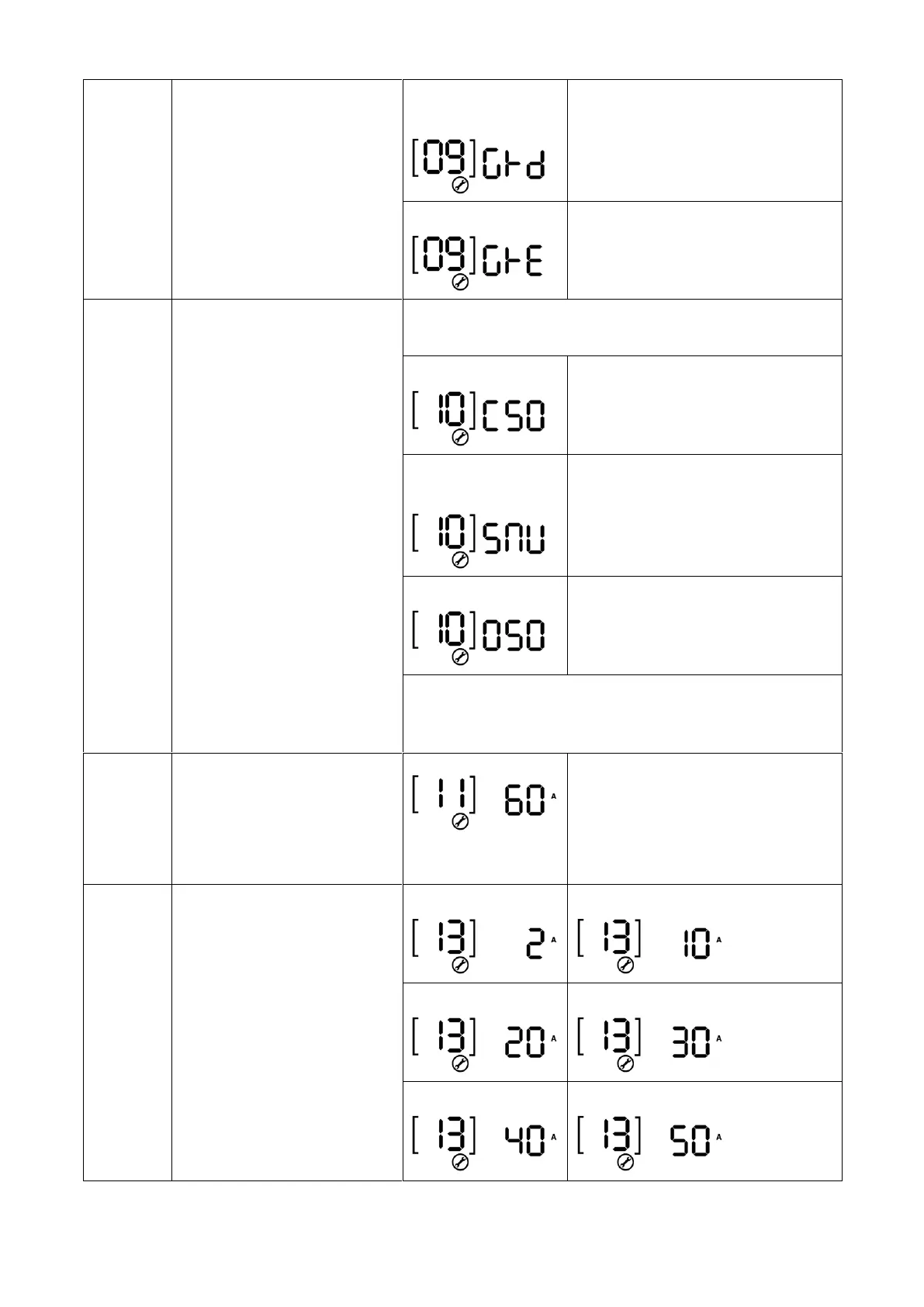
Solar energy feed to grid
configuration
Feed to grid disable
(default)
Solar energy feed to grid disable.
Solar energy feed to grid enable.
Charger source priority:
To configure charger source
priority
If this inverter/charger is working in Line, Standby or Fault
mode, charger source can be programmed as below:
Solar energy will charge battery as
first priority.
Utility will charge battery only when
solar energy is not available.
Solar and Utility
(default)
Solar energy and utility will charge
battery at the same time.
Solar energy will be the only charger
source no matter utility is available or
not.
If this inverter/charger is working in Battery mode or Power
saving mode, only solar energy can charge battery. Solar
energy will charge battery if it's available and sufficient.
Maximum charging current:
To configure total charging
current for solar and utility
chargers.
(Max. charging current = utility
charging current + solar
charging current)
For 2KW/3KW models, setting range
is from 10A to 60A.
For 5KW model, setting range is from
10A to 80A.
Increment of each click is 10A.
Maximum utility charging
current



 To Next Page