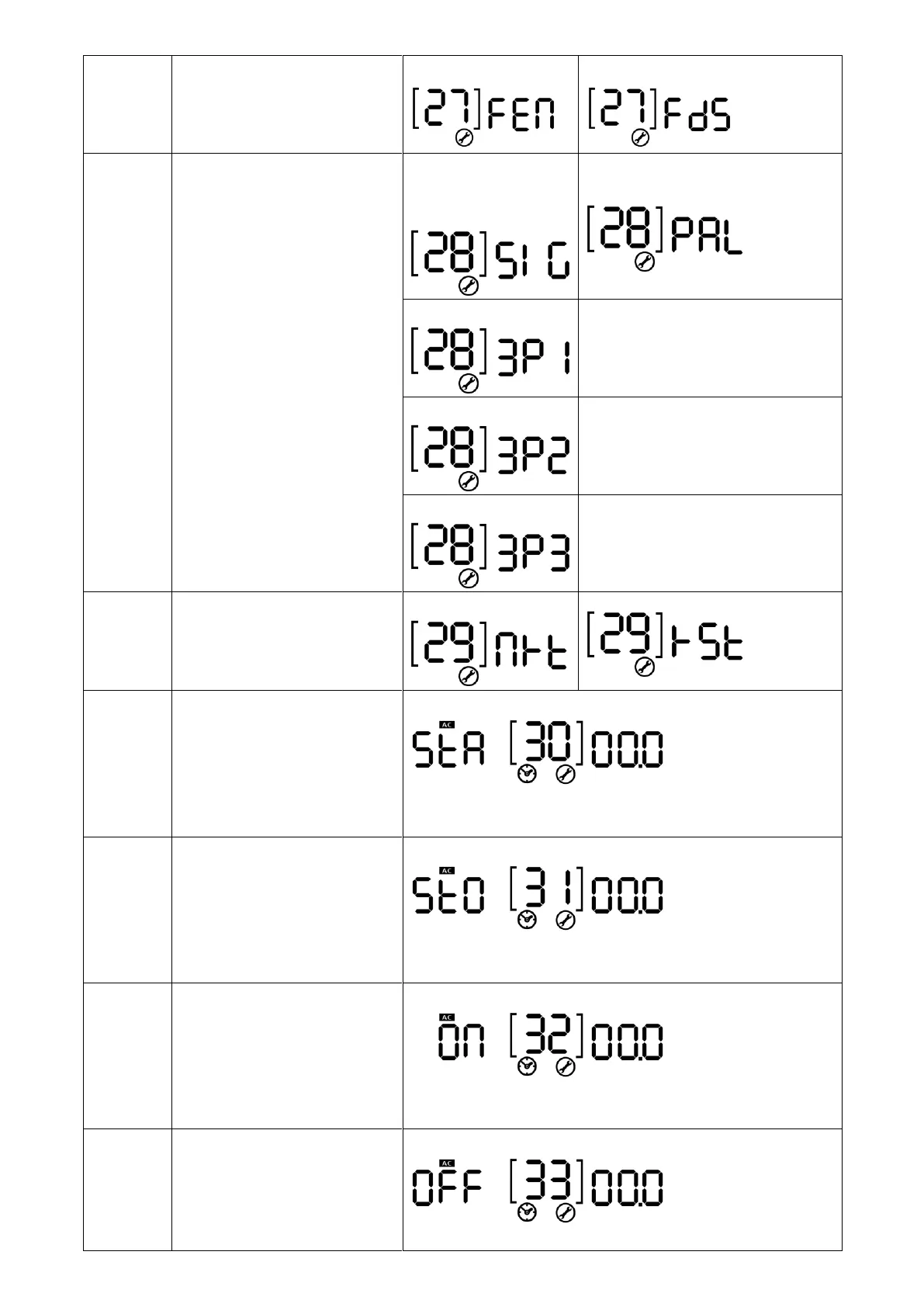
AC output mode
*This setting is only available
when the inverter is in standby
mode (Switch off).
Single: This inverter is
used in single phase
application.
Parallel: This inverter is operated in
parallel system.
The inverter is operated in L1 phase
in 3-phase application.
The inverter is operated in L2 phase
in 3-phase application.
The inverter is operated in L3 phase
in 3-phase application.
Start charging time for AC
charger
00:00 (Default)
The setting range of start charging time for AC charger is from
00:00 to 23:00, increment of each click is 1 hour.
Stop charging time for AC
charger
00:00 (Default)
The setting range of stop charging time for AC charger is from
00:00 to 23:00, increment of each click is 1 hour.
Scheduled time for AC output
on
00:00 (Default)
The setting range of scheduled Time for AC output on is from
00:00 to 23:00, increment of each click is 1 hour.
Scheduled time for AC output
off
00:00(Default)
The setting range of scheduled Time for AC output off is from



 To Next Page