6
After Sales Support
UK/N.IRELAND HELPLINE N
O
:
REP.IRELAND HELPLINE N
O
:
WEBSITE:
EMAIL:
01270 508538
1800 995 036
www.quesh.co.uk
enquiries@quesh.co.uk
Setup
Out Of The Box
Once you have removed the radio from the packaging, connect the
5V/1A mains adaptor (supplied) to a suitable mains outlet.
To use the radio with batteries, install 4 x ‘C’ batteries into the
battery bay at the back of the radio. Fully extend the telescopic aerial
and press the button to turn the radio on.
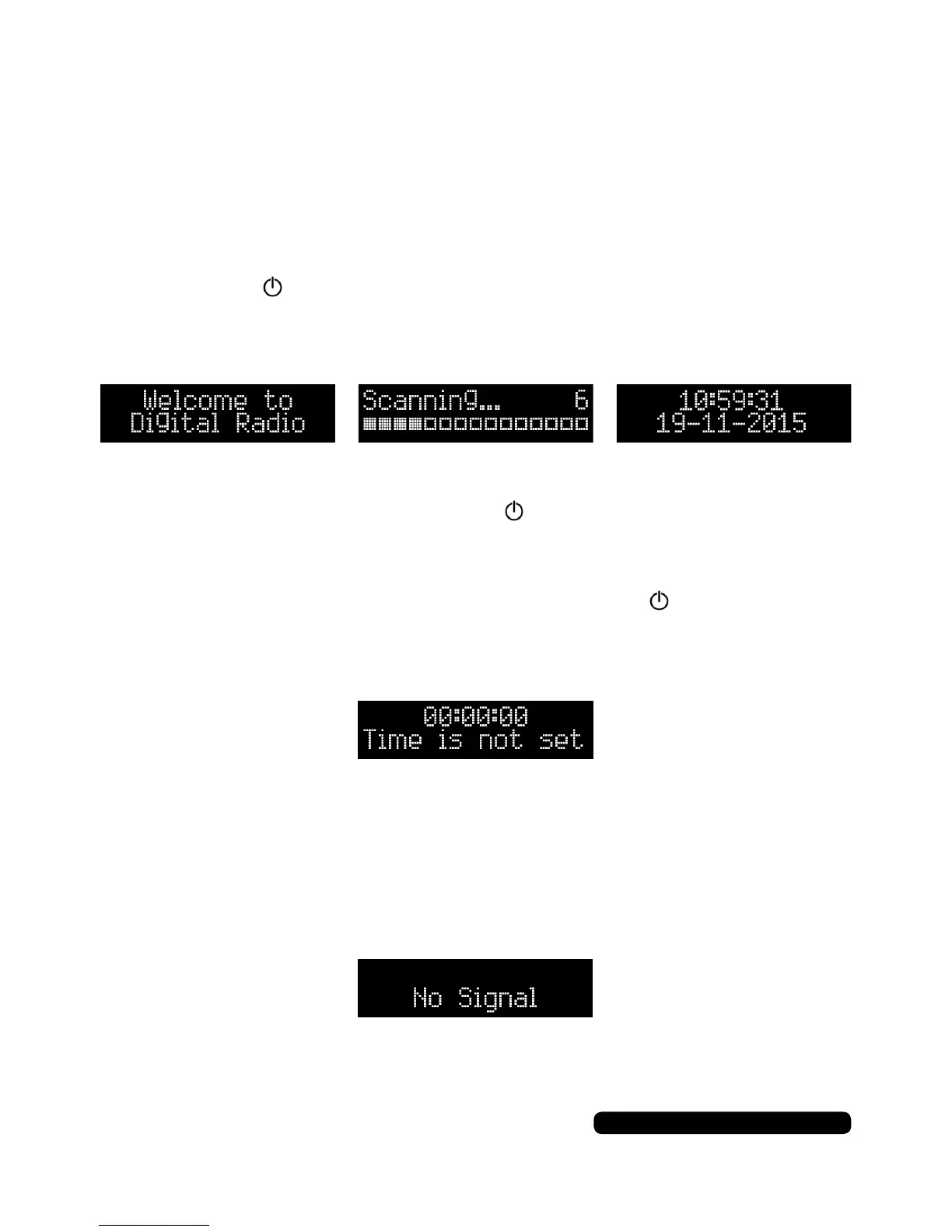
A welcome splash will show followed by the radio rst scan for the
available DAB stations in your area.
After the rst scan has been completed the radio will automatically
display the date and time. Press the button to turn the radio on
and bring it out of standby mode.
If you see the message ‘Time is not set’, give the button a quick
press to bring the radio out of standby mode. This should start the
DAB process and set the date and time.
If the display shows ‘No Signal’ then the radio is not receiving a DAB
signal. This can be down to the service available in your area, the
radio being too close to large electrical devices (microwaves, etc) or
digital interference cause by large buildings, trees and/or hills.
In this instance please use the radio in FM mode.
You can set the date and time manually, see page 19.



 To Next Page