Visit: www.seekerwireless.co.uk for potential software updates
Contents:
Introduction 2
Proper use & operation 2
Safety precautions 3
Application example 4
Connections & features 5
Product contents 5
Required tools and equipment
Selecting an installation location 6
Positioning Control Box & Panel 6
Attaching Antenna Mount Plate 7
and LNB Park Plate
Electrical installation 8
Attaching Antenna Unit to 9
Mount Plate
Installing cables 9
Installing Control Box 10
Installing Control Panel 10
Connection diagram 11
Introduction:
Please read these instructions fully before using the antenna for the first time. The operation of the antenna has
been designed to be as simple as possible however should you require any technical assistance please contact
Maxview customer service on +44 (0)1553 811000 or visit www.maxview.co.uk.
Proper use & operation:
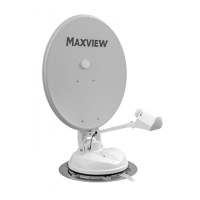
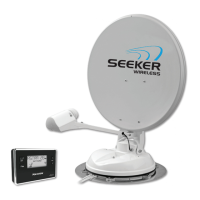
The Seeker Wireless is designed to be installed in a motorhome, caravan or horsebox to automatically locate a
television broadcast satellite when the vehicle is stationary. The system comprises of 3 main components.
1. The Antenna which is to be permanently mounted externally to the roof structure of a motorhome/caravan
horsebox. The construction of the roof structure should be suitably robust and have no protruding obstacles
2. The Control Box is designed to be mounted internally in a cupboard it controls the antenna unit through a
cable connection and is powered by 12v DC only.
3. The Control Panel is the user interface allowing commands to be sent to the Control Box and the feedback
to be displayed on an integral screen. It is designed for internal use only. It communicates with the Control
Box either by radio or cable connection.
Use of the equipment for any other purpose than the one specified is not permitted and will invalidate the
Guarantee.
All instructions and models are subject to change. In accordance with policy of progressive product, the company
reserve the right to alter specifications.
Copyright© these instructions are the sole property of Maxview Ltd and may not be reproduced.
Please keep these instructions safe for future reference.
Recycle packaging where facilities exist.
Page 2
Attaching Satellite Dish to Unit 11
Installing Batteries 12
Time and temperature display 12
Pairing Control Panel and
Control Box 13
Cable mode 13
Finding a satellite 13
Starting search mode 14
Pause function 14
Lowering the antenna 14
Ignition mode 15
Connecting to a Satellite Receiver 15
Power consumption 15
Skew adjustment 16
Software update 17
Fault finding 18
Guarantee 19
Specifications 20


 To Next Page