EasyManua.ls Logo

Maytag MIR8890AS - User Manual

Maytag MIR8890AS
20 pages
Print Icon
To Next Page IconTo Next Page
Loading...
THANK YOU for purchasing this high-quality product. If you should experience a problem not covered in TROUBLESHOOTING,
please visit our website at www.maytag.com for additional information. If you still need assistance, call us at 1-800-688-9900.
You will need your model and serial number, located on the oven frame behind the top right side of the oven door.
Para obtener acceso a “Instrucciones para el usuario de la estufa eléctrica” en español, o para obtener información adicional acerca
de su producto, visite: www.maytag.com
Deberá tener a mano el número de modelo y de serie, que están ubicados en el marco del horno, detrás del lado derecho superior
de la puerta del horno.
ELECTRIC RANGE
USER INSTRUCTIONS
Table of Contents
RANGE SAFETY.......................................................................................2
The Anti-Tip Bracket.............................................................................2
FEATURE GUIDE .....................................................................................4
COOKTOP USE........................................................................................6
Cookware............................................................................................10
Home Canning ....................................................................................10
OVEN USE ..............................................................................................10
Electronic Oven Controls....................................................................10
Sabbath Mode ....................................................................................12
Aluminum Foil......................................................................................12
Positioning Racks and Bakeware.......................................................12
Oven Vent............................................................................................13
Baking and Roasting...........................................................................13
Broiling ................................................................................................13
Convection Cooking ...........................................................................13
Cook Time...........................................................................................14
Warming Drawer .................................................................................14
RANGE CARE.........................................................................................15
Clean Cycle .........................................................................................15
General Cleaning.................................................................................16
Oven Light...........................................................................................16
TROUBLESHOOTING............................................................................17
ACCESSORIES ......................................................................................19
WARRANTY............................................................................................19
W10392925C
Question and Answer IconNeed help?

Do you have a question about the Maytag MIR8890AS and is the answer not in the manual?

Summary

Range Safety

The Anti-Tip Bracket

Details installation and verification of the anti-tip bracket for preventing range tipping hazards.

Feature Guide

Clock Settings

Instructions for setting the clock time on the oven control panel.

Oven Light Operation

How to turn the oven cavity light on and off using the control panel.

Kitchen Timer Usage

Instructions for setting and using the oven's kitchen timer function.

Start Function Initiation

Information on initiating oven functions by pressing the START keypad.

Cancel Function Usage

How to cancel active oven functions using the CANCEL keypad.

Cooktop Use

Control Lock Functionality

How to lock and unlock the cooktop control panel to prevent unintended use.

Customizing Settings

How to personalize audible tones and oven operation using the Settings key.

Powering the Cooktop

Steps to power on the entire cooktop.

Surface Cooking Area Operation

Procedure for activating individual cooktop surface areas.

Simmer Function

How to use the Simmer function for low-heat cooking.

Hot Surface Indicator

Explanation of the "H" indicator for hot cooktop surfaces.

Melt and Hold Function

Instructions for using the Melt and Hold function for delicate melting tasks.

Pan Detection System

Information about how the cooktop detects cookware and displays errors.

Performance Boost Function

How to use the Performance Boost function for rapid heating.

Cooktop Timer Usage

Guide to setting and using the cooktop's independent timer.

Cooktop Tones Explained

Explains the audible signals (tones) used by the cooktop.

Ceramic Glass Care

Instructions for cleaning and maintaining the ceramic glass cooktop surface.

Cookware

Ferromagnetic Materials

Lists materials suitable for induction cooktops (enameled steel, cast iron, etc.).

Non-Ferromagnetic Materials

Lists materials that are not compatible with induction cooking (glass, ceramic, etc.).

Home Canning Guidelines

Guidance on using the induction cooktop for home canning procedures.

Oven Use

Control Display and Tones

Explanation of the oven control display, audible signals, and settings.

Clock Time of Day Settings

Instructions for setting or changing the oven's clock time.

Oven Temperature Adjustment

How to adjust oven temperature and switch between Fahrenheit/Celsius.

Audible Tone Settings

How to manage oven audible tones, including disabling and pitch.

Demo Mode and Shutoff

Information on Demo Mode and the 12-Hour Shutoff feature.

Clock Format and Language

How to switch clock format and change display language.

Sabbath Mode

Sabbath Mode Operation

Steps to enable, activate, adjust, and deactivate the oven's Sabbath Mode.

Safety and Maintenance Warnings

Important safety warnings and maintenance advice for oven use.

Rack and Bakeware Positioning

Guidelines for optimal rack and bakeware placement in the oven.

Range Care

AquaLift Clean Cycle

Detailed instructions for using the AquaLift™™ Technology Clean cycle.

General Cleaning Guidelines

General cleaning methods for various range surfaces.

Oven Cavity and Light Maintenance

How to clean the oven cavity and replace the oven light bulb.

Troubleshooting

Appliance Not Operating

Troubleshooting steps for when the cooktop or oven does not turn on.

Cooking Performance Issues

Solutions for unexpected cooking results or temperature inaccuracies.

Display Messages and Indicators

Interpreting and resolving issues indicated by display messages or flashing lights.

Display Error Codes

Troubleshooting specific error codes and flashing display messages.

Cooktop Shutdown and Beeping

How to resolve cooktop shutdown and beeping alerts.

Oven Cleaning Residue

Removing mineral deposits from the oven bottom post-cleaning.

Range Leveling and Cooking Adjustments

Resolving cooking issues related to range leveling and settings.

Accessories

Cooktop Cleaning and Protection

Accessories for cleaning and protecting cooktop surfaces.

Oven Accessories

Replacement oven racks and cooking accessories.

Warranty

Items Excluded From Warranty

List of items and services not covered by the limited warranty.

Disclaimer of Warranties

Legal disclaimer regarding implied warranties and remedies.

Summary

Range Safety

The Anti-Tip Bracket

Details installation and verification of the anti-tip bracket for preventing range tipping hazards.

Feature Guide

Clock Settings

Instructions for setting the clock time on the oven control panel.

Oven Light Operation

How to turn the oven cavity light on and off using the control panel.

Kitchen Timer Usage

Instructions for setting and using the oven's kitchen timer function.

Start Function Initiation

Information on initiating oven functions by pressing the START keypad.

Cancel Function Usage

How to cancel active oven functions using the CANCEL keypad.

Cooktop Use

Control Lock Functionality

How to lock and unlock the cooktop control panel to prevent unintended use.

Customizing Settings

How to personalize audible tones and oven operation using the Settings key.

Powering the Cooktop

Steps to power on the entire cooktop.

Surface Cooking Area Operation

Procedure for activating individual cooktop surface areas.

Simmer Function

How to use the Simmer function for low-heat cooking.

Hot Surface Indicator

Explanation of the "H" indicator for hot cooktop surfaces.

Melt and Hold Function

Instructions for using the Melt and Hold function for delicate melting tasks.

Pan Detection System

Information about how the cooktop detects cookware and displays errors.

Performance Boost Function

How to use the Performance Boost function for rapid heating.

Cooktop Timer Usage

Guide to setting and using the cooktop's independent timer.

Cooktop Tones Explained

Explains the audible signals (tones) used by the cooktop.

Ceramic Glass Care

Instructions for cleaning and maintaining the ceramic glass cooktop surface.

Cookware

Ferromagnetic Materials

Lists materials suitable for induction cooktops (enameled steel, cast iron, etc.).

Non-Ferromagnetic Materials

Lists materials that are not compatible with induction cooking (glass, ceramic, etc.).

Home Canning Guidelines

Guidance on using the induction cooktop for home canning procedures.

Oven Use

Control Display and Tones

Explanation of the oven control display, audible signals, and settings.

Clock Time of Day Settings

Instructions for setting or changing the oven's clock time.

Oven Temperature Adjustment

How to adjust oven temperature and switch between Fahrenheit/Celsius.

Audible Tone Settings

How to manage oven audible tones, including disabling and pitch.

Demo Mode and Shutoff

Information on Demo Mode and the 12-Hour Shutoff feature.

Clock Format and Language

How to switch clock format and change display language.

Sabbath Mode

Sabbath Mode Operation

Steps to enable, activate, adjust, and deactivate the oven's Sabbath Mode.

Safety and Maintenance Warnings

Important safety warnings and maintenance advice for oven use.

Rack and Bakeware Positioning

Guidelines for optimal rack and bakeware placement in the oven.

Range Care

AquaLift Clean Cycle

Detailed instructions for using the AquaLift™™ Technology Clean cycle.

General Cleaning Guidelines

General cleaning methods for various range surfaces.

Oven Cavity and Light Maintenance

How to clean the oven cavity and replace the oven light bulb.

Troubleshooting

Appliance Not Operating

Troubleshooting steps for when the cooktop or oven does not turn on.

Cooking Performance Issues

Solutions for unexpected cooking results or temperature inaccuracies.

Display Messages and Indicators

Interpreting and resolving issues indicated by display messages or flashing lights.

Display Error Codes

Troubleshooting specific error codes and flashing display messages.

Cooktop Shutdown and Beeping

How to resolve cooktop shutdown and beeping alerts.

Oven Cleaning Residue

Removing mineral deposits from the oven bottom post-cleaning.

Range Leveling and Cooking Adjustments

Resolving cooking issues related to range leveling and settings.

Accessories

Cooktop Cleaning and Protection

Accessories for cleaning and protecting cooktop surfaces.

Oven Accessories

Replacement oven racks and cooking accessories.

Warranty

Items Excluded From Warranty

List of items and services not covered by the limited warranty.

Disclaimer of Warranties

Legal disclaimer regarding implied warranties and remedies.

Overview

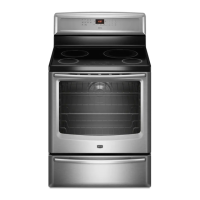
This document is a user manual for a Maytag Electric Range, providing detailed instructions for its safe operation, cooking functions, maintenance, and troubleshooting.

Function Description:

The Maytag Electric Range is a cooking appliance featuring an induction cooktop and an electric oven. It is designed for baking, broiling, roasting, and surface cooking. The induction cooktop utilizes electromagnetic fields to heat cookware directly, offering quick heating/cooling and energy efficiency. The oven includes various cooking modes such as Bake, Broil, Convect Bake, Convect Roast, and Convect Broil, along with a Keep Warm function and a Warming Drawer (on some models). It also incorporates a Precision Cooking™ System - Precise Bake for optimal cooking results. The range features electronic controls for both the cooktop and oven, allowing for precise temperature and time settings. A Sabbath Mode is included for religious observance, disabling certain functions while allowing the oven to remain on in a bake setting.
Important Technical Specifications:

  • Induction Cooktop: Generates and uses ISM frequency energy. Complies with Part 18 of FCC Rules for ISM equipment.
  • Oven Temperature Range: Bake: 170°F (75°C) to 500°F (260°C) in 5° increments. Broil: High (500°F [260°C]), Medium (450°F [232°C]), Low (400°F [204°C]). Convect Bake/Roast/Broil: 170°F (77°C) to 500°F (260°C) in 5° increments.
  • Warming Drawer Temperature: Approximately 160°F (71°C).
  • Oven Light: Standard 40-watt appliance bulb.
  • Power Requirements: Designed for 240V installation, automatically adjusts to 208V operation.
  • Cooktop Timer: Up to 90 minutes, independent of other control settings.
  • Oven Timer: Up to 9 hours and 59 minutes.
  • 12-Hour Shutoff: Oven automatically shuts off 12 hours after initiating a cook or clean function (does not interfere with timed or delay cook functions).

Usage Features:

  • Electronic Oven Controls: Touch-activated keypads for various functions including Bake, Broil, Convect Bake, Convect Roast, Convect Broil, Keep Warm, Delay Start, Cook Time, Power Preheat, Warming Drawer On/Off, Clean, Settings, Control Lock, and Kitchen Timer.
  • Clock: 12- or 24-hour cycle, adjustable.
  • Oven Light: Turns on/off with a keypad, also activates when the oven door is opened.
  • Kitchen Timer: Independent timer for general kitchen use, up to 9 hours 59 minutes.
  • Start/Cancel Keypads: Start begins any oven function; Cancel stops any oven function except Clock, Kitchen Timer, Control Lock, and Warming Drawer.
  • Power Preheat: Provides fastest preheat time for the Bake function, recommended for one-rack baking.
  • Warming Drawer: Keeps hot cooked foods at serving temperature, also suitable for warming breads and pastries.
  • Induction Cooktop Controls: Touch-activated electronic controls with heat level sliders, Simmer, Melt and Hold, Boost functions, and a timer.
  • Pan Detection: Cooktop recognizes ferromagnetic cookware of appropriate size; displays "replace pan" animation if not detected.
  • Control Lock (Cooktop & Oven): Prevents unintended use of controls.
  • Settings: Allows personalization of audible tones (all sounds, end of cycle, reminder, key press, tone pitch), oven temperature offset (Fahrenheit/Celsius), Demo Mode, 12-hour shutoff, 12/24 hour clock, and display language (English, Spanish, French).
  • Rack Positioning: Seven positions for flat racks, with specific recommendations for different food types and multiple-rack cooking (2-rack, 3-rack, convection baking).
  • Broiling: Requires the oven door to be open 6" (15 cm) at the broil stop position.
  • Convection Cooking: Fan-circulated hot air for even cooking, automatically reduces set oven temperature by 25°F (15°C).

Maintenance Features:

  • AquaLift™ Technology Clean Cycle: Innovative low-heat, odor-free cleaning solution using water to release baked-on spills from the oven in less than 1 hour. Requires removal of racks and accessories, wiping excess soil, and pouring 2 cups of distilled/filtered water onto the oven bottom.
  • Ceramic Glass Cooktop Cleaning: Clean after each use to prevent scratches, pitting, and abrasions. Recommended use of ceramic glass cooktop cleaner and scraper. Avoid abrasive cleaners, cleaning pads, or harsh chemicals.
  • Exterior Porcelain Enamel Surfaces Cleaning: Clean food spills containing acids promptly. Use glass cleaner, mild liquid cleaner, or nonabrasive scrubbing pad.
  • Stainless Steel Cleaning: Rub in direction of grain. Use stainless steel cleaner. Avoid soap-filled scouring pads, abrasive cleaners, steel-wool pads, gritty washcloths, or abrasive paper towels.
  • Metallic Paint Cleaning: Avoid abrasive cleaners, cleaners with bleach, rust removers, ammonia, or sodium hydroxide (lye).
  • Control Panel and Oven Door Exterior Cleaning: Use glass cleaner and soft cloth/sponge. Avoid abrasive cleaners, steel-wool pads, gritty washcloths, or abrasive paper towels.
  • Oven Racks Cleaning: Use steel-wool pad. Apply a light coating of vegetable oil to rack guides if they are hard to slide.
  • Oven Cavity Cleaning: Use AquaLift™ Technology regularly. Clean food spills when oven cools. Avoid oven cleaners.
  • Oven Light Replacement: Standard 40-watt appliance bulb, accessible by turning the glass bulb cover counterclockwise.

Maytag MIR8890AS Specifications

General IconGeneral
BrandMaytag
ModelMIR8890AS
CategoryRanges
LanguageEnglish

Related product manuals