EasyManua.ls Logo

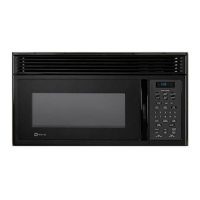
Maytag MMV5100AA - User Manual

Maytag MMV5100AA
40 pages
Print Icon
To Next Page IconTo Next Page
Loading...
1
USER’S GUIDE
AND COOKING GUIDE
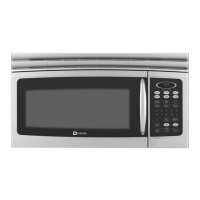
Over-The-Range Microwave Oven
Model MMV5100AA
Read these instructions carefully before using your microwave oven.
Part no.8112p171-60 MCS p/n 74005587 A/08/00
SAVE THESE INSTRUCTIONS
¨

Questions and Answers

  • D
    Deborah BrownAug 13, 2025
    Why won't my Maytag MMV5100AA start?
    • G
      Gail WilkinsonAug 13, 2025
      Your Maytag Microwave Oven might not start because the electrical cord isn't plugged in, the door isn't fully closed, a fuse in your home is blown, or the circuit breaker tripped. Ensure the oven is plugged into the outlet, the door is closed properly, and that you press START. Replace the fuse or reset the circuit breaker if necessary. Also, ensure the 3-prong plug is fully inserted into the wall outlet.
  • R
    Robert KirkAug 16, 2025
    Why is my food not cooking, defrosting enough, or is overcooked in my Maytag MMV5100AA?
    • S
      Susan HayesAug 16, 2025
      Uneven cooking, defrosting or overcooking in your Maytag Microwave Oven can occur if you're using non-microwave-safe cookware, the oven's ventilation ports are blocked, the cooking time or power level isn't correct, or the food isn't being turned or stirred. Make sure you're using microwave-safe cookware only. Ensure that the oven ventilation ports are not restricted. Check the cooking chart for the correct settings. Turn or stir the food during cooking.
  • J
    Joshua Robinson MDAug 20, 2025
    Why don't I hear any sound from my Maytag MMV5100AA Microwave Oven when pressing the keypad?
    • A
      Aaron StantonAug 20, 2025
      If you don't hear any tone when pressing the keypad on your Maytag Microwave Oven, you may have turned off the beep sound. Reset the setting to turn the beep sound back on.
  • R
    Rodney BrownAug 25, 2025
    What to do if I see arcing or sparking in my Maytag MMV5100AA Microwave Oven?
    • S
      sharonruizAug 25, 2025
      Arcing or sparking in your Maytag Microwave Oven can occur if you're using materials that should be avoided, such as metal or foil. It can also happen if you operate the oven when it's empty, or if spilled food remains in the cavity. Ensure you are using microwave-safe cookware only. Do not operate the microwave empty. Clean the cavity with a wet towel to remove any food residue.
  • M
    martinhernandezAug 27, 2025
    Why is 'LOCK' appearing on the display of my Maytag MMV5100AA Microwave Oven?
    • C
      Christina ParkerAug 27, 2025
      The 'LOCK' display on your Maytag Microwave Oven indicates that the control is locked. To unlock the control panel, press and hold the START button for 4 seconds.
  • R
    Richard CastilloAug 31, 2025
    What to do if my Maytag MMV5100AA Microwave Oven display shows time counting down but isn't cooking?
    • H
      hessgavinAug 31, 2025
      If your Maytag Microwave Oven's display shows time counting down but isn't cooking, you may be using the Timer function, or the door may not be securely closed. Press STOP/CLEAR to cancel the Timer. Open and close the door firmly.
  • J
    Jessica ColemanSep 4, 2025
    Why is the turntable not rotating in my Maytag MMV5100AA?
    • A
      Amy SuarezSep 4, 2025
      The turntable in your Maytag Microwave Oven might not be rotating because you've turned it off, or it isn't correctly placed. Ensure the TURNTABLE ON/OFF setting is set to 'on'. Check that the turntable is correctly placed on the receptacle.
  • C
    casey46Sep 8, 2025
    Why did my Maytag MMV5100AA not give good results with Auto Sensor Cooking?
    • C
      christopher41Sep 8, 2025
      Poor results with Auto Sensor Cooking on your Maytag Microwave Oven can happen if the food wasn't covered properly, if STOP/CLEAR was pressed or the door was opened during sensor programming, if the food isn't suitable for sensor cooking, or if there's too much or too little food. Follow the instructions on how to properly prepare food. Avoid opening the door or pressing STOP/CLEAR while 'SENSOR COOKING' is displayed. For food amounts exceeding 2 lbs (900 g) or less than 4 oz (115 g), use Timed Cooking.

Summary

PRECAUTIONS TO AVOID EXCESSIVE MICROWAVE ENERGY

SPECIFICATIONS

Details technical characteristics and dimensions of the microwave oven.

IMPORTANT SAFETY INSTRUCTIONS

GROUNDING INSTRUCTIONS

UTENSILS

SET UP

NAMES OF OVEN PARTS AND ACCESSORIES

Identifies all components and accessories included with the microwave oven.

INSTALLATION GUIDES

TURNTABLE INSTALLATION

Step-by-step guide for correctly placing the turntable and roller rest.

GREASE FILTER INSTALLATION

Guide for installing reusable metal grease filters for cooktop ventilation.

OPERATION

CONTROL PANEL AND FEATURES

Overview and explanation of all buttons, displays, and indicators on the control panel.

OPERATIONAL SETTINGS

SELECTING VENTILATION DIRECTION

Guide to setting the proper airflow direction for venting the oven.

CHILD LOCK-OUT

How to activate and deactivate the safety feature to prevent child operation.

TIMER FUNCTIONS

TIMER

Explains how to use the timer independently or during cooking.

TIMED COOKING AND POWER LEVEL

Details how to cook for a set time with adjustable power levels.

AUTO SENSOR MICROWAVING

AUTO DEFROST

ONE TOUCH START COOKING

CUSTOM PROGRAMS

COOKING GUIDE

COOKING PRINCIPLES AND TECHNIQUES

Fundamental concepts and methods for efficient and effective microwave cooking.

COOKING WITH METAL RACK

SENSOR COOKING RECIPES

BAKED POTATO RECIPE

Step-by-step recipe for preparing twice-baked potatoes using sensor cooking.

TIMED COOKING - MEATS, POULTRY AND FISH

MEAT, POULTRY, FISH PREPARATION AND COOKING

Covers preparation, cooking, and checking doneness for meats, poultry, and fish.

MAINTENANCE

TROUBLESHOOTING

A chart to diagnose and resolve common problems encountered with the microwave oven.

CARE AND CLEANING

MICROWAVE OVEN WARRANTY

WARRANTY COVERAGE DETAILS

Details warranty periods, coverage for specific parts, and terms for residents.

IF YOU NEED SERVICE

Maytag MMV5100AA Specifications

General IconGeneral
BrandMaytag
ModelMMV5100AA
CategoryMicrowave Oven
LanguageEnglish

Related product manuals