19
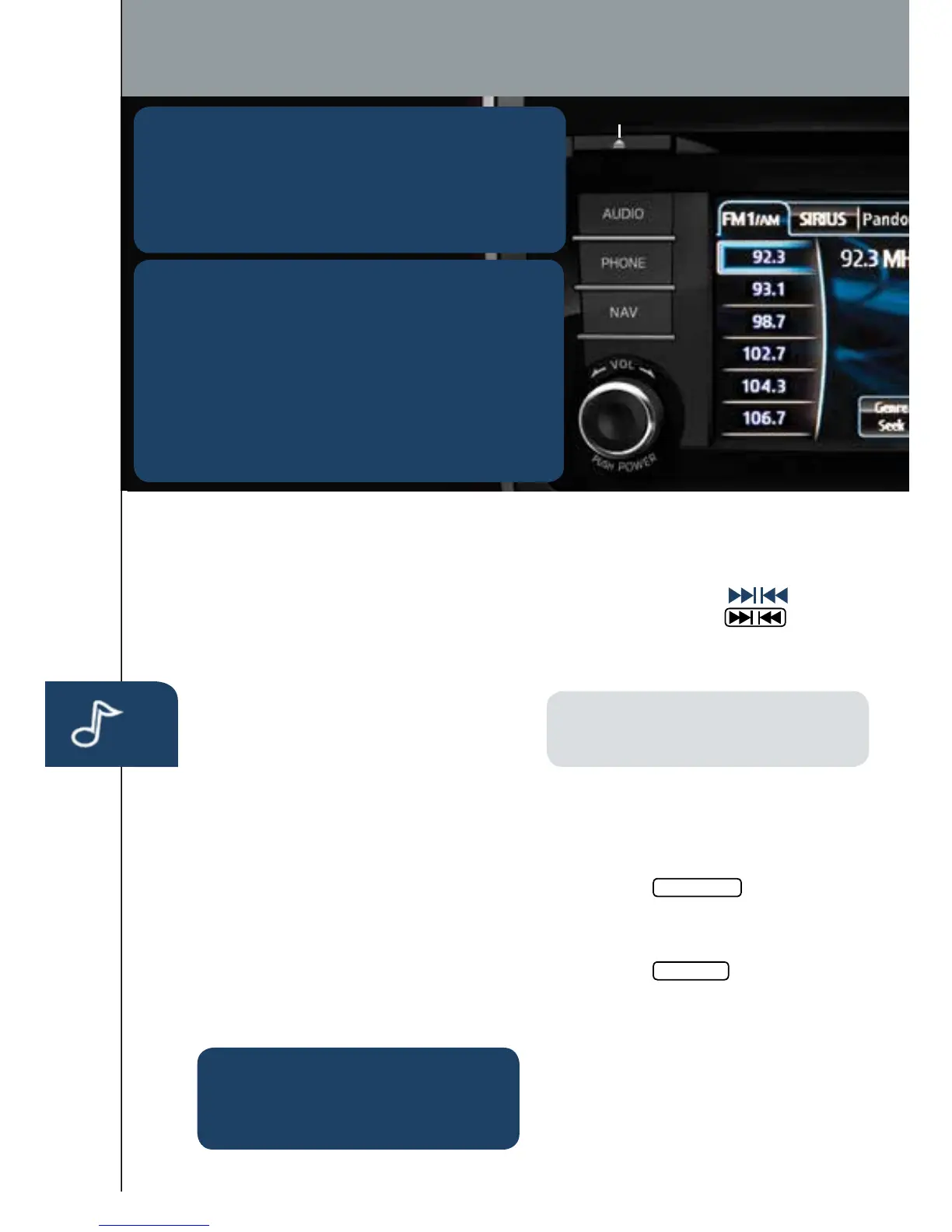
POWER ON
PushthePower/Volumedialto
turntheaudiosystemon.
MEDIA SELECTION
PushtheAUDIObuttontoselectthe
appropriateon-screenbutton:
Radio:SelectFM/AMbuttonforFM1,
FM2,orAMband.
CD:SelectforCDplayer.
Bluetooth
®
:SelectforBTAudio.
Pandora:SelecttoplayPandorafrom
Bluetoothdevice(withPandoraapp).
USB:SelecttoplayiPod/iPhone
®
throughUSBport.
AUX:SelecttoswitchtoAUXinput.
SIRIUS:SelectforSiriusXMSatellite
Radio
®
.Ifyourvehicleisequipped
withSiriusXMSatelliteRadio
®
(satellite
radioantennaonroof),yournew
Mazdaincludesafreeintroductory
subscriptionwithalimitedtermtrial
offer.Call888-539-7474toactivate.
SeetheOwner’sManualand/ordealer
fordetails,orcontactyourdealerabout
addingSiriusXMSatelliteRadio
®
.
SeeyourOwner’sManualforfurther
informationon:
•Pandoraaudioapplication
•Audiomenuvoice-command
TUNING
Manual:TurntheTUNE/FILEdialto
manuallychangethefrequency.
Seek:PushtheSEEK
button
ortouchandholdthe
on-screenbutton,toautomaticallyseek
ahigherorlowerfrequencyortrack,
dependingonmediaselected.
NOTE:
Ifyoucontinuetopushand
holdthebutton,thefrequencywill
continuechangingwithoutstopping.
Scan:TouchtheSCANon-screen
buttontoautomaticallysamplestrong
stationsforsecondseach.Touchagain
tocancel.
Auto Memory Tuning:
1Touchthe
Auto Memory
on-screen
button.Theautomemorypresetlist
isdisplayedandthepreviouslytuned
frequencyisreceived.
2Touchthe
Update List
on-screenbutton
todisplaythefrequenciesofuptoten
radiostationsontheautomemory
presetlist.
3Touchthedesiredfrequency.
RefertotheOwner’sManualfor
completedetails.
Preset Channel:Canbeusedtostore
6AMor12FMstations.
PLAYING BLUETOOTH
®
(BT) AUDIO
1 MakesureBTaudiodeviceispairedto
yourvehicle.
2 TurnonBTaudiodevice.
3 TouchtheBluetooth
®
on-screentab.
4 SelecttheBT-Audiooption.
Eject CD
Audio
GRACENOTE
TheGracenotemediadatabaseisusedtoimprove
voicerecognitionofartistandalbumnameswiththe
MazdaHandsFreesystem.Tomakebestuseofthe
voicerecognition,installthemostrecentdatabase.
1 LoadtheGracenoteupdateonamemorystick
fromwww.MazdaUSA.com/USB.Insertmemory
stickintotheUSBport.
2 PushthePHONEbutton.
3 SelectSetupandscrolldowntoGracenoteUpdate.
1406031_14a_Mazda_CX-9_SSG_071013.indd 19 7/10/13 9:03 AM



 To Next Page