TO MAKE OR RECEIVE A HANDS-FREE CALL
Basic Operation:
button: Tomake/receive/swapacall.
button: Toend/rejectacall.
button: Toskipvoiceguidance
(forspeedingupoperation).
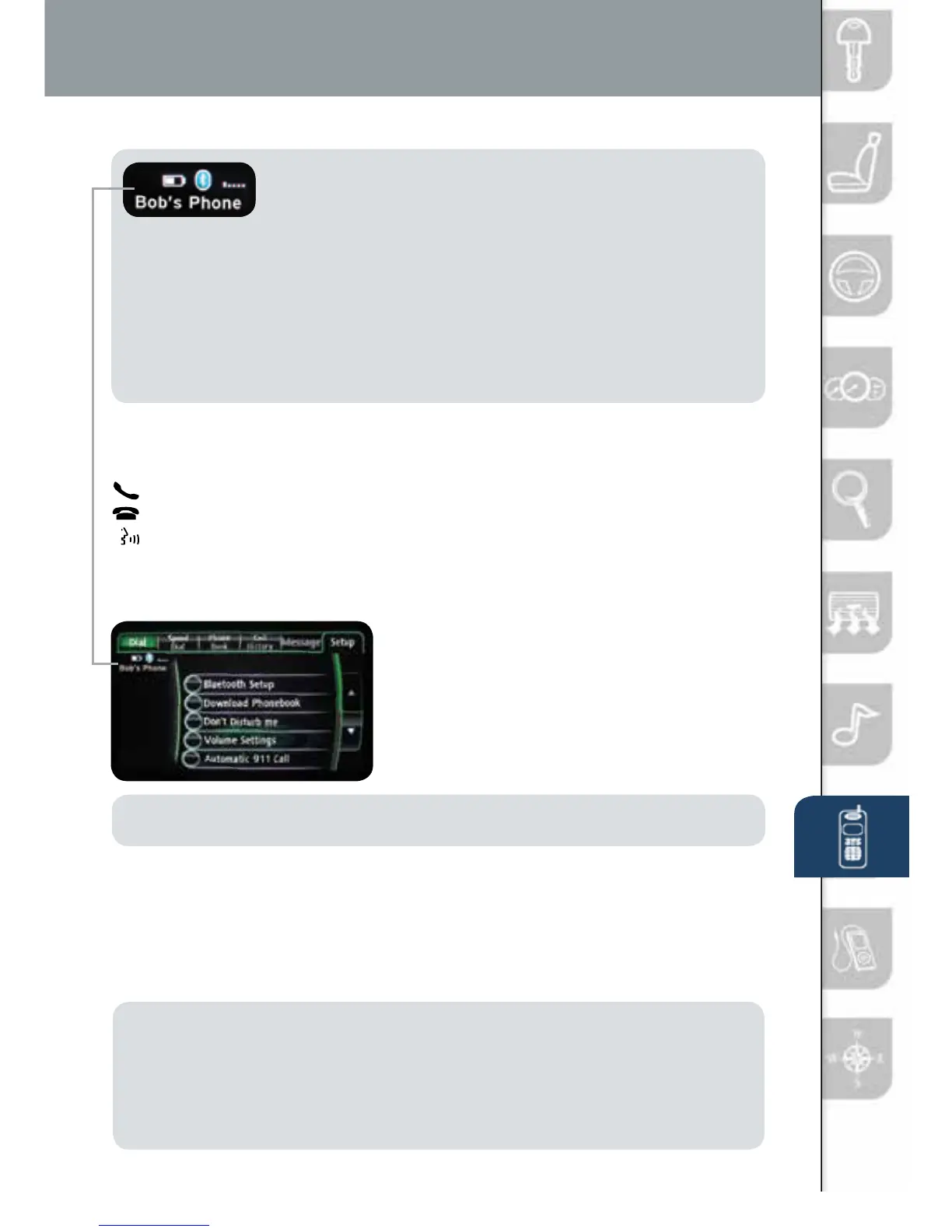
NOTE: Forconnectionissues,pleaseconrmtheBluetooth
connectionstatusbypushingthePHONEbuttonand
lookinginthetopleftcornerfortheBluetoothiconand
yourphone’sname.SomephoneswillturnofftheBluetoothsignalafter
connectingtheUSBcabletothevehicleorafterdownloadinganupdate
• Ifnotdisplayed,checkyourphoneandmakesureBluetoothisturnedon
(ordiscoverable)intheSettingsmenu.Detailedinstructionsforsomephones
areavailableonline.
• Ifthereisstillnoconnection,deletethepairingdataonthesystemand
yourphoneandtryagainafterconrmingyourcellphoneiscompatibleat
www.MazdaUSA.com/bluetooth.
BLUETOOTH FEATURES (WITH NAVIGATION)
SeeyourOwner’sManualformoreinformation.
PushthePHONEbutton,thenselectthe
“Setup”tab.
SMS TEXT AUDIO DELIVERY/
VOICE REPLY:Play(read)textfrom
aBluetoothconnectedphoneand
respondback.
NOTE: If “Message” is grayed out, your phone does not support this
feature. See your Owner’s Manual for more information.
DON’T DISTURB ME:Youwillnotreceivephonecallsandmessages.
DOWNLOAD PHONEBOOK:Usethisfeatureand“AllContacts”todownload
andupdateyourphonebookinthevehicle.SomePHONEBOOKSmaynot
automaticallyupdateifchangesaremadeonyourphone.
AUTOMATIC 911 CALL:Calls911aftercertainmoderatetoseverecollisions.
ThiscanbeturnedONandOFF.
Automatic Bluetooth
Reconnection:
Onenginestart,thelastconnected
devicewillautomaticallybere-connected
afterseveralseconds.Toswitchphones,
gotoBLUETOOTHSETUP.
NOTE:
• Phonemustbepairedandconnected.
• Somephonemodelsdonotsupportallfeatures.
GotowwwMazdaUSA.com/bluetoothorcontact(800)430-0153
forfurtherassistanceortoreportaphone/MP3deviceconcern.
• SeeyourOwner’sManualformoreinformation.
www.MazdaUSA.com
1406031_14a_Mazda_CX-9_SSG_071013.indd 26 7/10/13 9:04 AM



 To Next Page