4
–
128
When Driving
Rear View Monitor
N O T E
y
If water, snow, or mud is stuck on the camera lens, wipe it off using a soft cloth. If it
cannot be wiped off, use a mild detergent.
y
If the camera temperature changes rapidly (Hot to cold, cold to hot), the rear view
monitor may not operate correctly.
y
When replacing the tires, consult an Authorized Mazda Dealer. Replacing the tires could
result in deviation of the guide lines which appear on the display.
y
If the vehicle's front, side, or rear has been involved in a collision, the alignment of
the rear view parking camera (location, installation angle) may have deviated. Always
consult an Authorized Mazda Dealer to have the vehicle inspected.
y
If “No Video Signal Available” is indicated in the display, there could be a problem with
the camera. Have your vehicle inspected at an Authorized Mazda Dealer.
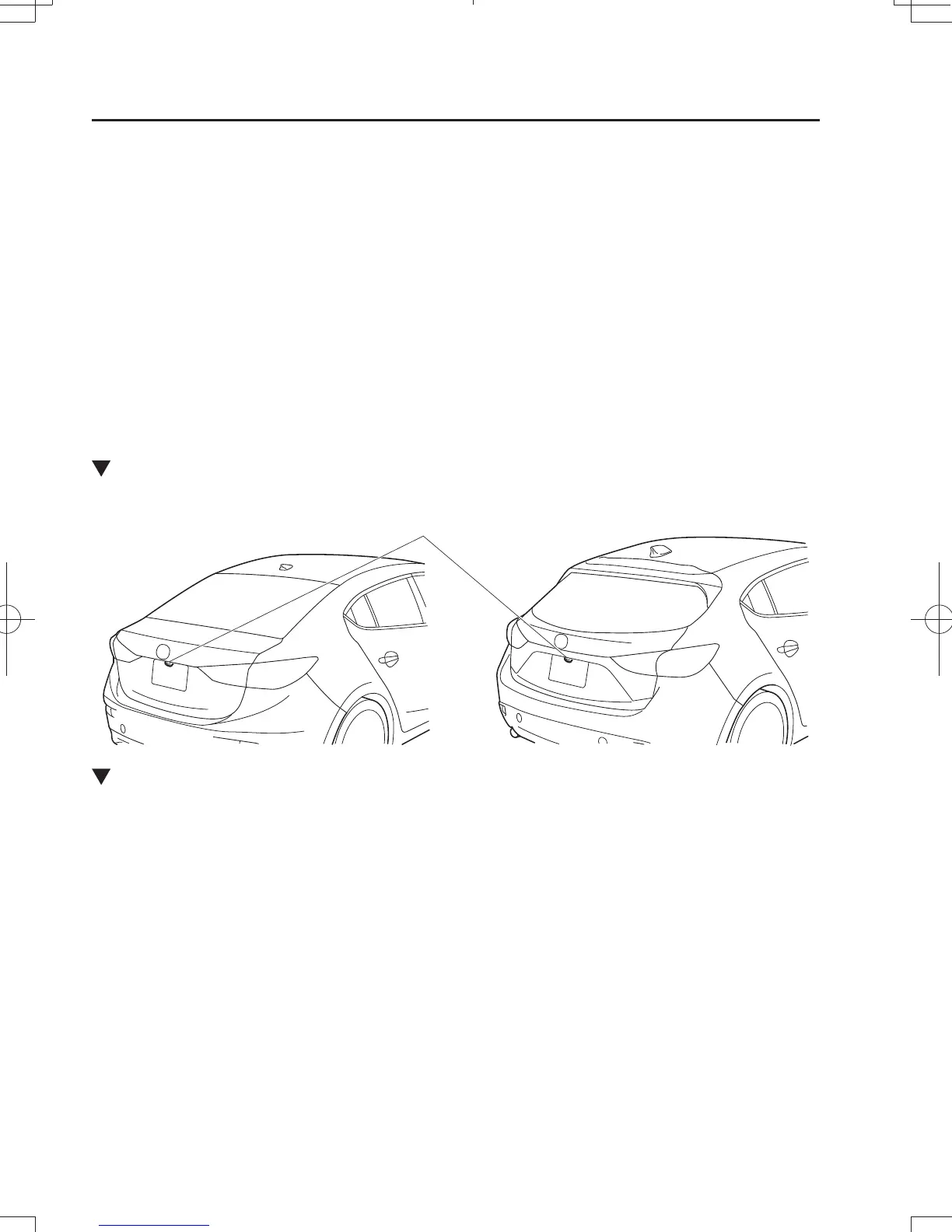
Rear View Parking Camera Location
Rear View Parking Camera
4-Door 5-Door
Switching to the Rear View Monitor Display
Shift the shift lever to R with the ignition switched ON to switch the display to the rear view
monitor display.
N O T E
When the shift lever is shifted from R to another shift lever position, the screen returns to the
previous display.
Mazda38FA4-EA-15GEdition3.indb128Mazda38FA4-EA-15GEdition3.indb128 2015/12/0419:13:242015/12/0419:13:24



 To Next Page