▼
Mazda Radar Cruise Control with
Stop & Go function (MRCC with
Stop & Go function) Display
Indication
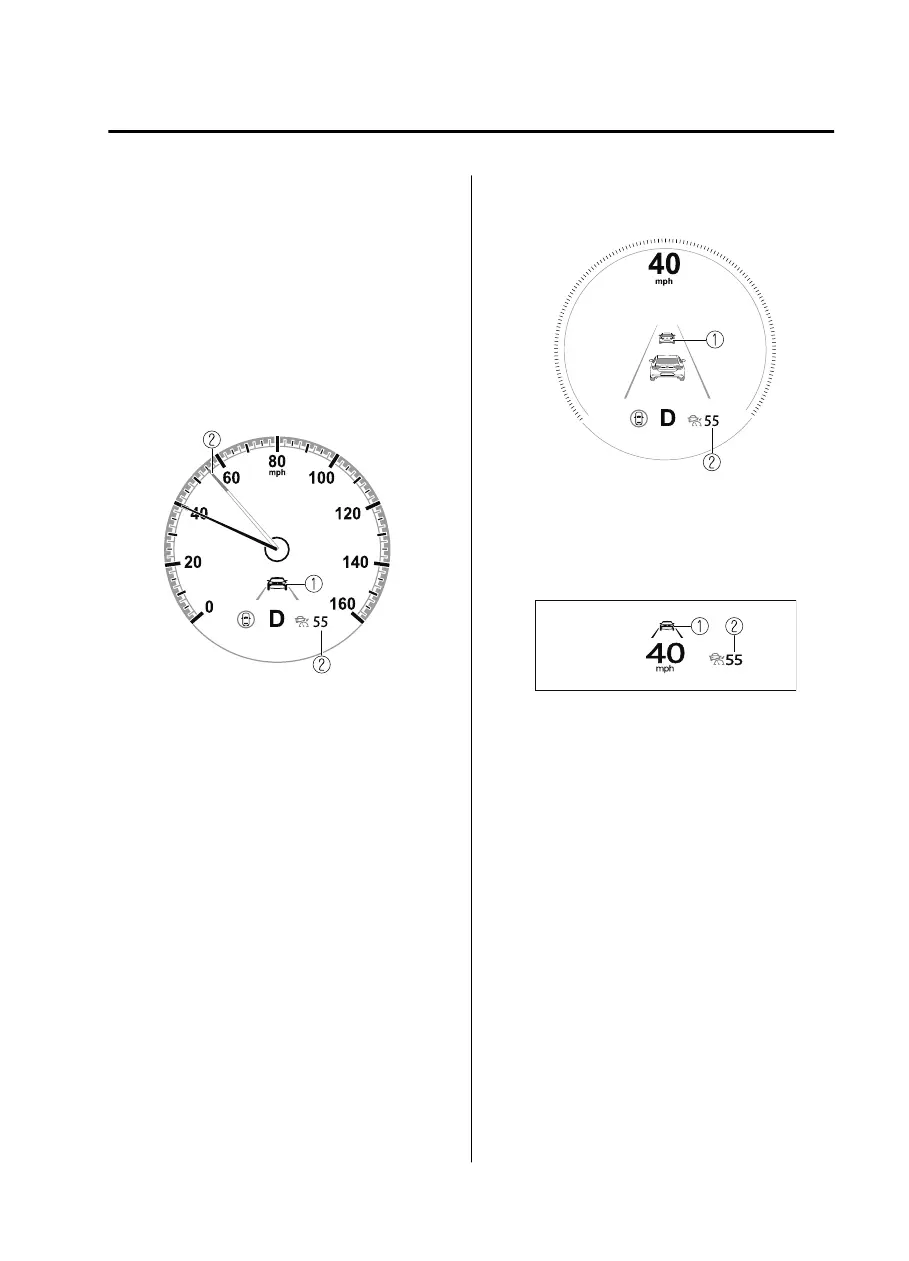
The MRCC with Stop & Go function
setting status and operation conditions are
indicated on the multi-information display
and the active driving display.
Multi-information Display (Basic
display)
1. Vehicle ahead display
2. MRCC with Stop & Go function set
vehicle speed
Multi-information Display
(i-ACTIVSENSE display)
1. Vehicle ahead display
2. MRCC with Stop & Go function set
vehicle speed
Active driving display
1. Vehicle ahead display
2. MRCC with Stop & Go function set
vehicle speed
If there is a problem with the MRCC with
Stop & Go function system, a message is
displayed on the multi-information
display. Check the center display to verify
the problem and then have your vehicle
inspected by an Authorized Mazda Dealer.
Refer to If a Warning Light Turns On or
Flashes on page 7-26.
When Driving
i-ACTIVSENSE
4-127
Mazda3_8HE9-EA-18K_Edition1 2018-10-17 19:05:10


 To Next Page
 Loading...











