6-40
Interior Comfort
Audio System
Form No. 8R29-EA-02I
▼
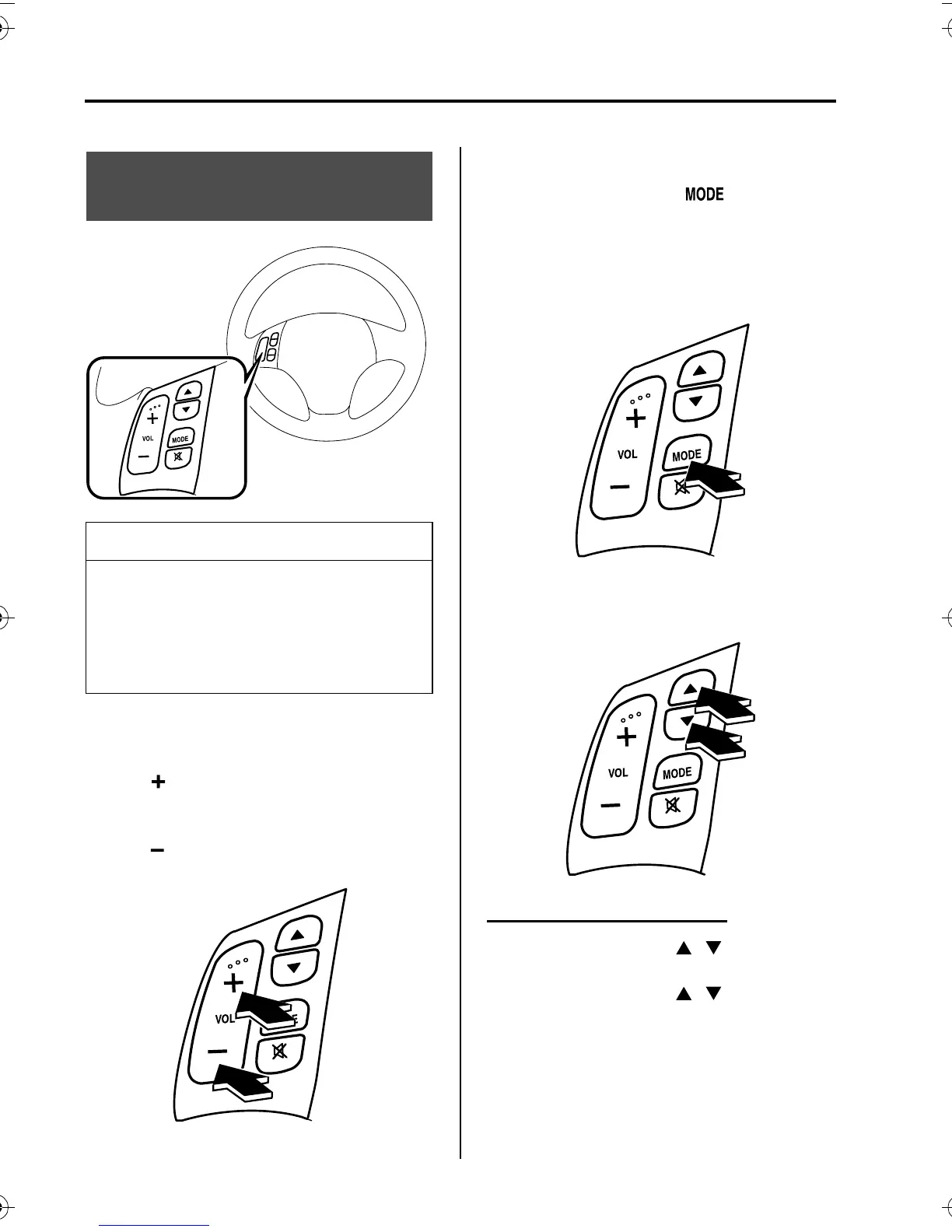
Adjusting the Volume
To increase the volume, press volume
button ( ).
To decrease the volume, press volume
button ( ).
▼
Changing the Source
Press the mode switch ( ) to change
the audio source (AM radio>FM1
radio>FM2 radio>Cassette tape player or
MD player>CD player or CD
changer>cyclical).
▼
Seek Switch
When listening to the radio
Press the seek switch ( , ) to recall
previously stored radio stations.
Press the seek switch ( , ), the radio
switches to the next/previous stored
station in the order that it was stored
(1~6).
Audio Control Switch
Operation
NOTE
Mazda installed this system to help
you avoid being too distracted using
audio controls on the dashboard.
Always make safe driving your first
priority.
shuseizumi_J56J_8R29_EA_02I.book Page 40 Saturday, September 7, 2002 12:58 PM



 To Next Page