Black plate (229,1)
Accessory Sockets
The igni tion switch must be in the ACC
or ON position to prevent the battery from
discharging.
Only use genuine Mazda accessories or
the equivalent requiring no greater than
120 W (DC 12 V, 10 A).
CAUTION
To prevent accessory socket damage or
electrical failure, pay atte ntion to the
following:
l
Don't use accessories that require
more than 120 W (DC 12 V, 10 A).
l
Don't use accessories that are not
genuine Mazda accessories or the
equivalent.
l
Close the cover when the accessory
socket is not in use.
l
Correctly insert the plug into the
accessory socket.
NOTE
To prevent discharging the battery, don't
use the socket for long periods with the
engine off or idling.
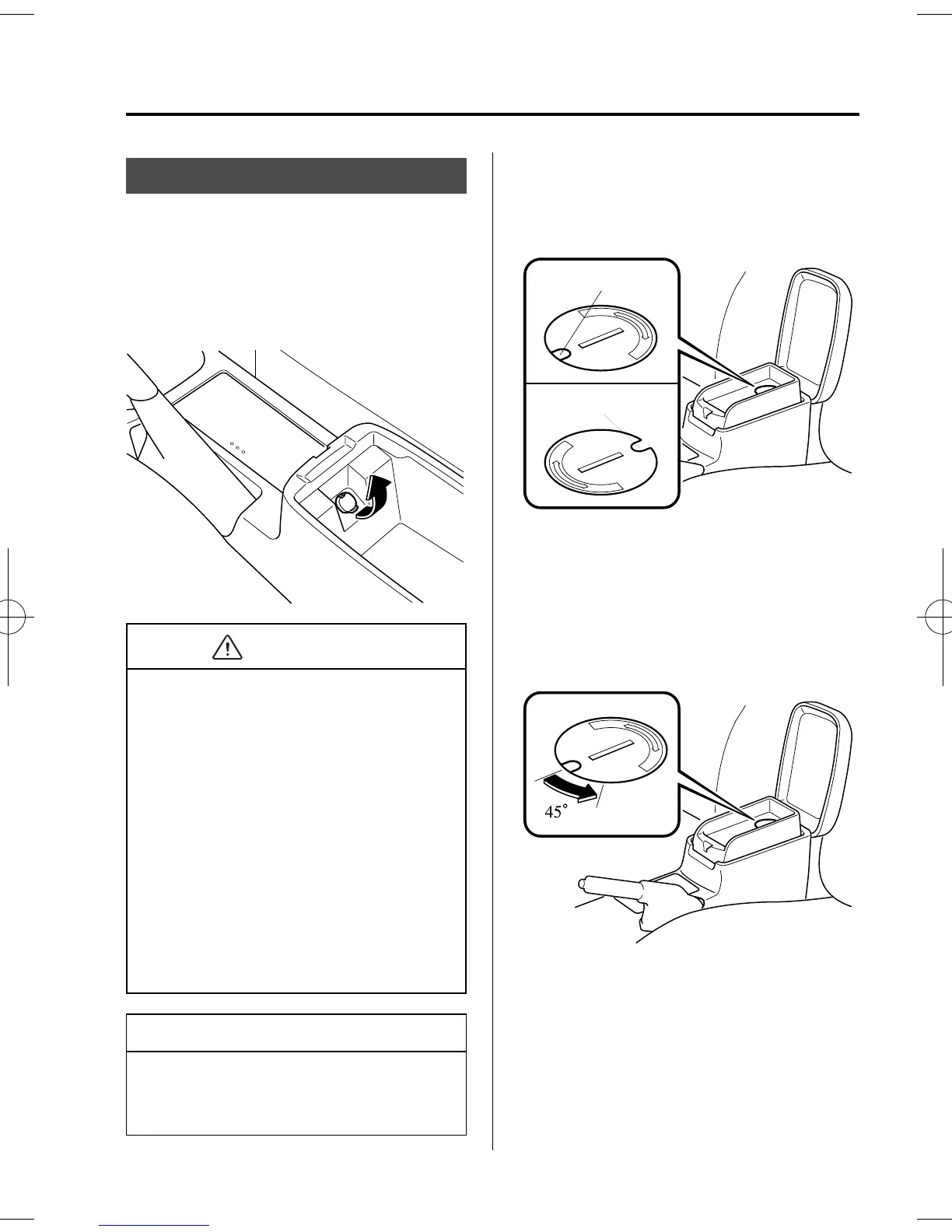
When placing an electrical device (e.g.
cellular phone) in the tray which is
connected with the accessory socket, pass
the plug cord through the slot in the cap.
Cap slot, closed
Cap slot, opened
1. Open the lid by pulling the upper
release catch.
2. Remove the tray mat.
3. Using a coin, turn the cap
counterclockwise (about 45° from the
closed position) an d remove it.
4. Open the tray by pulling the lower
release catch.
Interior Comfort
Interior Equipment
6-49
Mazdaspeed6_8U02-EC-05H_Edition1 Page229
Friday, July 15 2005 9:48 AM
Form No.8U02-EC-05H



 To Next Page