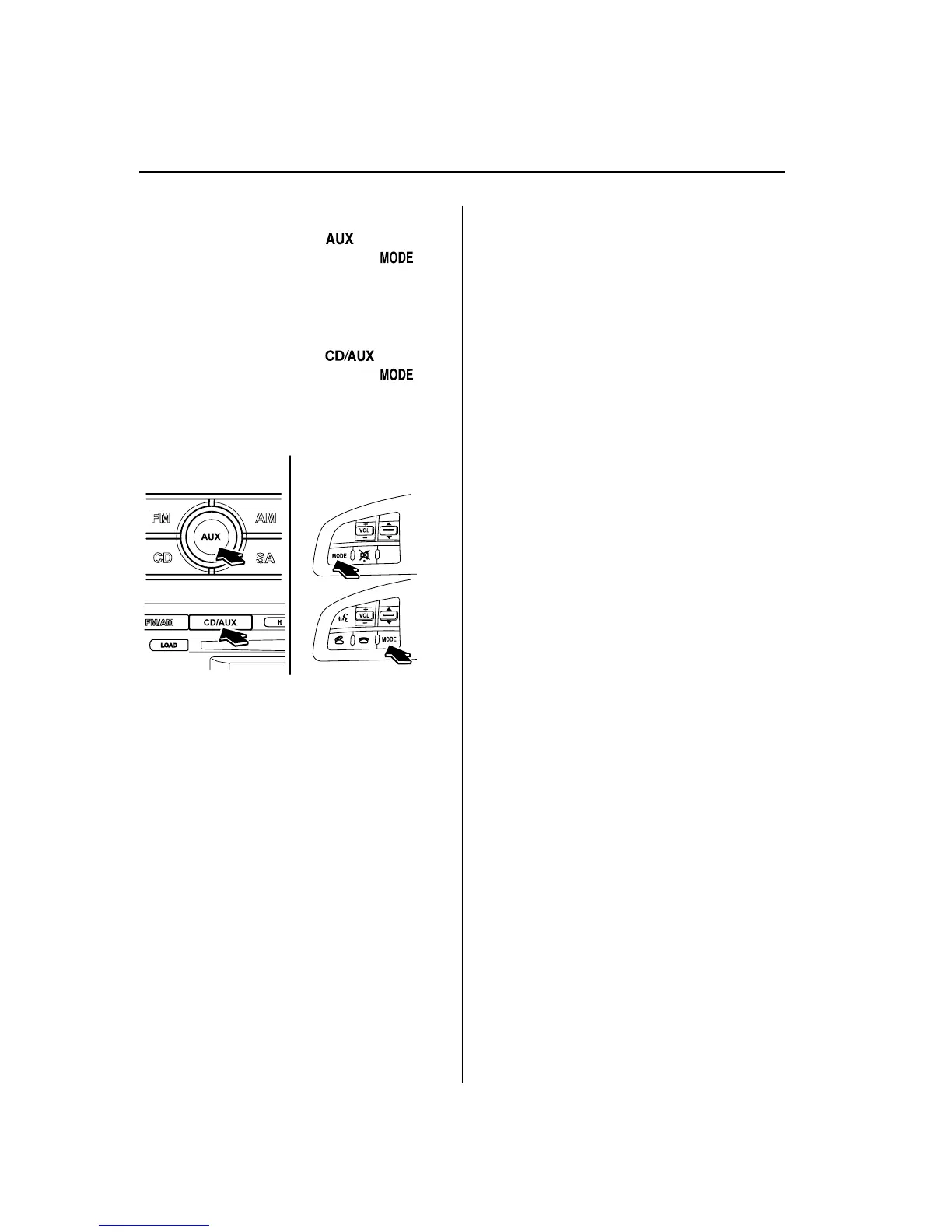
3. (Type A)
Press the AUX button (
) of the
audio unit or the mode switch (
)
of the audio control switches on the
steering wheel to change to the AUX
mode.
(Type B)
Press the AUX button (
) of the
audio unit or the mode switch (
)
of the audio control switches on the
steering wheel to change to the AUX
mode.
Audio Unit Audio Control
Switches
NOTE
l
Set the volume of the portable audio unit to
the maximum within the range that the
sound does not become distorted, then
adjust the volume using the power/volume
dial of the audio unit or the up/down switch
of the audio control switch.
l
Audio adjustments other than audio volume
can only be done using the portable audio
device.
l
If the connection plug is pulled out from the
auxiliary jack while in AUX mode, noise
may occur.
6-76
Interior Comfort
Audio System
Mazda6_8BG7-EC-10H_Edition1 Page300
Monday, August 2 2010 1:28 PM
Form No.8BG7-EC-10H



 To Next Page