Bluetooth Hands-Free
í
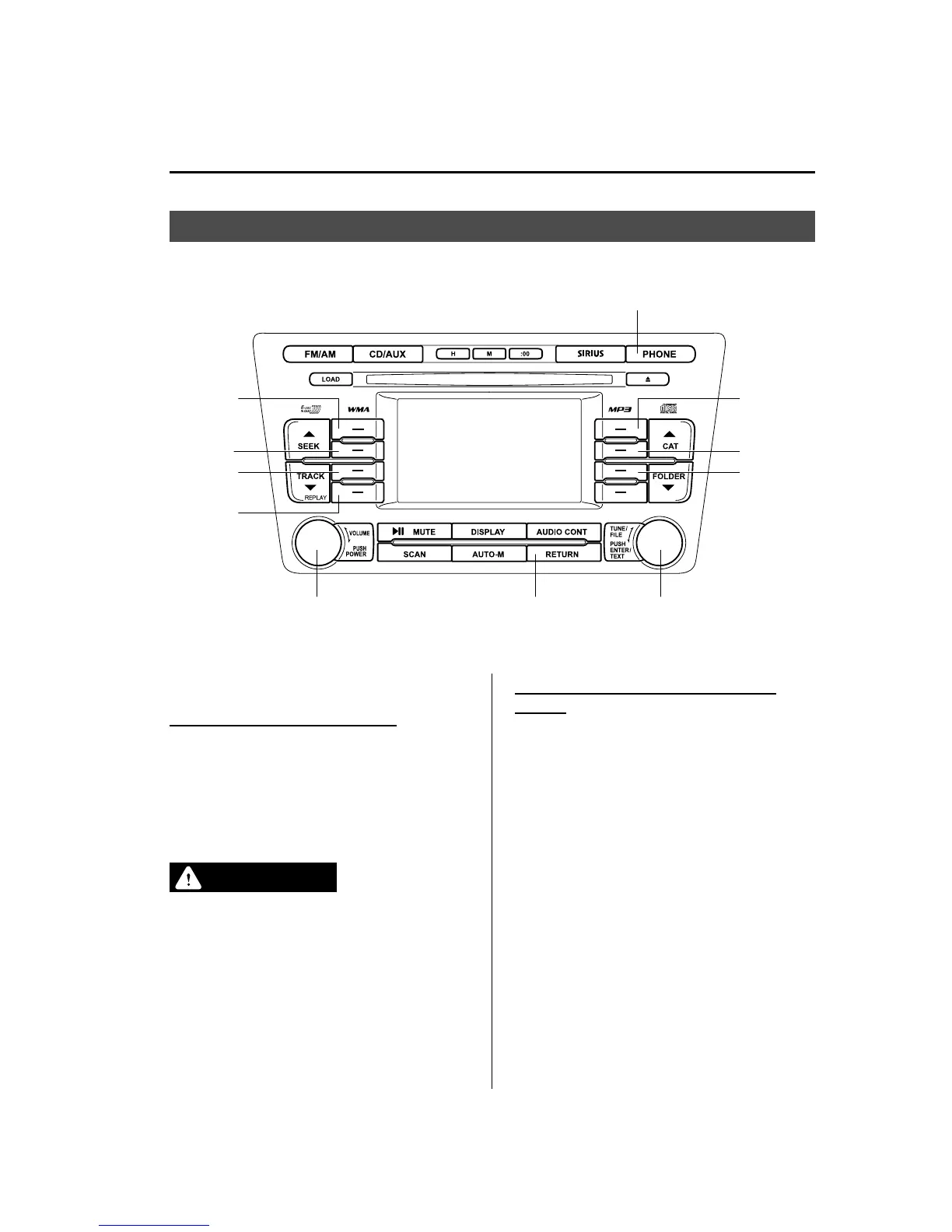
Selection
button 1
Selection
button 2
Selection
button 3
Selection
button 4
Return button
Phone button
Power/Volume dial Manual tuning dial/Enter button
Selection
button 5
Selection
button 6
Selection
button 7
qWhat is Bluetooth Hands-Free?
Bluetooth Hands-Free Outline
By connecting a Bluetooth equipped
device (Mobile phone) to the hands-free
unit equipped on the vehicle, making and
receiving calls are possible using the
audio unit, and the pick-up and hang-up
buttons located on the steering wheel.
WARNING
Perform phonebook registration related
operations while the vehicle is parked:
Performing phonebook registration
while driving the vehicle could be a
distraction to your driving and result
in an accident. In addition, a mistake
in performing the phonebook
operation could result in the loss of
important data.
Bluetooth equipped device (Mobile
phone)
A Bluetooth equipped device (Mobile
phone) communicates with the hands-free
unit equipped on the vehicle using radio
transmission (Bluetooth).
For example, if the device (Mobile phone)
is placed in a coat pocket, the phone calls
can be made through your mobile service
without taking out and handling the
device (Mobile phone).
Interior Comfort
Bluetooth Hands-Free (Panel Operation)
6-123
í
Some models.
Mazda6_8BG7-EC-10H_Edition1 Page347
Monday, August 2 2010 1:28 PM
Form No.8BG7-EC-10H



 To Next Page