•
During headway control travel, the system accelerates and decelerates your vehicle in
conjunction with the speed of the vehicle ahead. However, if it is necessary to accelerate
for a lane change or if the vehicle ahead brakes suddenly causing you to close in on the
vehicle rapidly, accelerate using the accelerator pedal or decelerate using the brake
pedal depending on the conditions.
•
While the MRCC with Stop & Go function system is in use, it does not cancel even if the
selector lever is operated and any intended engine braking does not occur. If deceleration
is required, lower the set speed or depress the brake pedal.
•
The sound of the automatic brakes operating may be heard, however, it does not indicate
a problem.
•
The brake lights turn on while the MRCC with Stop & Go function automatic braking is
operating.
▼
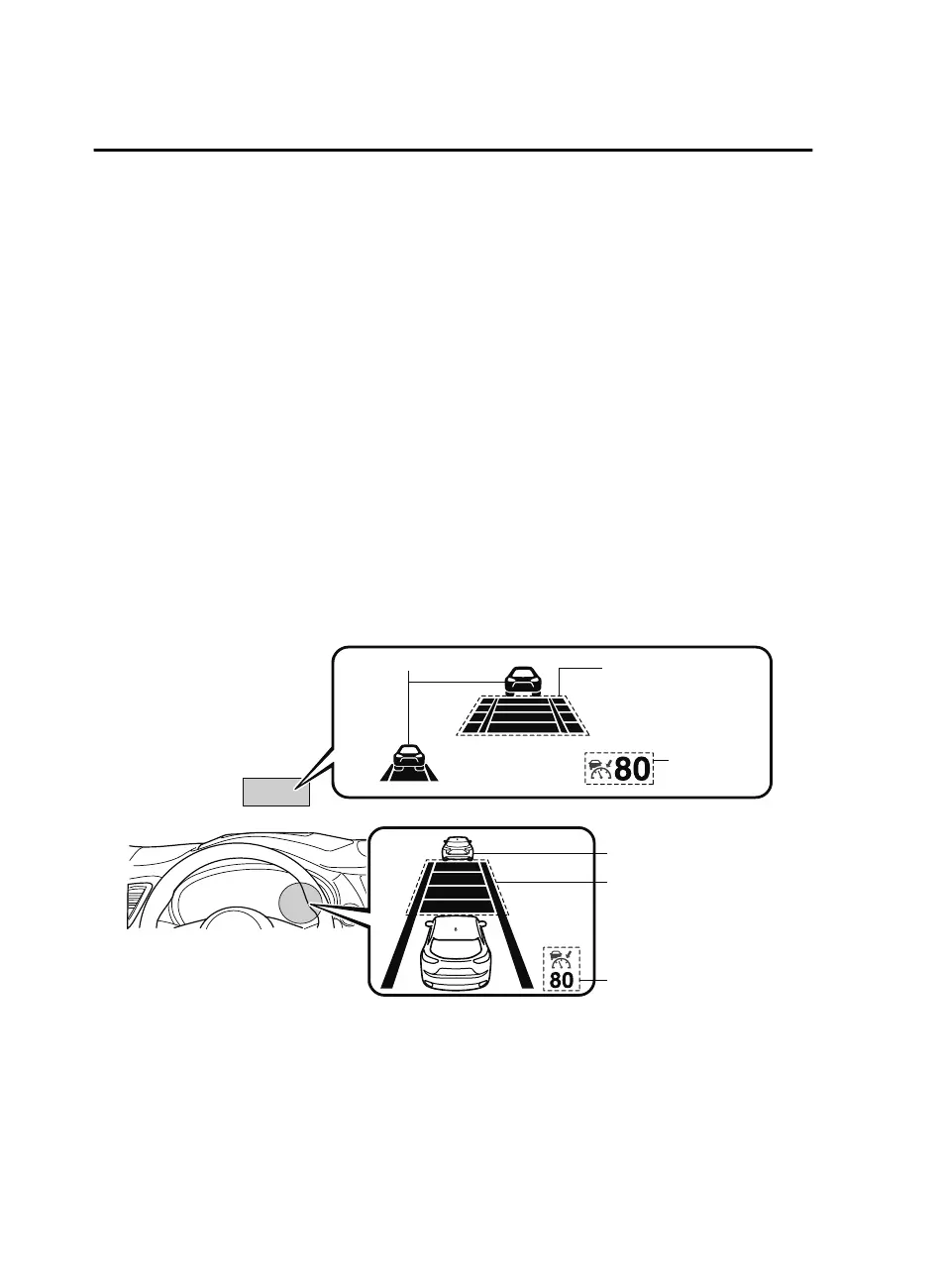
Mazda Radar Cruise Control with Stop & Go function (MRCC with Stop & Go
function) Display Indication
The MRCC with Stop & Go function setting status and operation conditions are indicated
on the multi-information display and the active driving display.
MRCC Distance
between vehicle
display
MRCC Set vehicle speed
Vehicle ahead display
Vehicle ahead display
MRCC Distance
between vehicle
display
MRCC Set
vehicle speed
Active driving display
Multi-information display
If there is a problem with the MRCC with Stop & Go function system, a message is
displayed on the multi-information display. Check the center display to verify the problem
and then have your vehicle inspected by an Authorized Mazda Dealer.
Refer to Message Indicated on Display on page 7-44.
When Driving
i-ACTIVSENSE
4-112
CX-9_8GC3-EA-17G_Edition1 2017-5-29 10:13:38



 To Next Page