When using Apple CarPlay™, please avoid distraction and use Apple CarPlay™ responsibly.
Stay fully aware of driving conditions and always obey applicable laws.
NOTE
Apple CarPlay™ is provided by Apple
®
and its use is subject to your agreement to the
Apple CarPlay™ terms of use, which are included as part of the Apple iOS terms of use.
When using Apple CarPlay™, location, speed, and other vehicle data is transferred to
your iPhone
®
. For further details, refer to Apple
®
’s Privacy Policy.
▼
Switching to Apple CarPlay™
Connect the iPhone
®
by inserting the Apple
®
-genuine connector cord to the USB terminal
indicated by the
mark.
Refer to How to connect USB port/Auxiliary jack on page 5-16.
NOTE
When you switch your iPhone
®
connection from Bluetooth
®
to the vehicle's USB terminal,
the system switches to Apple CarPlay™. The applications which was being used via
Bluetooth
®
connection can be used continuously. However, the available functions of the
applications using Bluetooth
®
connection and those on Apple CarPlay™ may differ.
If the iPhone
®
is connected to the USB terminal not indicated by the mark, the system
operates in USB mode.
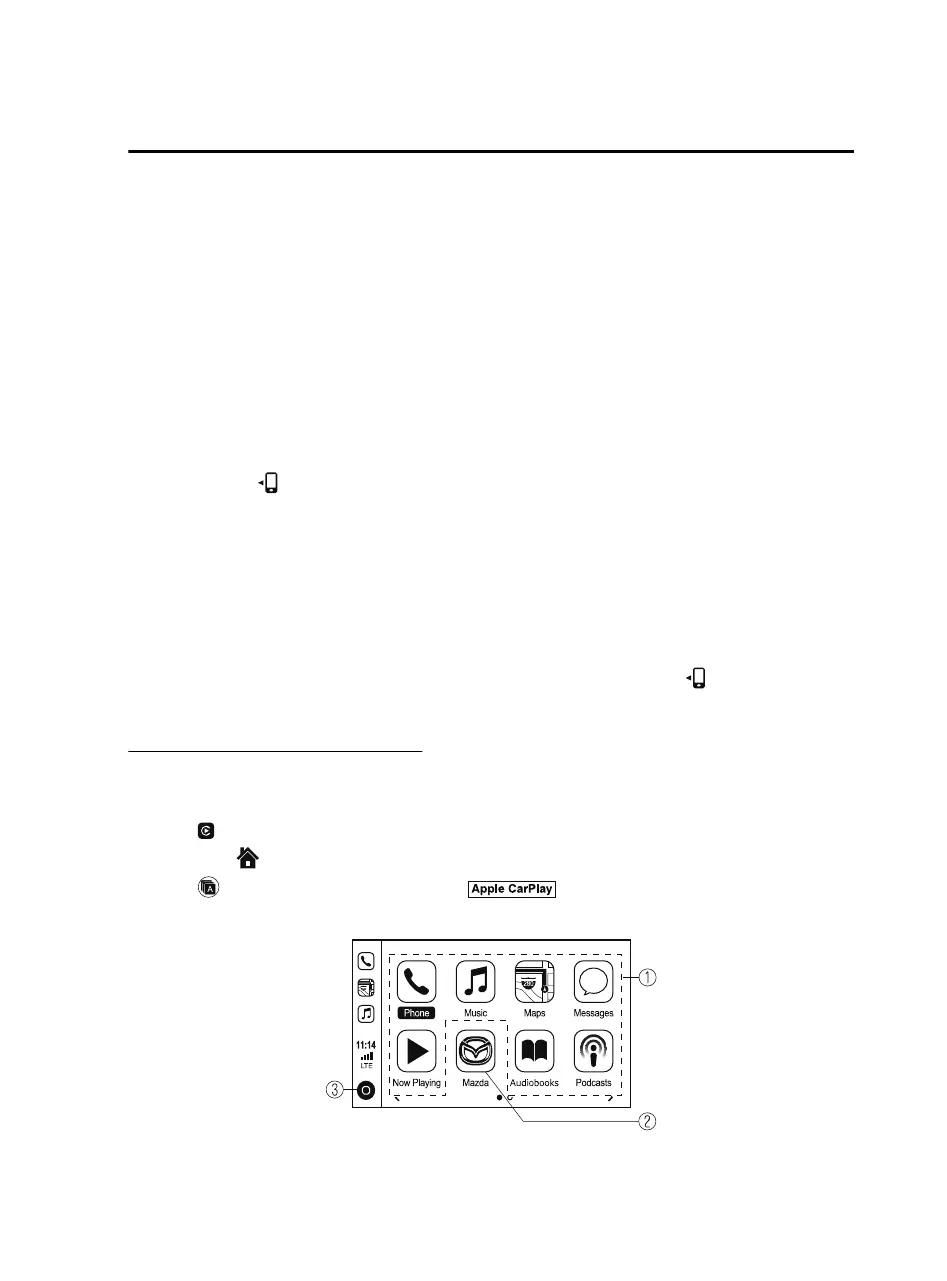
Display of Apple CarPlay™ Screen
Use any of the following methods to display the Apple CarPlay™ screen in the center
display.
Select on the home screen.
Long press on the commander switch.
Select on the home screen, and select from the Applications screen.
Apple CarPlay™ home screen
Interior Features
Audio Set
5-41
MX-5_8JA4-EA-19K_Edition1_old 2019-8-29 16:18:06












 To Next Page