VOICE CONTROL (if equipped)
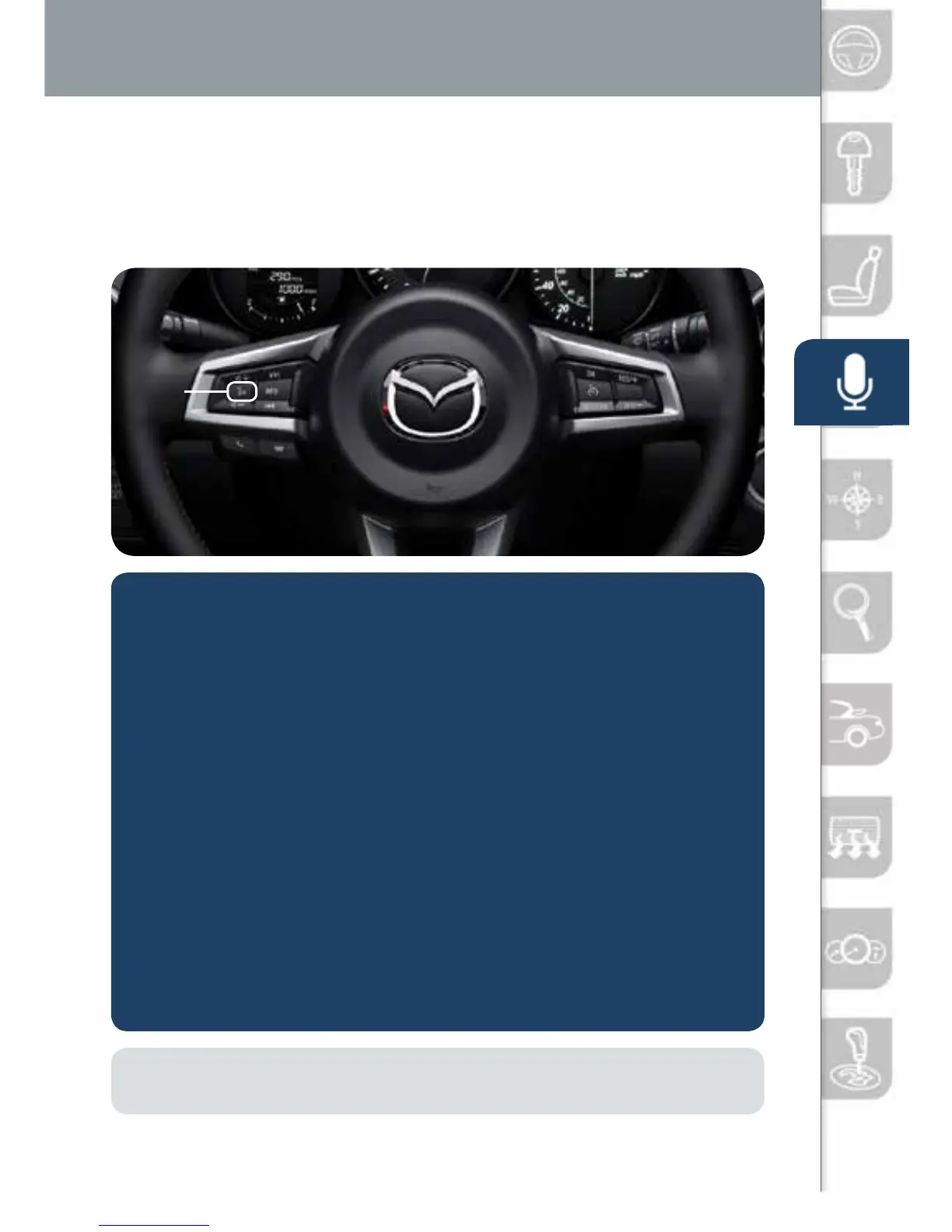
Voice control is activated by pushing the TALK button on the steering
wheel and speaking a command. Voice commands usually contain a verb
(action word) followed by a noun. Common verbs are “Go to” and “Play”.
Talk
NOTE: After becoming familiar with the system you can skip the voice prompts by
pushing the TALK button again.
SOME COMMON VOICE COMMANDS ARE:
• Call “name” mobile
• Dial “number”
• Address-pause-“street
address, city, state”
• Help
• Cancel
• Go Back or Previous
• Next or Skip
• Tutorial
• Scroll/Page Down
• Scroll/Page Up
• Turn Display/Screen Off
• Select “line number”
(ex: “Select Four” or
“Select Line Four”
• Display Clock
Go to (and one of the following):
• Home
• Entertainment
• Navigation
• Communication
• Settings
• Messages
• Contacts
• Email
• Phone
• Call History
• Text
• AM/FM
• XM
• CD
• Bluetooth
• AUX
• USB
• Pandora
• Aha
• Stitcher
Play (and one of the following):
• AM/FM
<station number>
• XM <channel
number>
• CD
• Bluetooth
• AUX
• USB
• Pandora
• Aha
• Stitcher
• Song
• Playlist
• Artist
• Album
• Genre
• Folder
Voice Control
2665980 17b Mazda MX5 SSG 080116.indd 12 8/1/16 12:40 PM










 To Next Page