Basic Operation
Radio (AM/FM) Operation
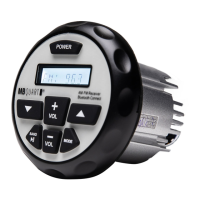
-Press BAND button to switch between AM & FM.
-Press the ▲ or ▼ buttons less than 2 seconds to
automatically seek the next / previous strong radio stations.
Apple Control / USB / MP3 Operation
-Insert a USB device and the unit will read the music
les automatically.
-Press the ▲ or ▼ buttons to play next / previous song.
-Press and hold the ▲ or ▼ buttons for more than 2 seconds
to fast forward / rewind the song.
-Press the ►|| button to pause / resume the current song.
Bluetooth Operation
This unit supports Bluetooth for wireless music streaming
from a mobile device.
BT Connection Function:
-Power on your GMR-2.5 unit
-Turn on the Bluetooth on your device.
-Scan for the Bluetooth Unit “MB QUART”
on your mobile device.
-Select “MB QUART” and the connection will then
be made automatically.
Note: Some Bluetooth devices require inputting a pass code for
connection. Please input code “0000” and the connection will be
made automatically.
Note: Once the unit has made a connection with your Bluetooth
device for the rst time, the unit can then connect to your Bluetooth
device automatically within a valid range.
BT Audio Function:
-Press the ▲ or ▼ buttons for previous / next song.
Clock Display & Adjustment
-Press and hold the BAND button for 2 seconds to
display the clock.
-When the clock is displayed, press and hold the
BAND button until the hour number is ashing, then use the
VOLUME buttons to adjust the hour.
-Once the hour is set, press the BAND button until
the minute numbers are ashing.


 To Next Page