41
Software Overview
The included Audacity software is available for free and licensed under the GNU General Public License (GPL).
For more information on this, see the included CD or at http://audacity.sourceforge.net/
Setting up the Computer
• Connect the computer to the record player by the included USB cable (also see “Connecting the Outputs”).
• Install the software from the CD.
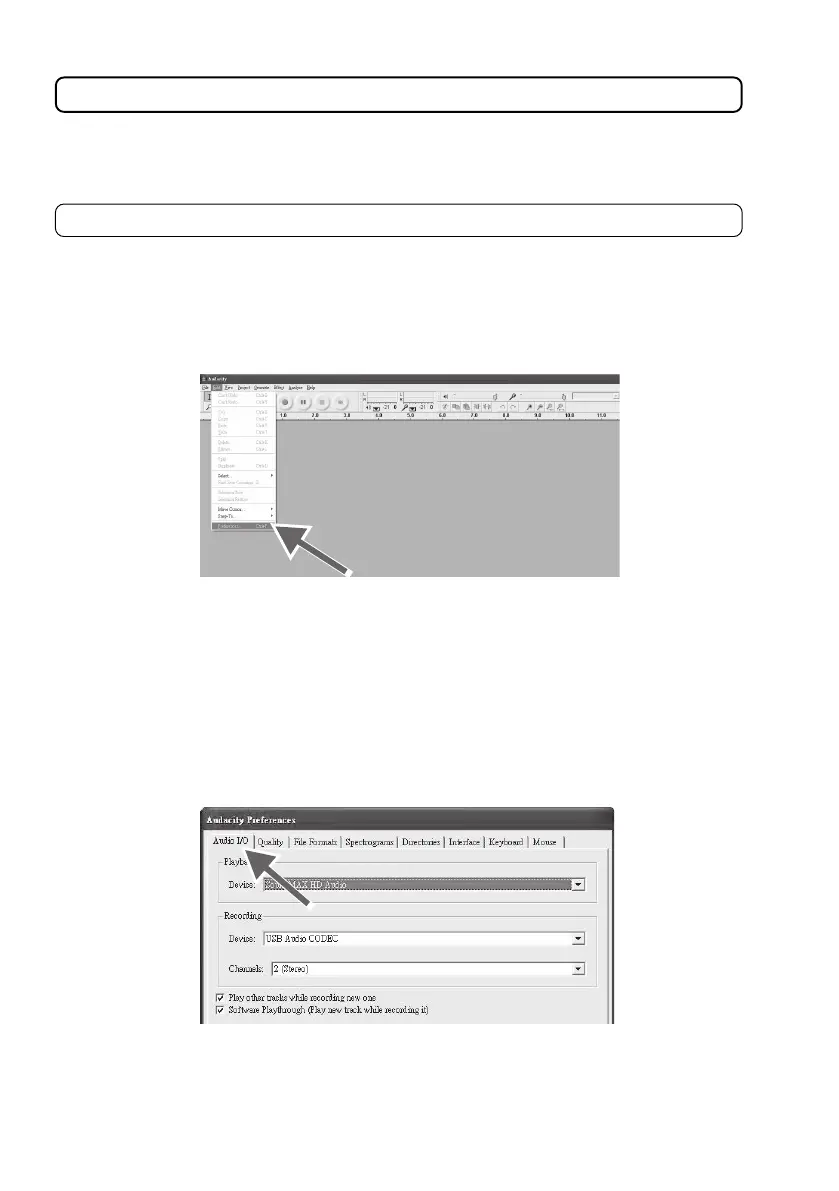
• Open Audacity.
• Select PREFERENCES in the EDIT menu.
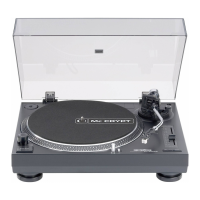
• Select AUDIO I/O in the upper left
• Select your internal sound card as PLAYBACK DEVICE.
• Select USB AUDIO CODEC as RECORDING DEVICE.
• Select (2 STEREO) as RECORDING CHANNELS.
• Check the PLAY OTHER TRACKS WHILE RECORDING NEW ONE checkbox.
• Check the SOFTWARE PLAYTHROUGH checkbox



 To Next Page