31
Setting the Transmitter Channels
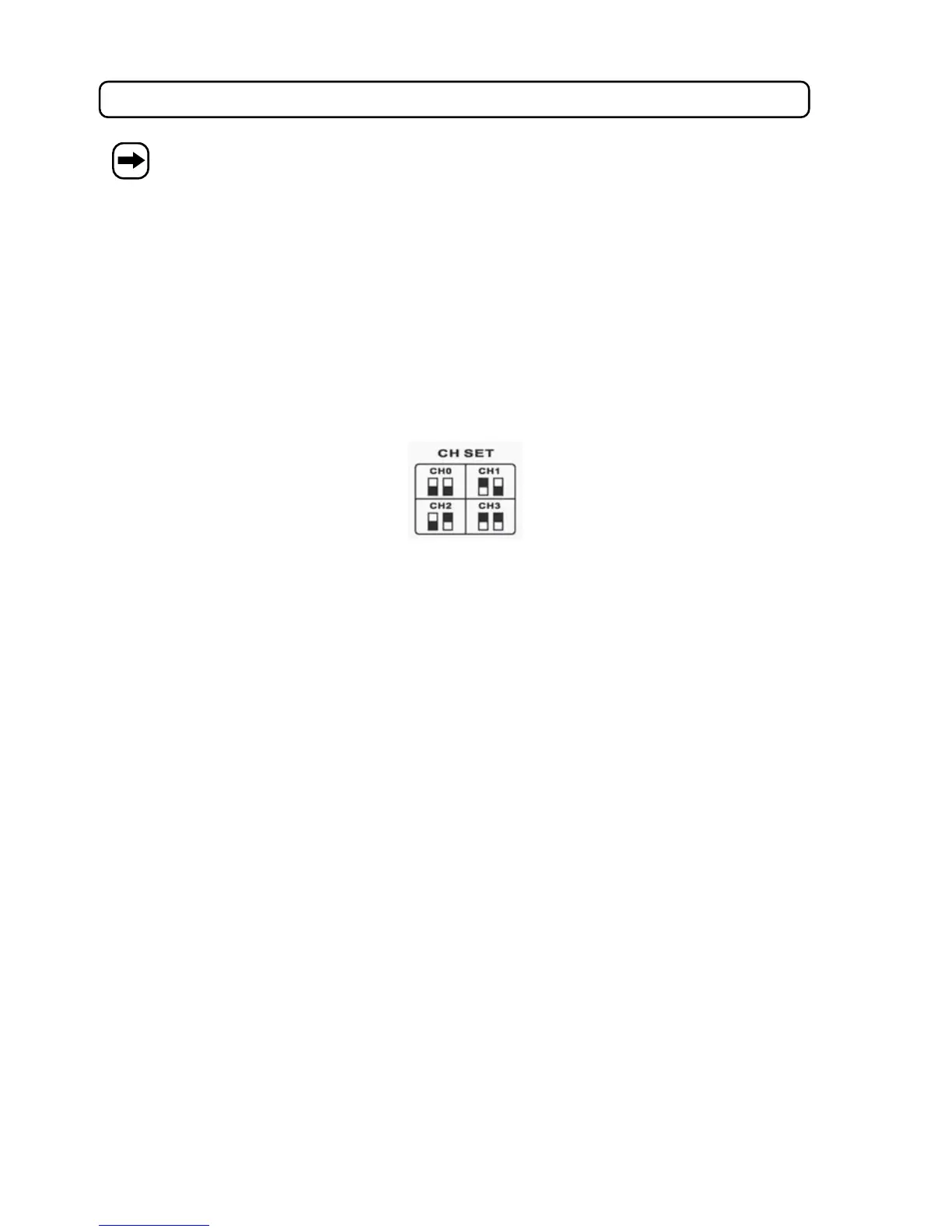
4 transmitting channels can be set for each transmitter. The channel settings at the transmitters and
at the receiver must be identical.
Microphone
• Switch off the microphone (push switch downwards).
• Screw off the casing bottom of the microphone
• Set the transmission channel at the microphone to the desired channel (0-3) with the DIP switches.
• Set the same channel at the receiver with the buttons ST (4) or (6). The channel or the frequency is displayed
on the display (5).
• The display at the receiver can be switched with the CH/FREQ (3) button between the frequency display and the
channel display.
Bodypack
• Switch the body pack on (push button POWER/MUTE (2) briefly).
• Set the desired transmitter channel with the buttons or (5).
• Set the same channel at the receiver with the buttons ST (4) or (6). The channel or the frequency is displayed
on the display (5).
• The display at the receiver can be switched with the CH/FREQ (3) button between the frequency display and the
channel display.


 To Next Page