ASSEMBLY AND INSTALLATION INSTRUCTIONS
MEDIUM HANGING UNIT - 18" / 24" / 30" / 36"
9
9.1
9.2
9.3
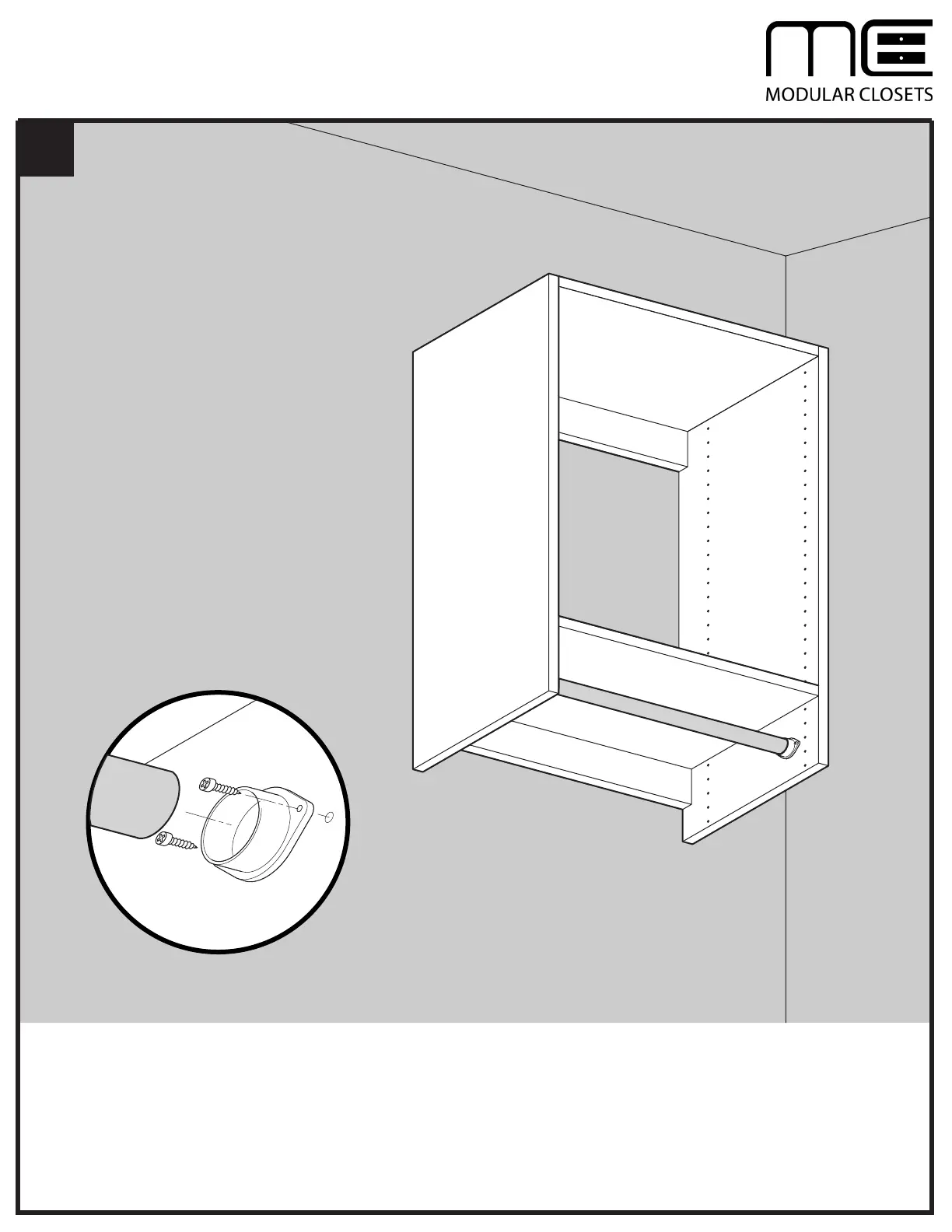
Insert one end of Hanging Rod (F) into "O" Bracket (G).
Slide assembled Hanging Rod (F) and "O" Bracket (G) into unit. Rest free end of Hanging Rod in "U" Bracket.
Secure "O" Bracket (G) to Right Side Panel (B) with two Screws (K).
NOTE: Use care when installing Hanging Rod (F) to avoid scratching finish inside unit.
G
K
K
F
F
G
B



 To Next Page