Install the following software:
• Sensor image
• Manager image
• Signature set
Install the slide rails and rack mount the Sensor
McAfee recommends rack-mounting your Sensor. For maintenance purposes, you must have access to the
front and rear of the Sensor.
Before you mount the Sensor on the rack, make sure that the power is o. Remove the power cable and all
network interface cables from the Sensor.
Due to the weight of the appliance, McAfee recommends that one person hold the chassis and the other person
x it to the rail cabinet.
Task
1
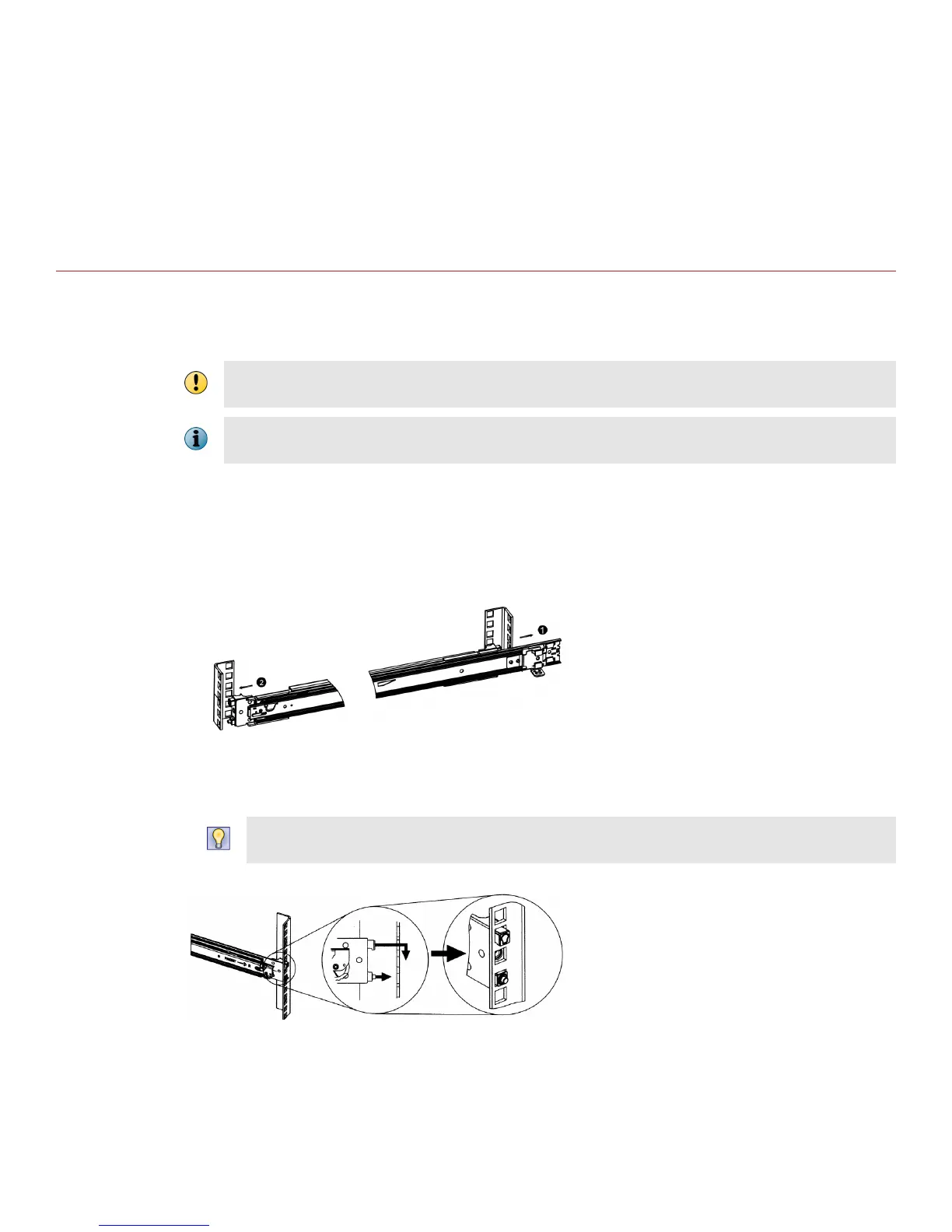
Mount the slide rails to the rack.
a
Align the rails and t it into the corresponding holes on the front post of the rack.
b
Fit the rails into holes on the rear post of the rack.
c
Install the front end of each slide rail in the front post of a 4-post enterprise rack. Try dierent hole
combinations until one of them locks in.
At times in a 4-post enterprise rack, certain hole combinations do not permit the rail latch to lock in. So to
make it lock, you must try dierent hole combinations.
4



 To Next Page