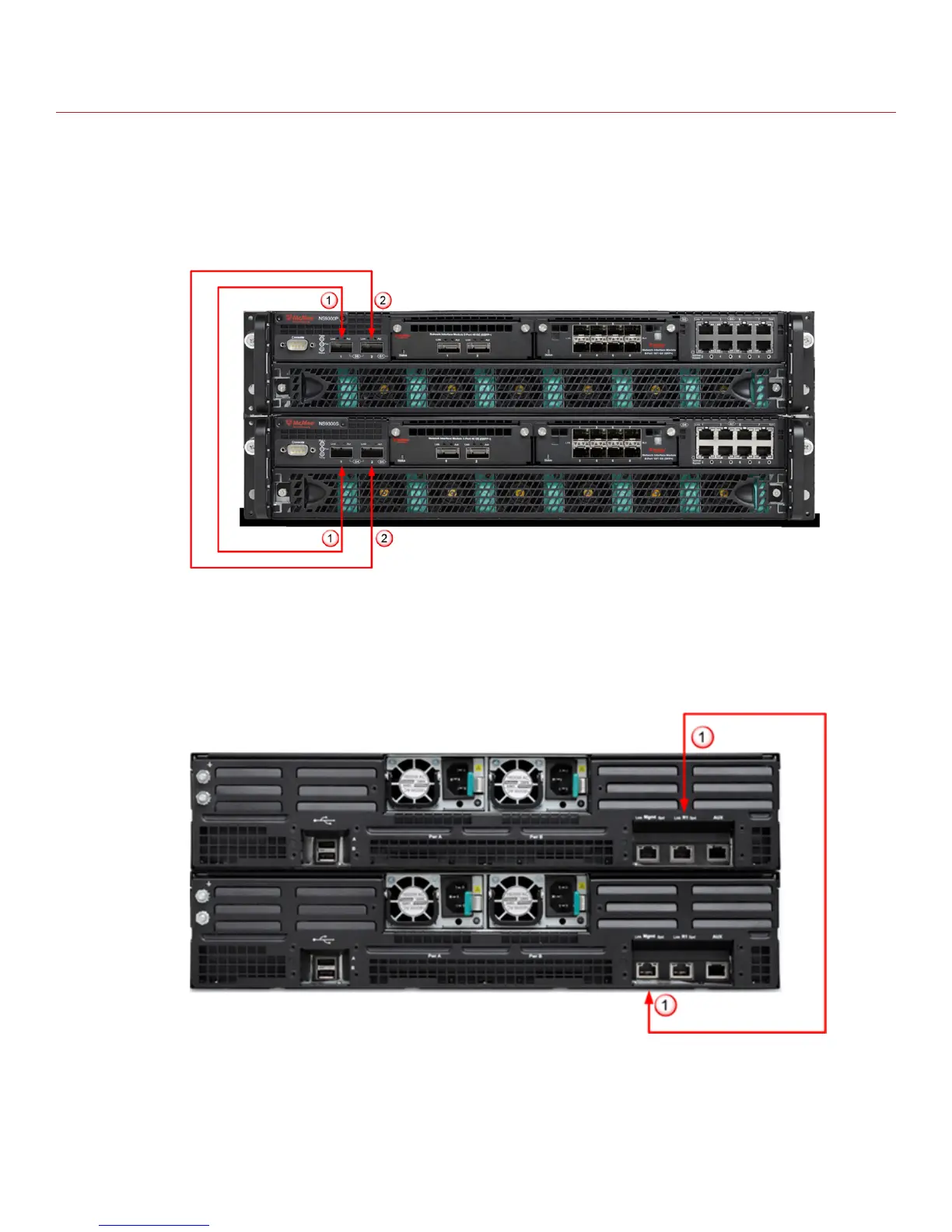
Cable the Interconnect ports
This procedure describes how to connect the NS9300P Sensor to the NS9300S Sensor.
Task
1
Plug the supplied 40G Direct Attach cable into port G0/1 of the NS9300P Sensor and connect the other end
of the cable into port G4/1 of the NS9300S Sensor.
2
Plug the supplied 40G Direct Attach cable into port G0/2 of the NS9300P Sensor and connect the other end
of the cable into port G4/2 of the NS9300S Sensor.
3
Plug the supplied cable into the Response port (R1) of NS9300P Sensor and connect the other end of the
cable into the Management port (Mgmt) port of the NS9300S Sensor.
11



 To Next Page