6
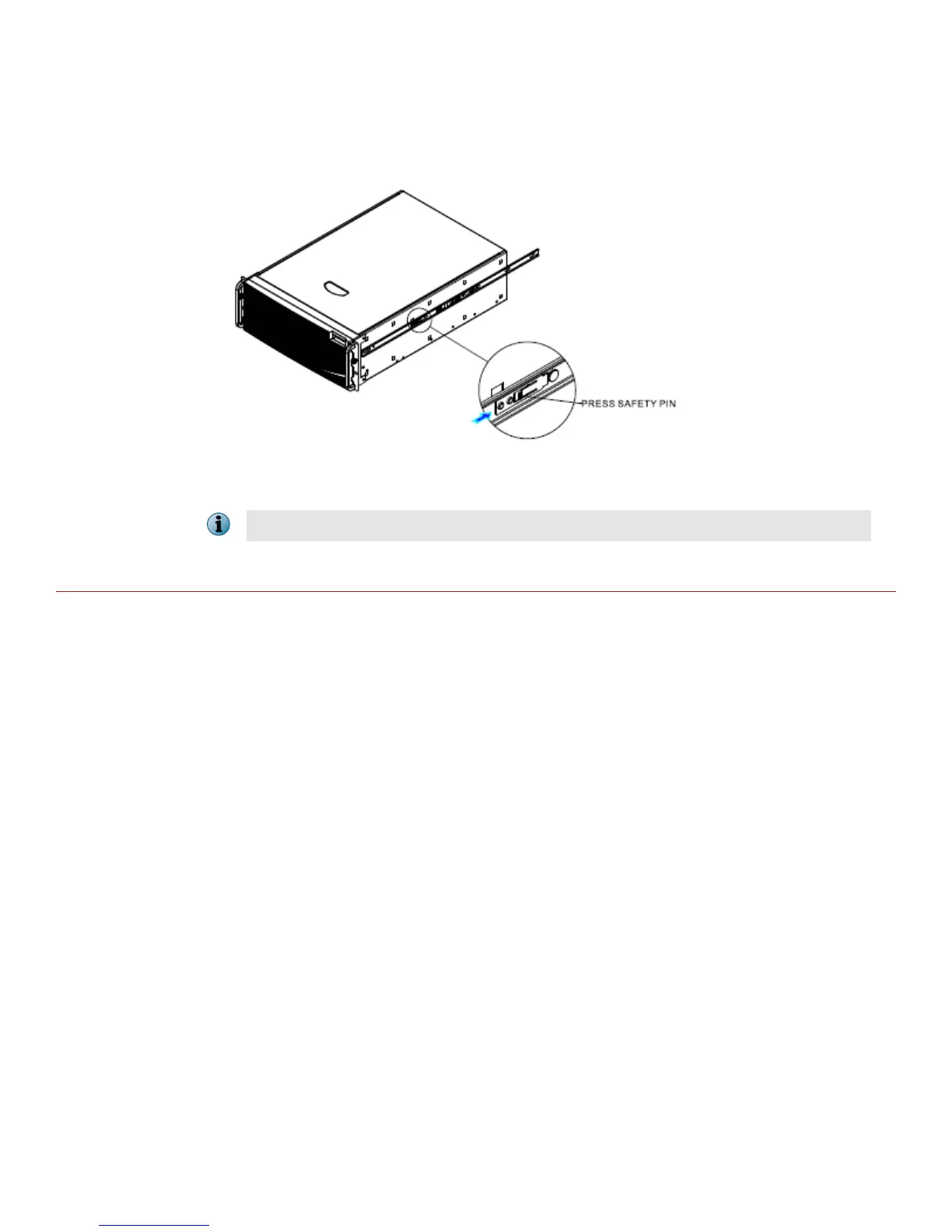
Chassis removal - Remove inner member from chassis
Press safety locking pin to release inner member from chassis.
While installing NS9300, this procedure is to be followed for both the primary and the secondary Sensors.
Install the interface modules
You can purchase the following interface modules and insert them into the relevant slots on your NS-series
Sensor.
• 2-port QSFP+ 40 Gigabit interface module
• 4-port QSFP+ 40 Gigabit interface module
• 4-port SFP/SFP+ 10/1 Gigabit 8.5 µm (SM) interface module with internal fail-open
• 4-port SFP/SFP+ 10/1 Gigabit 50/62.5 µm (MM) interface module with internal fail-open
• 8-port SFP/SFP+ 1/10 Gigabit interface module
• 6-port RJ-45 10/100/1000 Mbps Ethernet interface module
8



 To Next Page