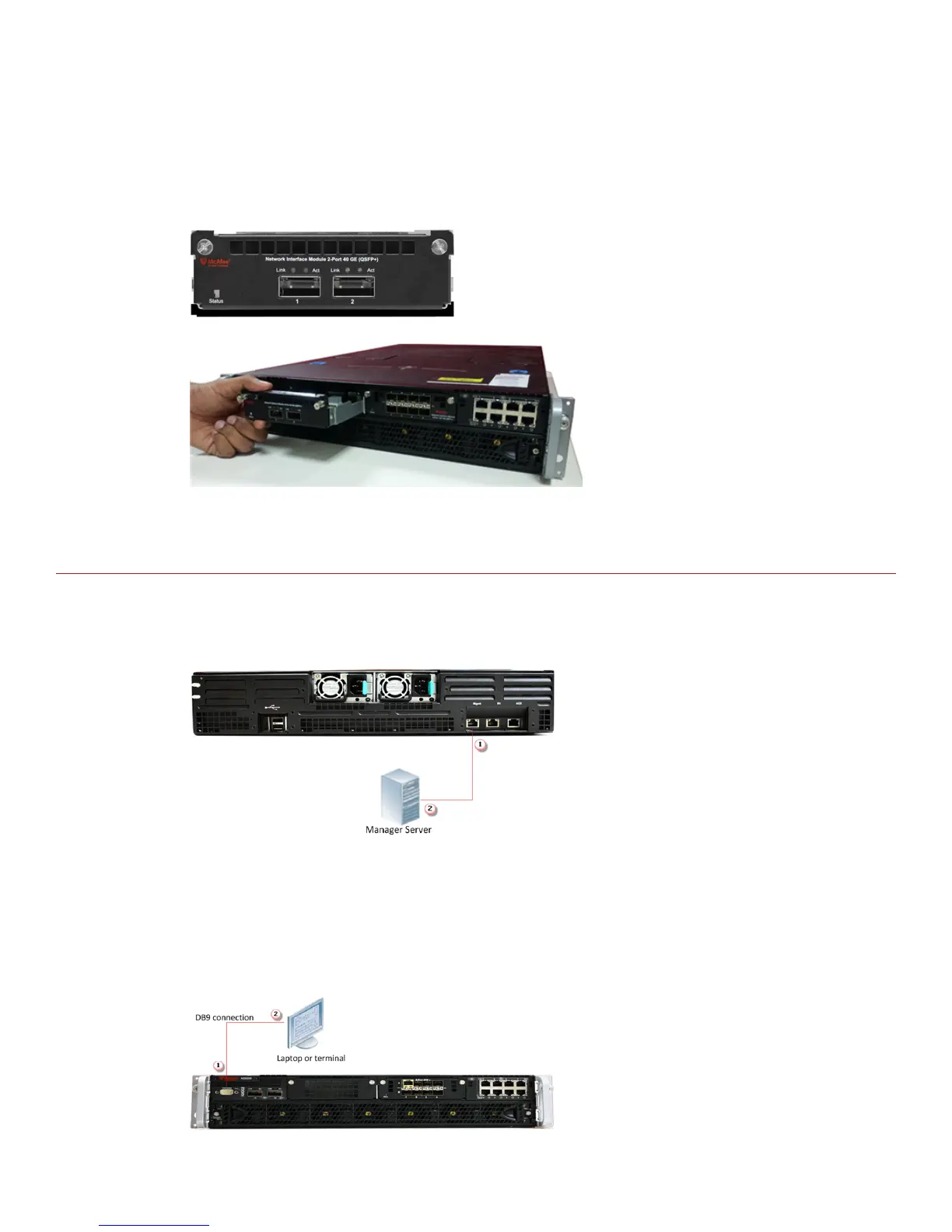
Task
1
Remove the module from its protective packaging.
2
Grip the sides of the module with your thumb and fore-nger and insert the module into the slot.
3
Drive in the screws xed on the sides of the module to attach it to the Sensor.
Cable the Management and Console ports
Task
1
Plug a Category 5e Ethernet cable in the Management port (labeled Mgmt):
a
on the rear panel of the NS9100 and NS9200 Sensors.
b
on the rear panel of the NS9300P Sensor.
2
Plug the other end of the cable into the network device connected to your Manager server.
3
9



 To Next Page