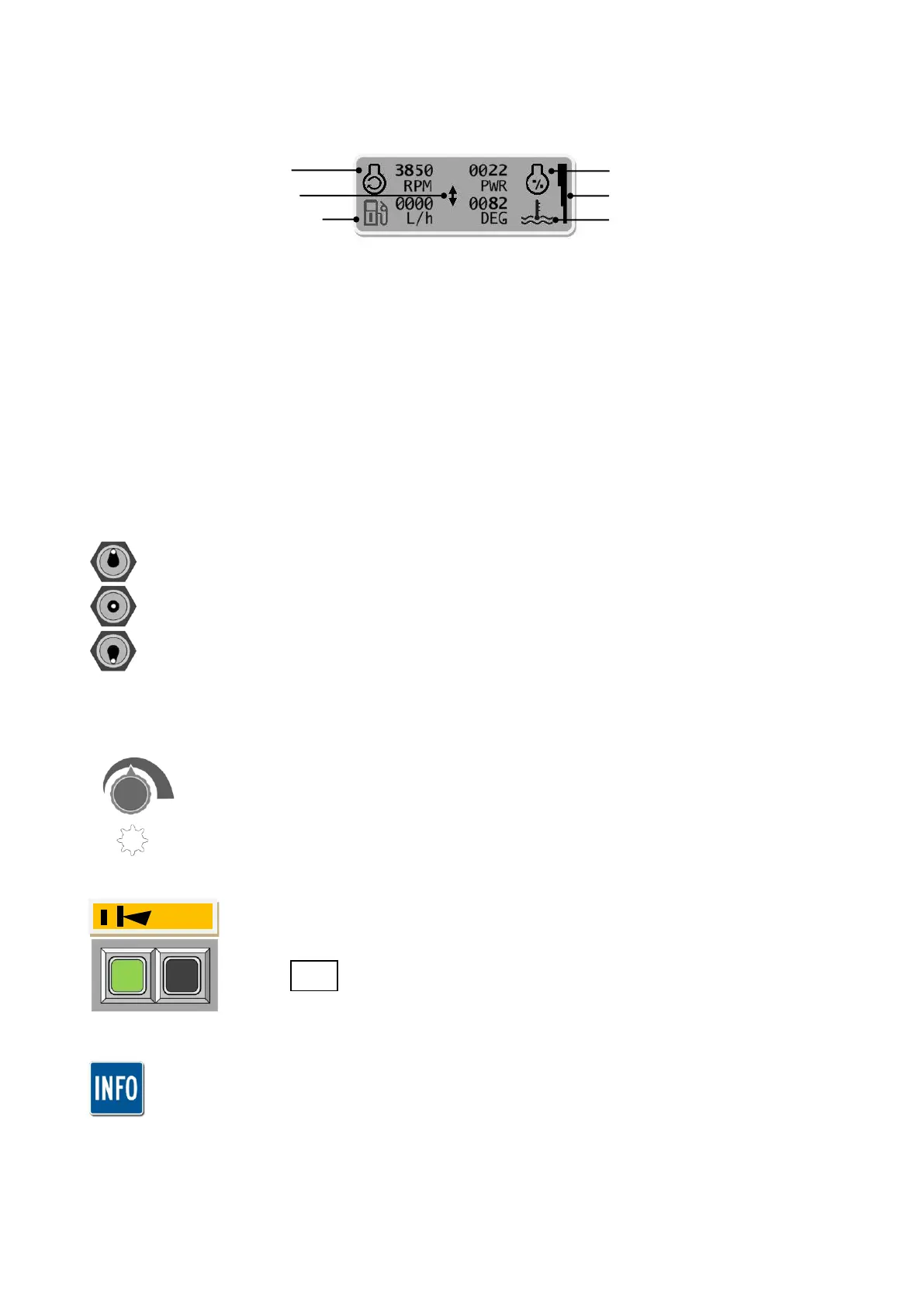
Control Unit – Display Screen & Head Function Operation
LCD Display
Reports the following information;
Status Light
Indicates the status of the Remote Control Unit;
Illuminated GREEN = ‘CORRECT’ Status.
Illuminated RED = ‘PROBLEM’ Status.
Emergency Stop Button
‘Push’ button for ‘EMERGENCY STOP’
Rotate clockwise to ‘Reset’
Rotor Control Switch
Rotor direction ON and OFF control;
Rotor ON (Uphill): Place switch in ‘UP’ position to start the rotor ‘uphill’
Rotor OFF: Place switch in the central position to ‘STOP’ rotor
Rotor ON (Downhill): Place switch in ‘DOWN’ position to start the rotor ‘downhill’
Rotor RPM Control Dial (Potentiometer)
Controls the rotor speed;
Increase Rotor RPM: Rotate control dial clockwise
Decrease Rotor RPM: Rotate control dial anti-clockwise
Float Control Button
Press Button: Activation/deactivation of ‘float’ feature.
The control information shown in this manual relates to operation of the head unit only; for
details of all the controls refer to the Robocut RC56 & RC75 operator manual.


 To Next Page