ENGLISH
|
5
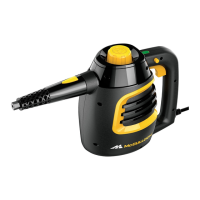
• The Boiler Cap (1) is designed to safely contain steam inside the Boiler. The Boiler Cap must
be unscrewed and removed in order to ll the Boiler with water.
• The Steam Trigger (2) must be pressed in order to start the ow of steam from the Steam
Nozzle.
• The Steam Trigger Lock (3) locks the Steam Trigger for continuous steam.
• The 15' Power Cord (4)
conveniently helps to reach all your cleaning tasks.
• The Steam Nozzle (5)
emits a ow of hot, penetrating steam when the Steam Trigger is acti-
vated.
• The Steam Indicator Light (6)
illuminates green once steamer has reached the amount of pres-
sure which is required to operate, indicating it is ready for use. During use, the light may turn
Red, indicating the steamer is recovering the necessary pressure. Unit can be used at a lower
pressure.
• The On/Off Switch (7)
powers the unit On or Off.
Product Information


 To Next Page