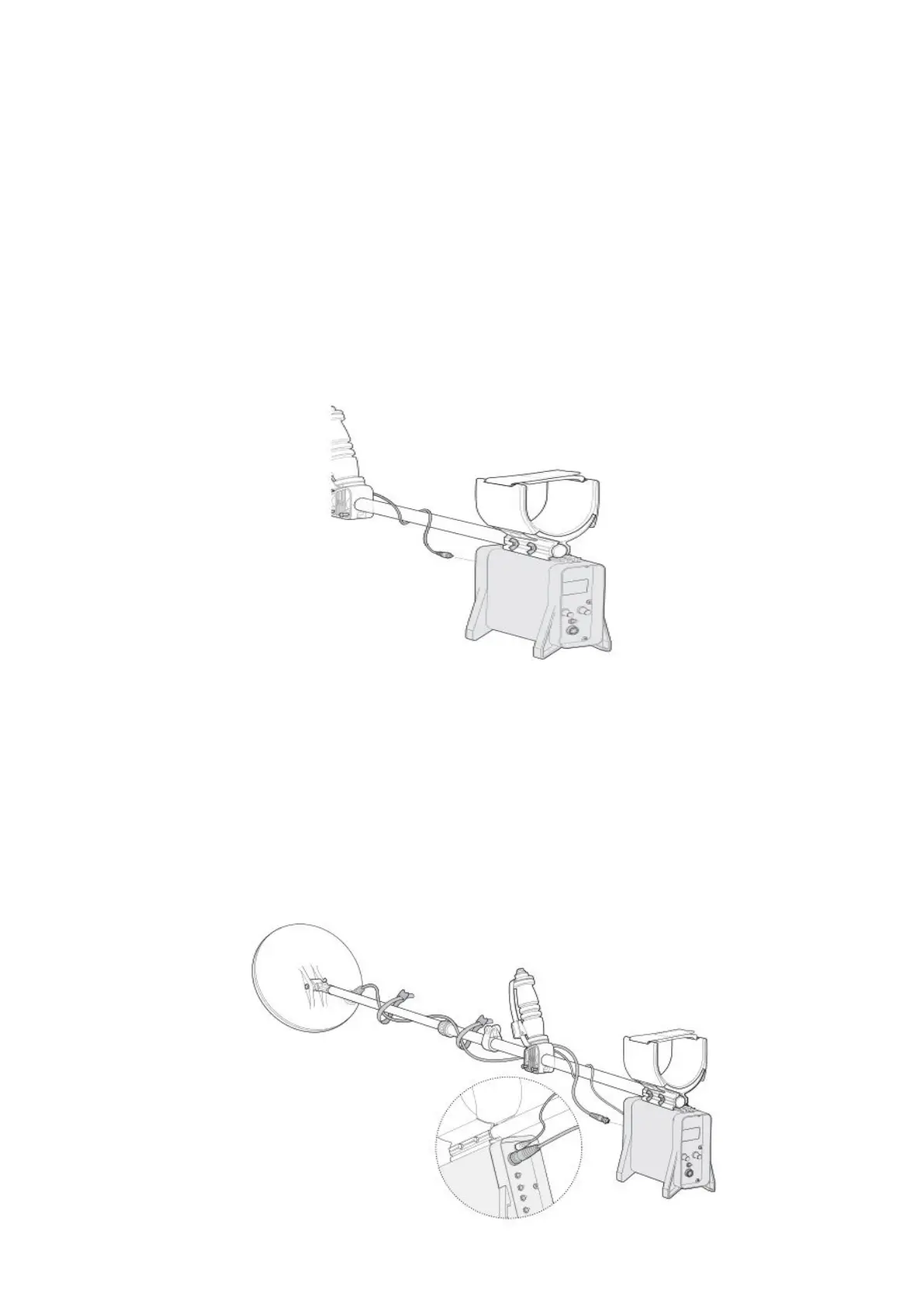
Step: E
Connecting the Control Box to the Upper Shaft:
1.Place the detector on a flat surface,with the handle facing upwards.
2.Position the armrest on top of the control box.
3.Clip the control box onto the armrest,ensuring the battery plug faces away from the
4.Fasten with the wing-nuts.
5.Wind the Quick-Trak button cable around the upper shaft and plug it into the Smart
Point socket in the control box.Ensure that the cable is wrapped firmly but avoid
strain on the connector.
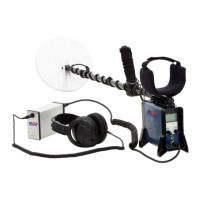
Step: F
Con nect ing the Coil Cable:
1.Wind the coil cable around the lower and upper shafts enough times
to take up the slac k.Le ave enough slack at the bottom of the cable near
the coil to allow the angle of the coil to be adjuste d while detecting.
2.Use the velcro straps to secure the coil cable to th e shaft.
3.Plug th e coil connector into the coil socket on th e control box.firmly
tightening the retaining ring to hold it in plac e.


 To Next Page