Prepare
Customer Helpline 0345 605 2062
21
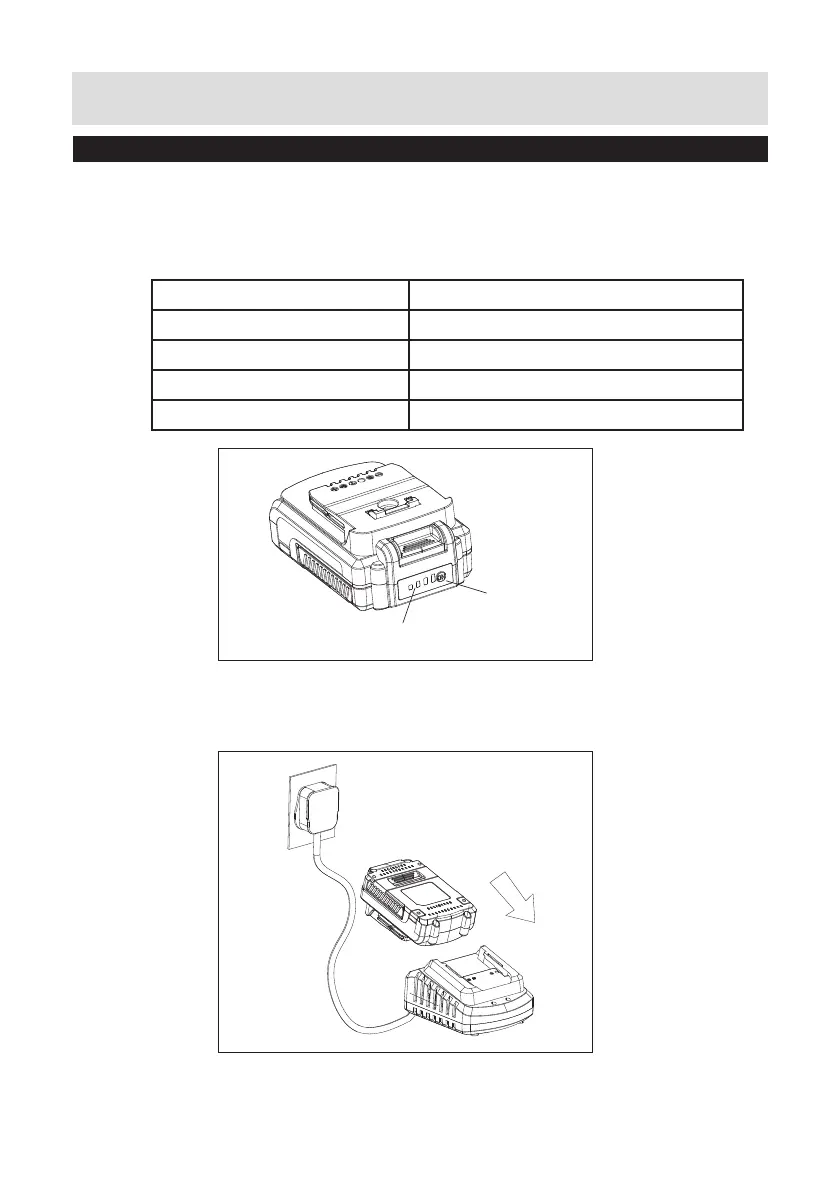
1. Press the battery capacity level button to check the charging level of the
battery pack. The status / remaining charge will be shown on the battery
charging level indication light.
No LED lit Battery is dead and needs to be charged
1 Green LED continuously lit Battery pack <20% charged
2 Green LEDs continuously lit Battery pack 20-50% charged
3 Green LEDs continuously lit Battery pack 50-80% charged
4 Green LEDs continuously lit Battery pack >80% charged
Button
LED Lights
2. Charge the battery pack before operating when it is at medium or low
battery charging level.
Checking battery capacity


 To Next Page