Central Display
Phone
4.21
4. To cancel a call while the system is
dialling touch End Call or the phone
button.
NOTE: Any media playing will be
muted while a call is in progress.
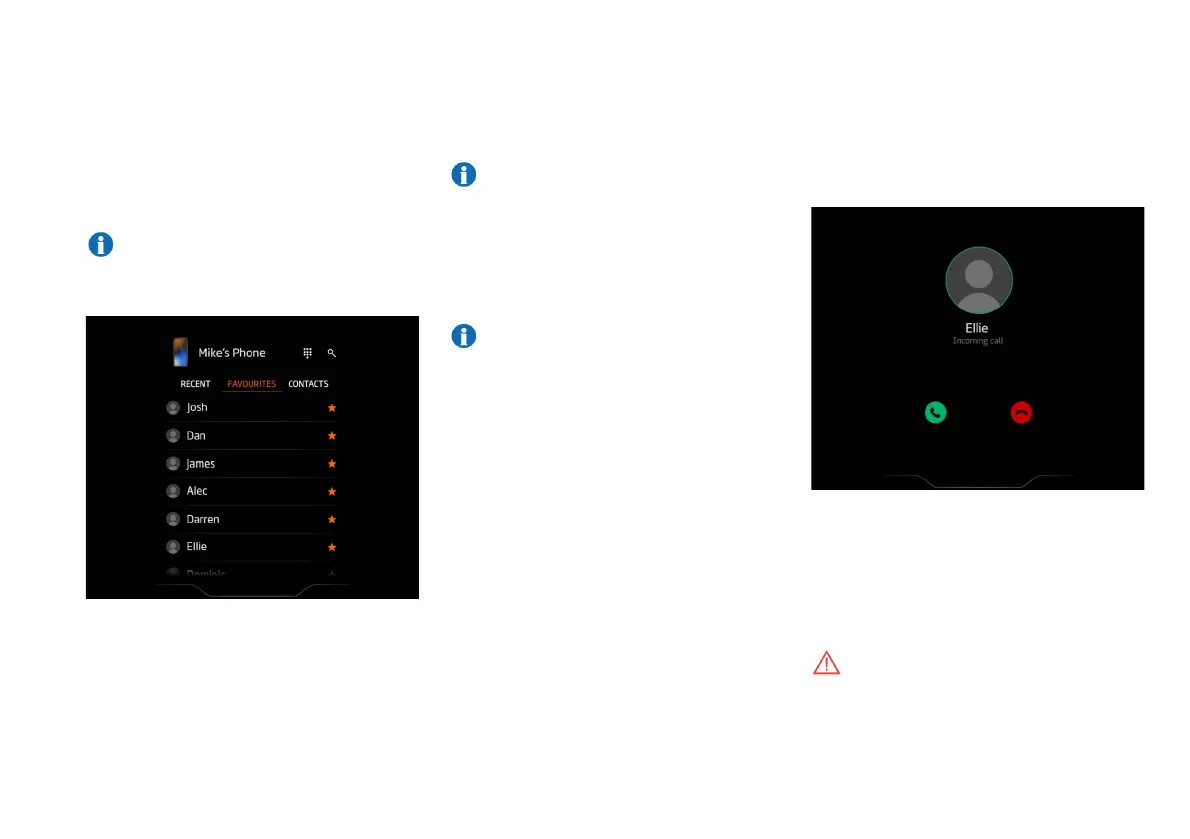
Favourites
1. On the Phone screen touch the
favourites tab.
2. A list of your favourite contacts will be
displayed.
3. Touch the required contact to begin
the call.
NOTE: The circle around the contact
symbol is yellow during dialling and
changes to green when the call is
connected.
4. To cancel a call while the system is
dialling touch End Call or the phone
button.
NOTE: Any media playing will be
muted while a call is in progress.
Receiving A Call
When you receive an incoming call the MIS
will display caller details if they are stored
on your phone.
To accept the call touch the green Call icon.
To decline the call touch the red End Call
icon.
WARNING: Do not allow yourself to
become distracted by the phone
while driving. You could cause an
accident.



 To Next Page