- 12 -
Measurement
mode
Primary display Secondary display
CAP nF/μF MAX/MIN, REL
parameters
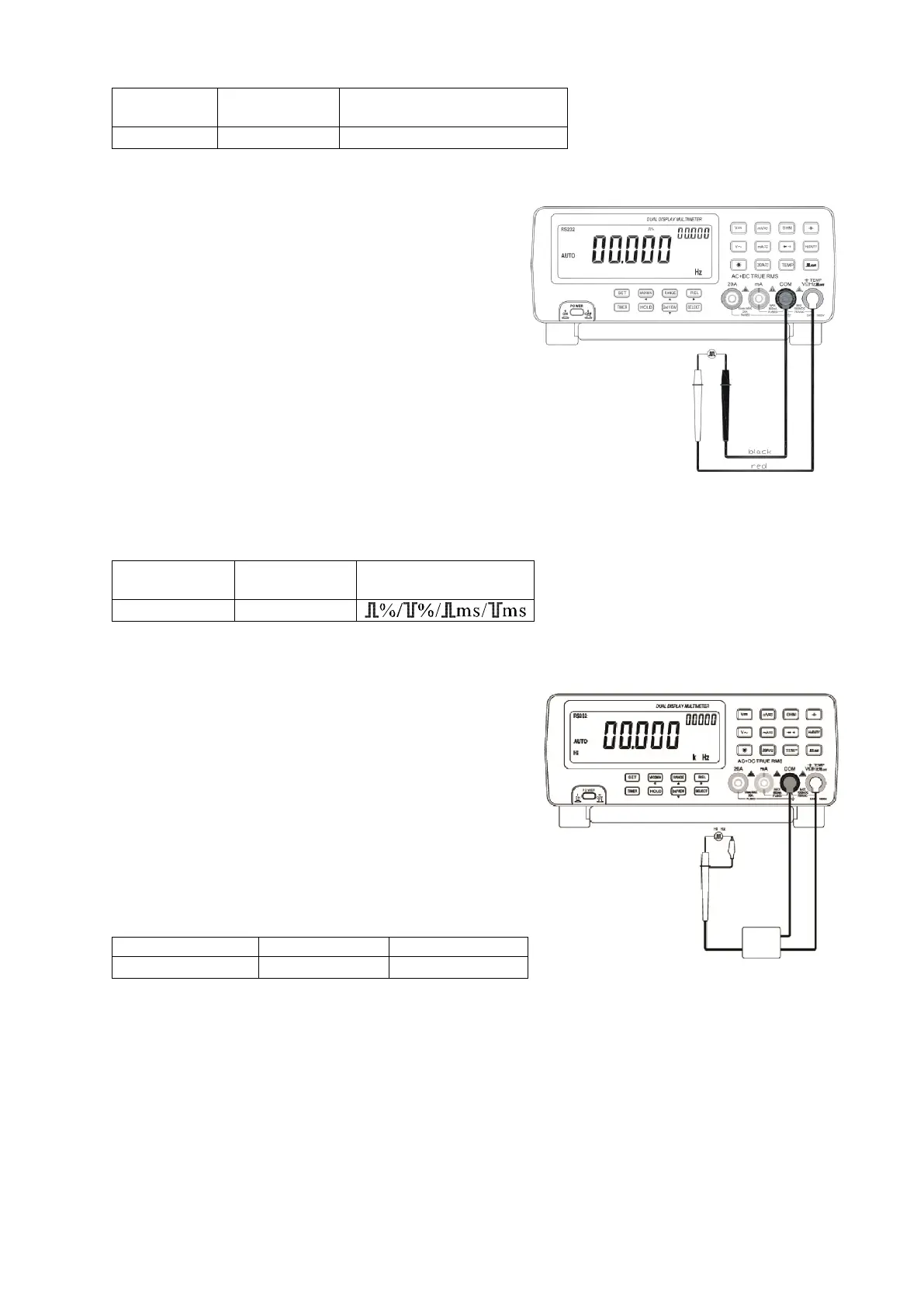
4.8 Frequency (Hz) and Rotation Speed Measurement (RPM)
The measurement of frequency and rotation speed measurement
have three modes: normal, Hi Hz and RPM.
Set the function key to “Hz” position.
Press SELECT button to select measurement mode.
The meter is in auto range mode.
Normal mode
In normal mode, the frequency testing range is
0.5Hz~8.0000MHz, divided into six ranges:
999.99Hz/9.9999kHz/9.999kHz/999.99kHz/8.0000MHz.
The meter is in auto range mode and will automatically
select a most suitable range. To select a range manually for
the measurement, press RANGE button to select a proper range from the six ranges.
Touch the probes to the signal source and read the display.
Measurement
mode
Primary display Secondary display
Press 2nd VIEW
Hz Hz/kHz/MHz
High frequency mode (Hi Hz)
In Hi Hz mode, the frequency testing range is
8MHz~1000MHz, divided into four ranges:
8.0000MHz/80.000MHz/800.00MHz/1000.0MHz. Use the
high frequency accessories to measure frequency above
10MHz.
The meter is in auto range mode and will automatically select
a most suitable range. To select a range manually for the
measurement, press RANGE button to select a proper range
from the six ranges.
Touch the probes to the signal source and read the display.
Measurement mode Primary display Secondary display
HiHz 00000 00000MHz
NOTE:
1. The primary and secondary displays are using together to form a 10-digit display. The primary display
displays the higher 5 digits while the secondary display displays the lower 5 digits.
2. In high frequency measurement, a high frequency tuner is required to facilitate the measurement.


 To Next Page
 Loading...