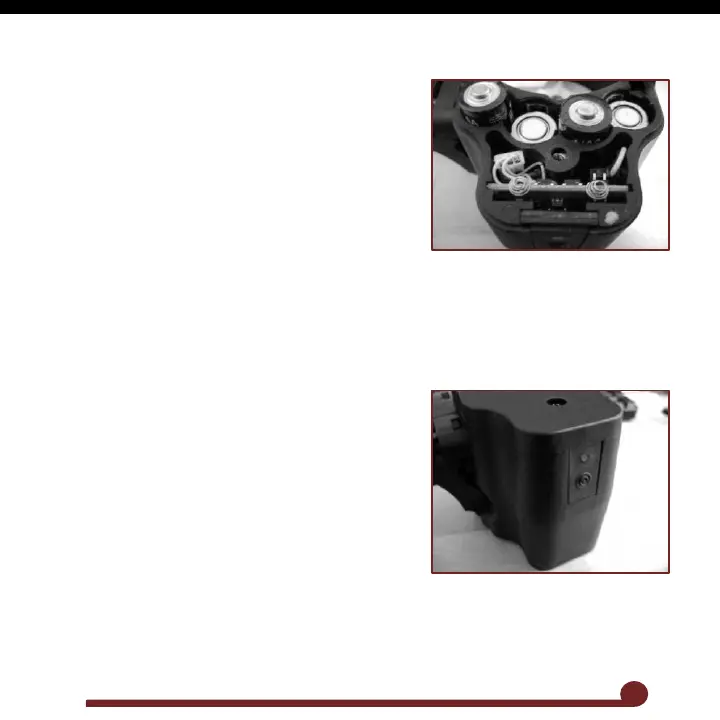
4. Battery Installation
Using a Phillipshead screwdriver, remove the
screw on top of battery door and lift off door.
Install (4) AA alkaline batteries following the
polarity markings
Reinstall the door and battery door screw.
NOTE: For best results, only use quality name-brand
alkaline batteries. When replacing batteries, used
batteries should be recycled.
5. Activating the Box Drive
Locate the power button on the rear of the Box Drive. Tap
the power button once to turn the Box Drive. The motor
will spin for a second and the Box Drive is now ready to
use.
The green LED will flash repeatedly while the unit is on
to show it is ready. If the LED flashing changes to red,
then the batteries are low and need to be replaced.
To turn off the Box Drive, press and hold the power
button until the LED changes to Red. Release the
button and the Box Drive will turn off. If the Box Drive
is left on, it will shut off after 1 hour of inactivity.
Wheel Drive
The Wheel Drive is the thumbwheel located under the Box
Drive and has several uses.
2



 To Next Page