5454
4-OPERATION
EN
54
EN
4-OPERATION
• AIR RECIPE
• PELLET RECIPE
• SUMMER/WINTER
• PELLET SENSOR
• BRAZIER CLEANING
• ADJ. FREQUENCY
• REMOTE CONTROL SOFTWARE VERS.
• ANTI-FREEZE (ICE)
It is possible to scroll through the menu by using KEY 4 (+) and KEY 5 (-); to access the sub-menus, press key 6 ( ); to exit, press key
1 ( ).
LANGUAGE
it is possible to select the desired user interface language from among those available.
1. Press key 1 ( ) to access the settings menu
2. Press key 6 ( ) to conrm the LANGUAGE function
3. Press key 4 (+) / 5 (-) and scroll to select the desired language
4. Press key 6 ( ) to conrm
DATE
this is used to edit the date saved on the product’s motherboard.
1. Press key 1 ( ) to access the settings menu
2. Press key 4 (+) / 5 (-) to select the DATE function
3. Press key 6 ( ) to conrm the DATE function
4. Press key 4 (+) / 5 (-) to select the DAY
5. Press key 9 ( )/10 ( ) to select the MONTH
6. Press key 4 (+) / 5 (-) to select the MONTH
7. Press key 9 ( )/10 ( ) to select the YEAR
8. Press key 4 (+) / 5 (-) to select the YEAR
9. Press key 6 ( ) to conrm
TIME
this is used to edit the time saved on the product’s motherboard
1. Press key 1 ( ) to access the settings menu
2. Press key 4 (+) / 5 (-) to select the TIME function
3. Press key 6 ( ) to conrm the TIME function
4. Press key 4 (+) / 5 (-) to select the TIME
5. Press key 9 ( )/10 ( ) to select the MINUTES
6. Press key 4 (+) / 5 (-) and scroll to select the MINUTES
7. Press key 6 ( ) to conrm
BOARD INPUTS
To change the type of room probe. For AIR stoves:
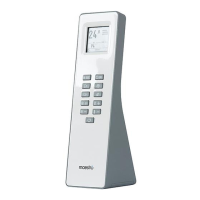
• WiFi/Rc Probe (this refers to the WiFi temperature probe accessory code 4017014/RC, which is the probe installed in the remote
control)
• The room probe is installed in the stove
• The thermostat is the probe installed in the optional thermostat accessory
For HYDRO stoves (from the remote control it is possible to set the temperature only, the board inputs must be selected from the App or
from the optional control panel):


 To Next Page
 Loading...