
 Need help?
Do you have a question about the MCZ MAESTRO and is the answer not in the manual?
Details manual modification policies, handling, and symbol explanations.
Explanation of warning and information symbols used in the manual.
Critical safety instructions for installation, electrical connection, and operation.
Conditions under which the warranty is voided or not applicable.
Guidelines for proper disposal of electronic waste and batteries.
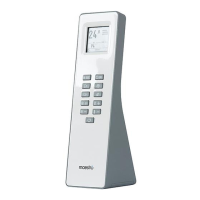
Lists key technical specifications and features of the Maestro remote control.
Explains the remote's communication mode and self-learning capabilities.
Details items included and battery installation procedure.
Table and diagram illustrating each key's primary and secondary functions.
Detailed explanations of specific key functions and their effects.
Step-by-step guide for initial pairing of the remote with the stove.
Instructions on how to properly disconnect the remote control from the stove.
How to access and navigate the remote control's settings menu.
Procedures to set the user interface language, product date, and time.
How to configure room probe inputs for different stove types.
How to configure Ecostop hysteresis and delay for temperature regulation.
How to select and set three temperature ranges for timed operation.
How to program temperature levels for specific times and days of the week.
Functions for managing alerts, auto-off timers, and pellet feeding.
How to view and edit combustion air settings via password.
How to edit pellet settings and choose the operating season.
How to enable or disable the pellet level sensor.
Functions for brazier cleaning, frequency adjustment, and anti-freeze protection.
How to display the product's software version and system data.
Information on the remote display and explanation of Air Stove operating modes.
Explanation of operating modes for Hydro products (Room, Boiler, Puffer, DHW).
 General
| Brand | MCZ |
|---|---|
| Model | MAESTRO |
| Category | Remote Control |
| Compatibility | MCZ stoves and fireplaces |
| Power Supply | Battery |

 To Next Page