5656
4-OPERATION
EN
56
EN
4-OPERATION
1. Press key 1 ( ) to access the settings menu
2. Press key 4(+) / 5 (-) to select the TIMER T1-T2-T3 function
3. Press key 6 ( ) to conrm the TIME function
4. Press key 4 (+) / 5 (-) to adjust the temperature of T1
5. Press key 9 ( )/10 ( ) to select the next temperature range
6. Press key 4 (+) / 5 (-) to adjust the temperature of T2
7. Press key 9 ( )/10 ( ) to select the next temperature range
8. Press key 4 (+) / 5 (-) to adjust the temperature of T3
9. Press key 6 ( ) to conrm
DAYS TIMER
This enables you to program the three temperature levels set throughout the week.
1. Press key 1 ( ) to access the settings menu
2. Press key 4 (+) / 5 (-) to select the DAYS TIMER function
3. Press key 6 ( ) to conrm the DAYS TIMER function
4. Press key 4 (+) / 5 (-) to select the desired day
5. Press key 6 ( ) to conrm
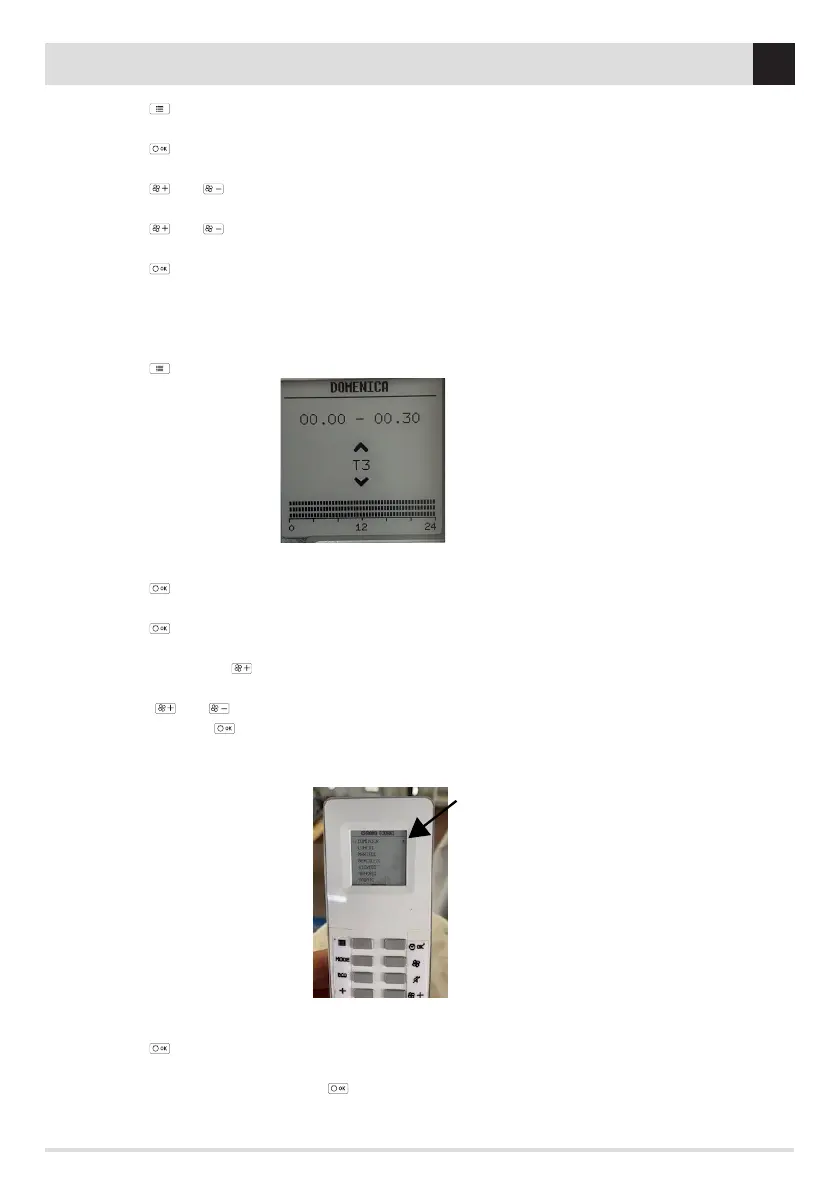
6. Press key 4 (+) / 5 (-) to select the desired temperature from among those set (T1/T2/T3/OFF) for the rst time band available
(00.00/00.30). Press key 9( ) to go to the next time band and repeat the operation by pressing keys 4 (+) / 5 (-) to select the
desired temperature level. Proceed in the same way for all time bands of the day. If you want to edit one or more time bands set,
press keys 9 ( )/10 ( ) and once the desired time band has been reached, press keys 4/5 to set a dierent temperature. Once
completed, press key 6 ( to conrm.
7. Once the rst day is set (as shown in point 6), hold down the OK key for 5 sec. (it will buzz when copying is complete) and an asterisk
will appear (see image)
8. With keys 4 (+) / 5 (-) go to the days where you wish to replicate the time set on Sunday
9. Press key 6 ( ) ok to conrm
10. Once the desired days of the week have been set, press key 1 (ESC) twice to exit
11. Enable the TIMER function by pressing key 6( ) for 3/4 seconds
DAYS TIMER SCREEN


 To Next Page
 Loading...