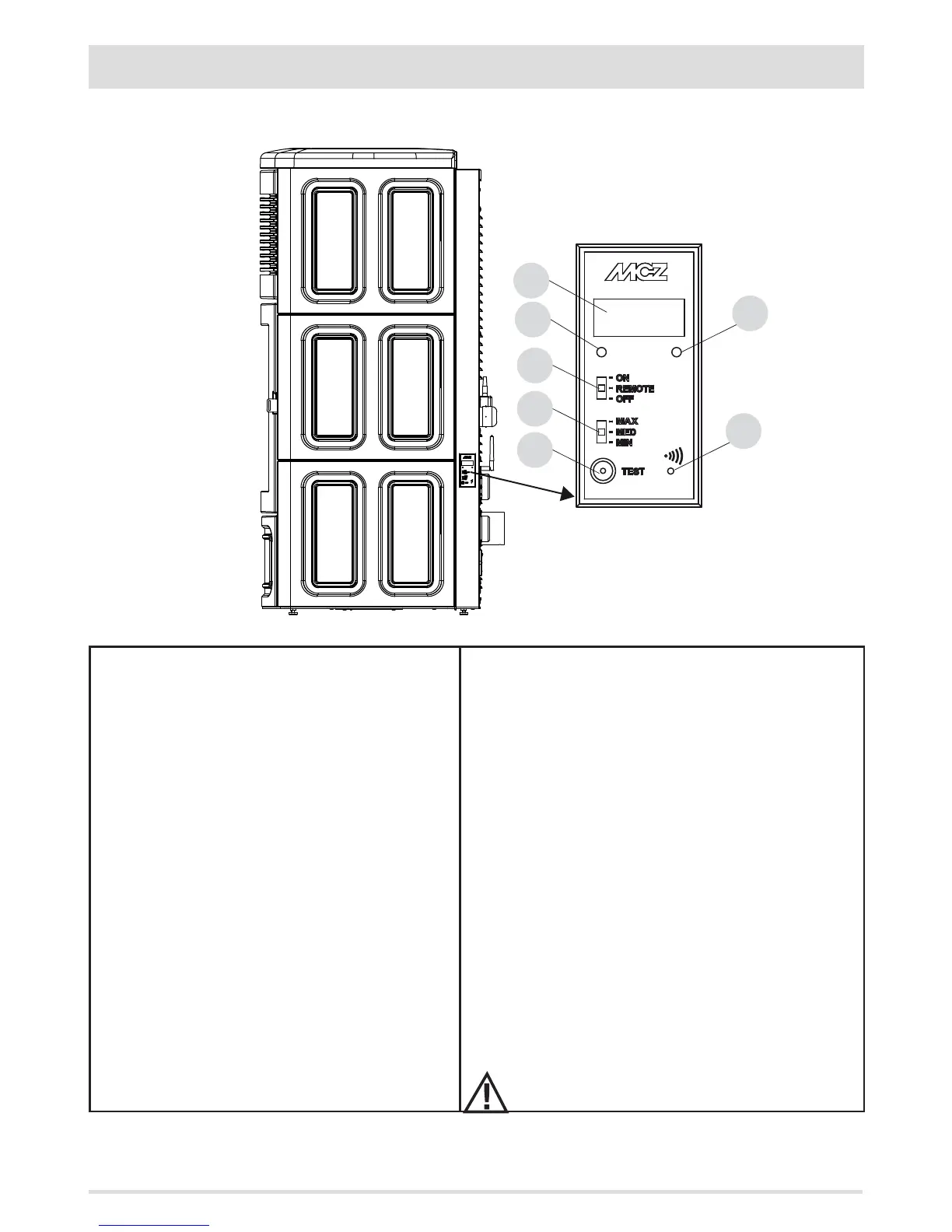
There is an emergency panel on the side-rear part of the stove, designed to detect any malfunctions and also for product control if the
remote control is not working.
KEY
A - DISPLAY; indicates a series of information on the stove, as
well as the identication code of any malfunction.
B - GREEN LED that indicates:
• OFF = Stove o
• FLASHING ON = Stove in ignition stage
• FIXED ON = Stove on
C - RED LED that indicates:
• OFF = Stove on
• ON WITH SLOW FLASHING = Stove in shutdown stage
• ON WITH FAST FLASHING = Stove in alarm conditions
(combined with a beep sound for the rst 10 minutes)
• FIXED ON = Stove o
D - Three-position selector for the following functions
• OFF = Stove switched o manually without remote
control
• REMOTE = Stove controlled exclusively from the remote
control
• ON = Stove switched on manually without the remote
control
E - Three-position selector to select the power
• MIN = Selector to make the stove work at MINIMUM power
without the remote control and with selector 4 on ON
• MED = Selector to make the stove work at MEDIUM power
without the remote control and with selector 4 on ON
• MAX = Selector to make the stove work at MAXIMUM power
without the remote control and with selector 4 on ON
F - Button for diagnostic functions relating to the operating status
of the stove
G - Button to put the stove in communication with a new remote
control (via the procedure explained in the Remote Control
Synchronisation" paragraph).
SELECTOR "D" MUST BE SET ON "REMOTE" TO MAKE
THE STOVE OPERATE WITH THE REMOTE CONTROL.


 To Next Page