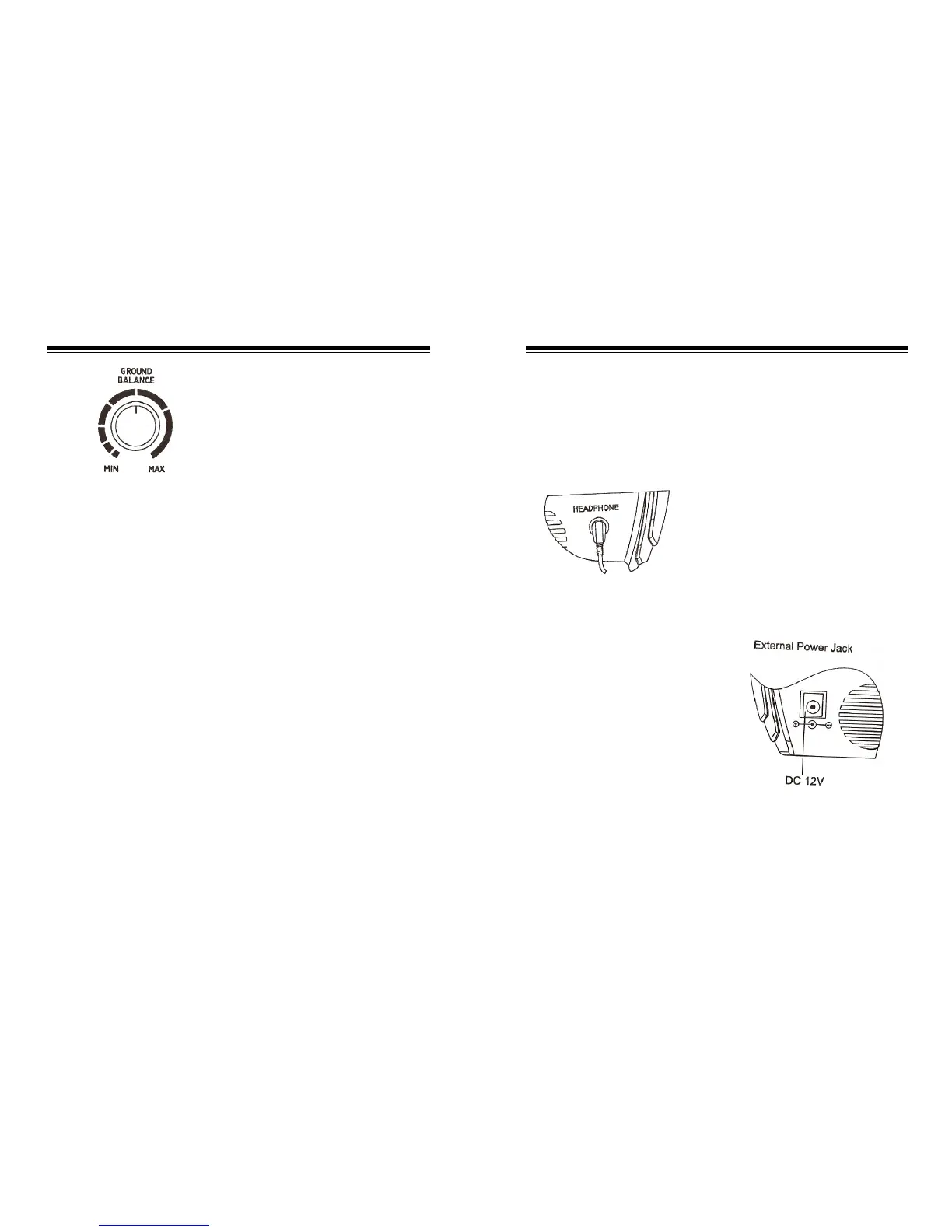
Set MODE to GROUND
BALANCE, then tune the ground
balance turn button.
Rotate the ground balance turn
button to MAX, raise the search
coil, then lower it after setting the
“critical sound”, the volume rises;
Rotate the turn button to MIN, then
do as above, the sound falls. This
experiment confines that the volume
changes while rotating GROUND
between two sides of the scale, so
there must be a point at which the
sound keeps steady, this point is the
“ground balance point” we set.
Follow these steps to set “Ground
Balance Point”:
1) Set MODE to “GROUND
BALANCE”;
2) Stop the search coil about
24inch above the ground, set
the “critical sound”;
3) Lower the search coil about
8inch above the ground; if
the volume rises, raise the
search coil (about 24inch)
and rotate the turn button
counter clockwise to try, if
the volume falls, rotate it
counter-clockwise a little till
the sound gets steady. If the
volume falls when we do as
above, rotate it clockwise till
the sound gets steady.
4) No matter you tune the
volume, it still rises, witch
expresses there are metals in
this area, try another area to
adjust.
5) Press the “Zeroing Button”
firstly before raising the
search coil to set the
“Ground Balance”, lower the
search coil after tuning the
“Ground Balance” and
relieving the “Zeroing
Button”.
To connect headphones to the
detector, insert the headphones’
1/8 inch plug into the headphone
jack on the side of the control
housing.
The detector’s internal speaker
disconnects when you connect
headphones.
Listening Safely
To protect your hearing, follow
these guidelines when you use
headphones.
z Set the volume to the lowest
setting before you begin
listening. After you begin
listening, adjust the volume
to a comfortable level.
z Do not listen at extremely
high volume levels.
Extended high volume
listening can lead to
permanent hearing loss.
z Once you set the volume, do
not increase it. Over time, your
ears adapt to the volume level,
so a volume level that doesn’t
cause discomfort might still
damage your hearing.
Traffic Safety
Do not wear headphones while
operating your detector near
high-traffic areas.
Even though some headphones are
designed to let you hear some
outside sounds when listening at
normal volume levels, they still can
present a traffic hazard.
9 6


 To Next Page