15 V2.0
continually. Short press any button (about 0.5 seconds) can
eliminate the sound. If reboot the device, the “beep” sound
will be emitted again before the battery charged.
5.2 Charging
The battery indicator is on the upper right corner of projection
image. The device needs to be charged when there is only a little
power. The following is the charging step.
(1) Connect the charging cradle and AC power with the adapter.
(2) Switch the main switch to “OFF”.
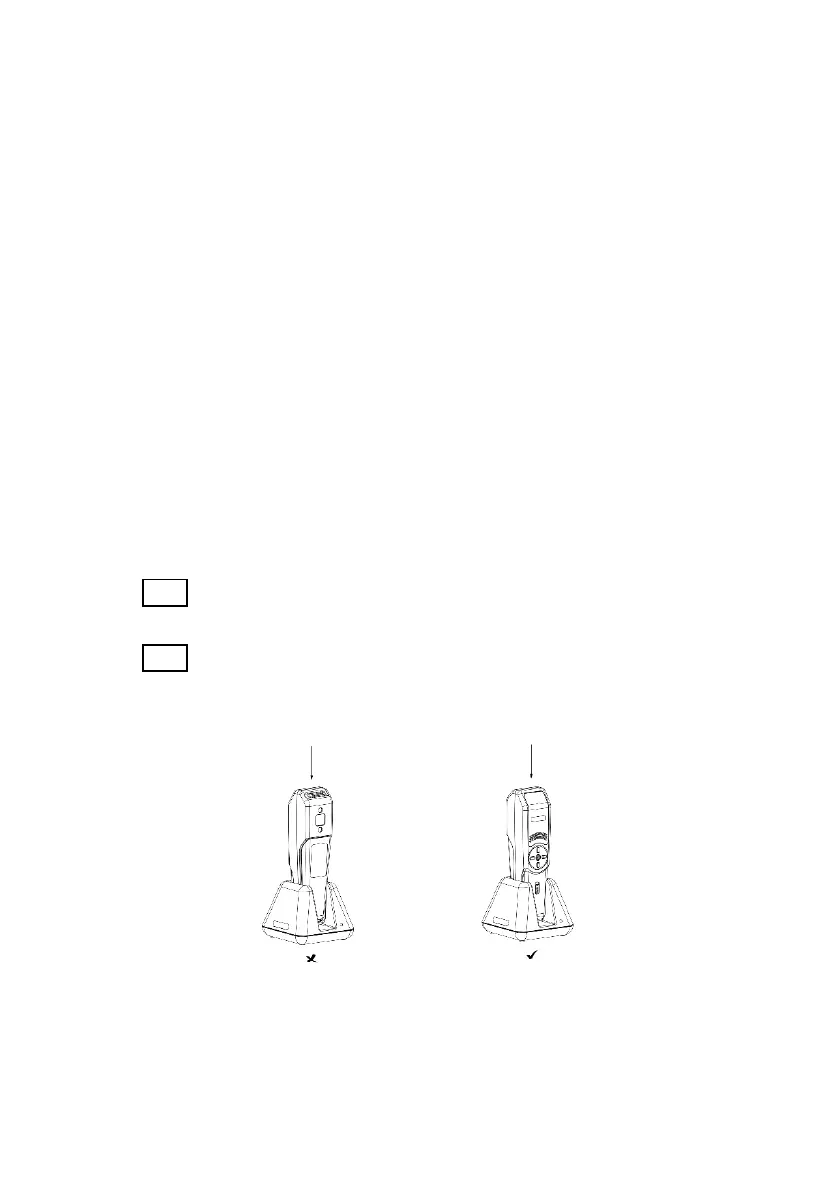
(3) Put the imaging unit into the charging cradle.
(4) When the indicator light is blue, the device is being charged.
Note: Pay attention to ensure the correct direction and incorrect
operation will damage the machine.
Note: During the charging, the operator should not put your hand
or any part of your body above the adapter for more than 1
minute, which may hurt you for a little high temperature.
(5) Determine the charging situation according to the indicator
light.



 To Next Page