9 V2.0
3. Product Usage
No installing or setting is required before using the VS400 vein
finder.
3.1 Operating Instructions
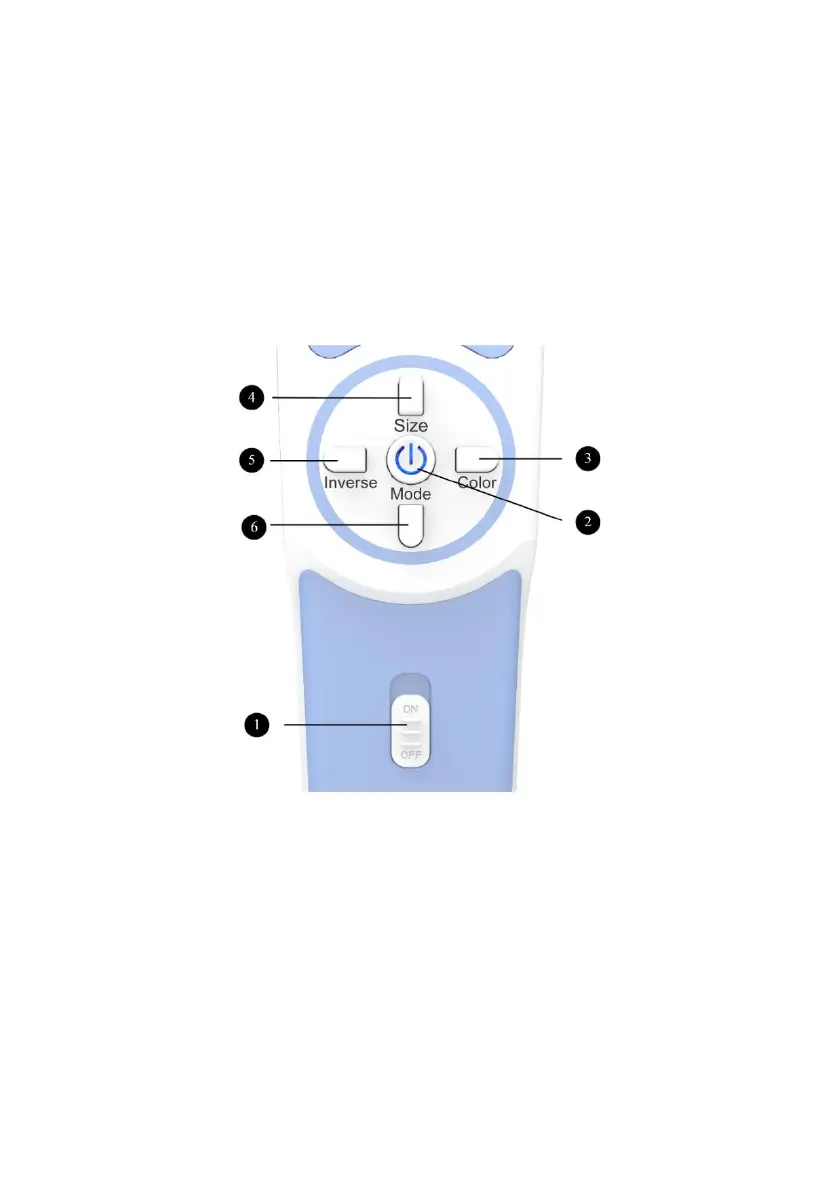
Main Switch: Switch to “OFF”, the device is power off.
Switch to “ON”, press Power button, the device is power on
and can achieve functions when you press the appropriate
buttons.
Power: Power button.
Boot: Press Power button for about 0.5 seconds, until the
instrument "beep" twice, then the VS400 will be power on.



 To Next Page