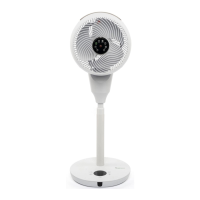
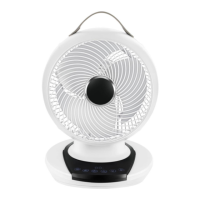
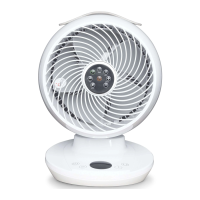
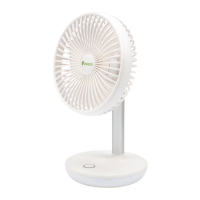
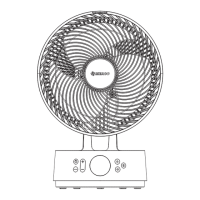
The MeacoFan 1056 Air Circulator is a sophisticated fan designed to provide efficient air circulation in various indoor environments. It is suitable for use in rooms with ambient temperatures ranging from +5°C to +40°C and non-condensing relative humidity. However, it should not be used in potentially explosive or aggressive atmospheres, or in areas with high concentrations of solvents or dust.
Function Description:
The MeacoFan 1056 operates as an air circulator, designed to move air effectively throughout a room, helping to regulate temperature and improve air distribution. It features both vertical and horizontal oscillation, allowing for widespread air movement. The fan offers 12 different speed settings, providing a wide range of airflow options from a gentle breeze to a powerful current. It also includes an ECO mode, which automatically adjusts the fan speed based on the room temperature to optimize energy consumption. A timer function allows users to schedule the fan to turn on or off after a set interval, ranging from 1 to 12 hours. The fan can be controlled via a touch-sensitive control panel on its base or through a magnetic remote control.
Important Technical Specifications:
- Operating Conditions: +5°C to +40°C, non-condensing humidity.
- Fan Motor Type: DC.
- Maximum Air Flow: 1056 cubic metres per hour.
- Maximum Air Velocity (c): 6m/sec.
- Rated Voltage and Frequency: 220-240V / 50Hz.
- Power Consumption: 9.5 to 23.5 watts.
- Standby Power Consumption (PSB): 0.671 watts.
- Oscillation Swing Angles: 60° vertically and 80° horizontally.
- Fan Sound Power Level (LWA): 20 to 60dB(A).
- Service Value (SV): 0.62 (m³/min)/watts.
- Fan Power Input (P): 26 watts.
- Maximum Fan Flow Rate (F): 17.6m³/min.
- Dimensions (HWD): 403 x 285 x 305mm.
- Nett / Gross Weight: 3.2 / 4.7 Kgs.
- Remote Control Battery: CR2025 DC3v.
Usage Features:
- Power Button: Turns the fan on/off. When plugged in, the fan enters standby mode, displaying the room temperature.
- Speed Button: Adjusts the fan speed across 12 levels. The fan remembers the last used speed setting.
- Oscillation Buttons (OSC): Activates/deactivates vertical and horizontal oscillation. Pressing the button once starts oscillation, pressing again stops it, allowing the user to fix the fan's direction.
- Timer Button: Sets a pre-on or pre-off timer in one-hour segments (1 to 12 hours). When in standby, it sets the fan to turn ON; when running, it sets the fan to turn OFF. The timer can be turned off by setting it to '00'.
- ECO Button: Engages/disengages ECO mode, where fan speed automatically adjusts based on room temperature to save energy.
- Remote Control: Provides full functionality, including power, speed adjustment, oscillation control, timer settings, and a unique "Light Button" to turn the display lights on/off. It also features separate "Pre-On Timer" and "Pre-Off Timer" buttons for convenience. The remote control has a range of approximately three metres and contains a magnet, which users with pacemakers or defibrillators should be aware of.
- Display: Shows room temperature in ECO mode and timer settings.
- Magnetic Remote-Control Holder: Conveniently stores the remote control on the fan's base.
- Handle: Integrated for easy portability.
- Mains Lead Tidy: Helps manage the power cord.
Maintenance Features:
- Cleaning: The fan should be turned off and unplugged before cleaning. External and internal parts can be cleaned with a soft dry cloth. The fan should not get wet.
- Fan Blade Access: To clean the fan blades, two small screws at the top back of the fan (below the handle) must be unscrewed. Then, two tabs on the left and right of the screws are squeezed, and the front guard is pulled away. The locking cap at the front of the fan blades is unscrewed in a clockwise motion to remove the blades.
- Reassembly: Reverse the disassembly procedure, ensuring the locking cap is securely tightened.
- Remote Control Battery Replacement: If the remote control stops working, the CR2025 DC3v battery needs to be replaced. Instructions for replacement are provided in the manual.
- Storage: The mains cable can be stored in the cable compartment at the back of the fan. It is recommended to store the fan in its plastic bag or original box to protect it from dust. Customised storage bags are also available for purchase.
- Troubleshooting: The manual provides a troubleshooting guide for common issues such as display errors ('00' or '99'), non-oscillation, increased noise, motor sound at lower speeds, fan not starting, clicking noise, and remote control malfunctions. Solutions range from resetting the MPCB to cleaning fan blades, tightening the locking cap, lubricating the fan, or replacing the remote battery.


 To Next Page
 General