EasyManua.ls Logo

Mec 8567 Grabber - Page 9

Default Icon
20 pages
Print Icon
To Next Page IconTo Next Page
To Previous Page IconTo Previous Page
Loading...
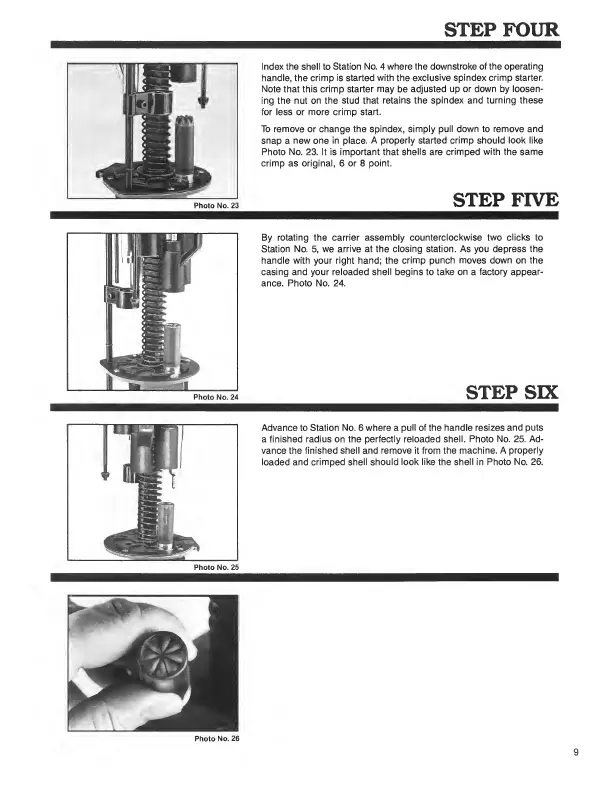
STEP
FOUR
Index
the
shell
to
Station
No.
4
where
the
downstroke
of
the
operating
handle,
the
crimp
is
started
with
the
exclusive
spindex
crimp
starter.
Note
that
this
crimp
starter
may
be
adjusted
up
or
down
by
loosen¬
ing
the
nut
on
the
stud
that
retains
the
spindex
and
turning
these
for
less
or
more
crimp
start.
To
remove
or
change
the
spindex,
simply
pull
down
to
remove
and
snap
a
new
one
in
place.
A
properly
started
crimp
should
look
like
Photo
No.
23.
It
is
important
that
shells
are
crimped
with
the
same
crimp
as
original,
6
or
8
point.
STEP
FIVE
By
rotating
the
carrier
assembly
counterclockwise
two
clicks
to
Station
No.
5,
we
arrive
at
the
closing
station.
As
you
depress
the
handle
with
your
right
hand;
the
crimp
punch
moves
down
on
the
casing
and
your
reloaded
shell
begins
to
take
on
a
factory
appear¬
ance.
Photo
No.
24.
STEP
SIX
Advance
to
Station
No.
6
where
a
pull
of
the
handle
resizes
and
puts
a
finished
radius
on
the
perfectly
reloaded
shell.
Photo
No.
25.
Ad¬
vance
the
finished
shell
and
remove
it
from
the
machine.
A
properly
loaded
and
crimped
shell
should
look
like
the
shell
in
Photo
No.
26.
Photo
No.
26

Related product manuals