DOC. MEUM-131205700. Version 01
Unpacking, Installation and Checkout
To confirm the unit, accessories and all print materials arrive in a complete and safe status. Any damage
found, to keep all needful materials and contact the after sales service department for arrangement.
4.2 Installation and Checkout
1. Put the device in proper and stable way and move or handle it carefully to avoid the cables outside
the host machine from scratch.
2. Plug one end of the power supply cable into the socket at the rear of host device, and plug the other
end to the electrical outlet. If the power supply cable is not supplied together with the unit, to make sure it
is suitable for the same electric power standard and can be used in hospitals.
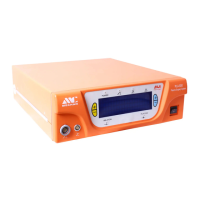
3. Plug the footswitch to the socket at the front of host device and rotate it tightly.
4. Plug the treatment handle into the corresponding socket of the device. Before use, make sure the
treatment handle is cleaned and disinfected, and the connection is dry.
5. Plug a probe to the disinfected treatment handle. Refer to the instruction of use of corresponding
probes for the instructions of procedure preparations and special notice.
6. Press the power switch at the front of host device to the position of . .
7. Preset the power values. Please press directly the corresponding arrow marks under the power or
impedance display screen to increase or reduce values, then the preset values will shown in the display
8. Press the ABLATION foot pedal, and put the probe into normal saline to demostrate the effect. The
ABLATION function can make the probe generate orange light in normal saline. The orange light is the
plasma effect. If no orange light shown, please report to after-sales dept.


 To Next Page