page 11
All the features and advanced menu options of the AFG are
also applicable whilst using the ‘Smart’ range of peripheral
devices. (Except for the footswitch 2 option which has the
same pin requirement)
The AFG Advanced Menus are accessed using the red text
on the keys.
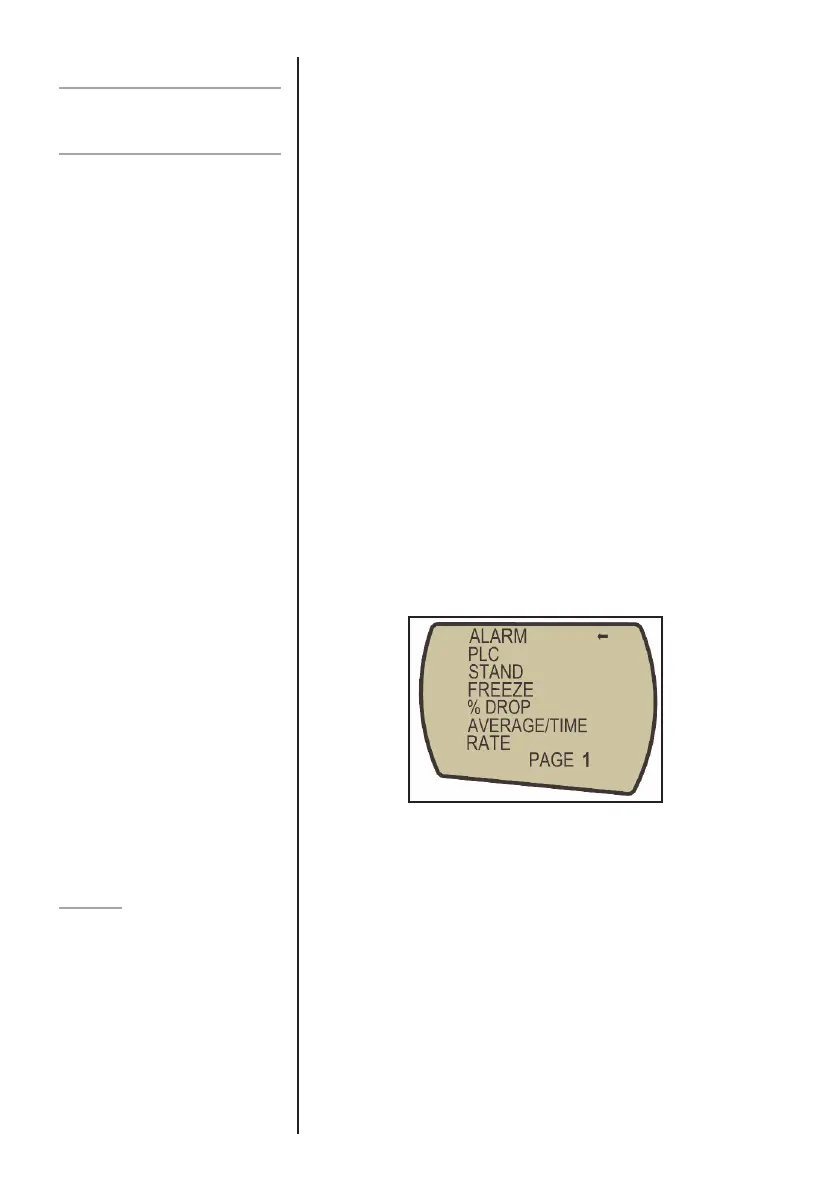
Press and hold the MENU key for approximately 2 seconds
to access page 1 of the main-menu, (see figure 5). Pressing
the MENU key again takes you to page 2 of the main menu.
To move between the options listed on the 2 main-menu
pages, press UP and DOWN keys to move the cursor. Press
the ENTER key to select sub-menus, activate features and
enter values. Within sub-menus the UP and DOWN keys will
also change numerical values. Press the ESC key to return to
the main-menu page and ESC again to return to the main
display.
The AFG has an audible and visual alarm feature which can
be set to trigger on pass, fail or sample break criteria.
To set an alarm, press and hold the MENU key until page 1
of the main-menu appears.
The cursor arrow will point to ALARM. Press the ENTER key.
Advanced Menu
Options
Navigating the menus
ALARM
Alarms will not trigger in the first
1% of full-scale use
Fig. 5
MAIN MENU
PAGE 1



 To Next Page