EasyManua.ls Logo

Mecmesin AFG Series - Page 34

Mecmesin AFG Series
44 pages
Print Icon
To Next Page IconTo Next Page
To Previous Page IconTo Previous Page
Loading...
page 32
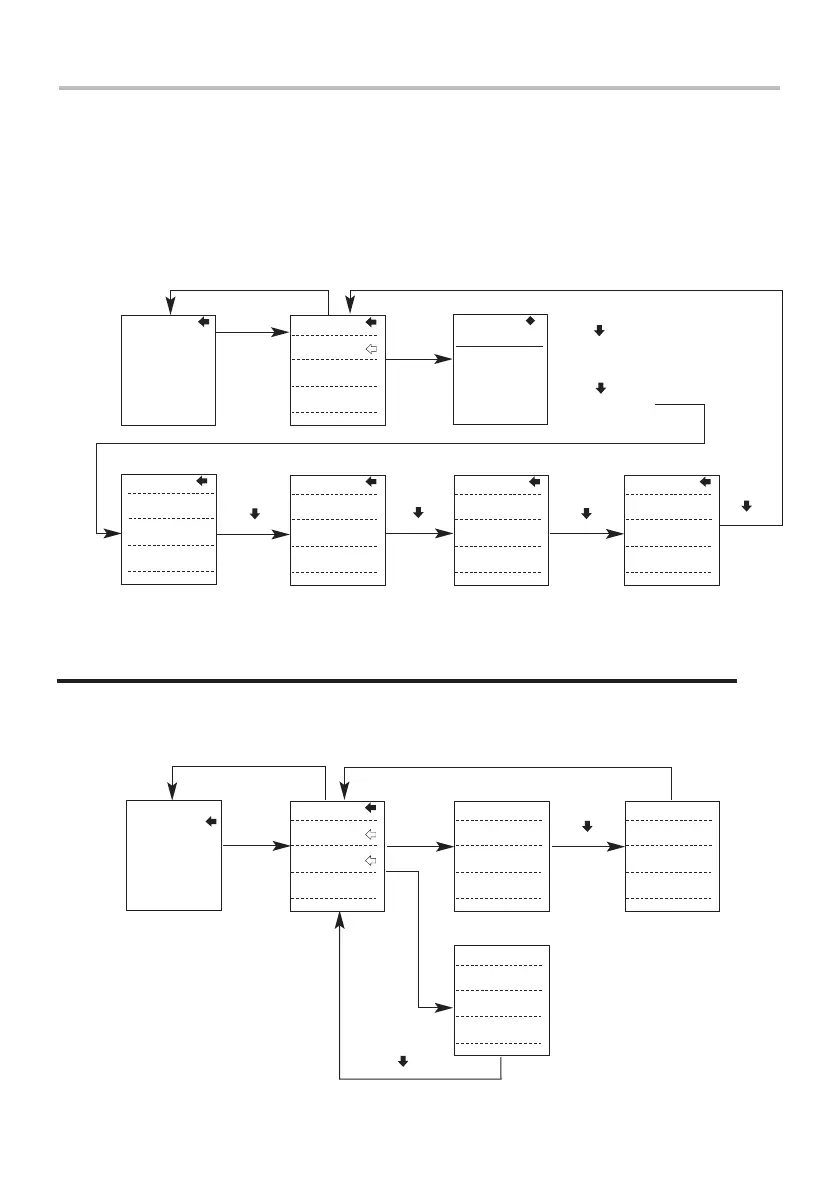
Advanced Menu Options Flow Chart Page 1
On the following pages are flowcharts to help you navigate the menus found in the
AFG. They appear in the order they appear on the two pages of the main menu on
the Gauge.
Alarm
PLC
ALARM
PLC
STAND
FREEZE
% DROP
AVERAGE/TIME
RATE
Page 1
ALARM OFF
SET
LIMIT1
TENS'N 0.28
LIMIT2
COMP’N -0.28
lbf
press
ENTER
press
ESC
press
ENTER
Press ENTER
to toggle
ON/OFF
Press UP or DOWN
to increase or
decrease value
Press ENTER to
highlight next
parameter
Press UP or DOWN
to increase or
decrease value
AUDIBLE
LED
BOTH
OUT BAND
IN BAND
PASS
FAIL
BUZZER ON
CONTINUOUS
PULSE
press
ENTER
Press UP or
DOWN key to
select choice
press
ENTER
press
ENTER
to accept
and move to
next screen
Press UP or
DOWN key to
select choice
to accept
and move to
next screen
press
ENTER
Press UP or
DOWN key to
select choice
to accept
and move to
next screen
press
ENTER
Press UP or
DOWN key to
select choice
Press TXD/UP key to
move arrow up
Press ZERO/DOWN key
to move arrow down
ALARM
PLC
STAND
FREEZE
% DROP
AVERAGE/TIME
RATE
Page 1
PLC OFF
AT LIMITS
AT ALARM
press
ENTER
press
ESC
RESET
CONTINUOUS
PULSE
12.75
press
ENTER
press
ENTER
Press UP or
DOWN key to
select choice
press
ENTER
Press UP or DOWN
to increase or
decrease value
press
ENTER
STATE
HIGH
LOW
Press UP or DOWN
to increase or
decrease value
ENTER

Other manuals for Mecmesin AFG Series

Related product manuals