EasyManua.ls Logo

Mecmesin AFG Series - Page 38

Mecmesin AFG Series
44 pages
Print Icon
To Next Page IconTo Next Page
To Previous Page IconTo Previous Page
Loading...
page 36
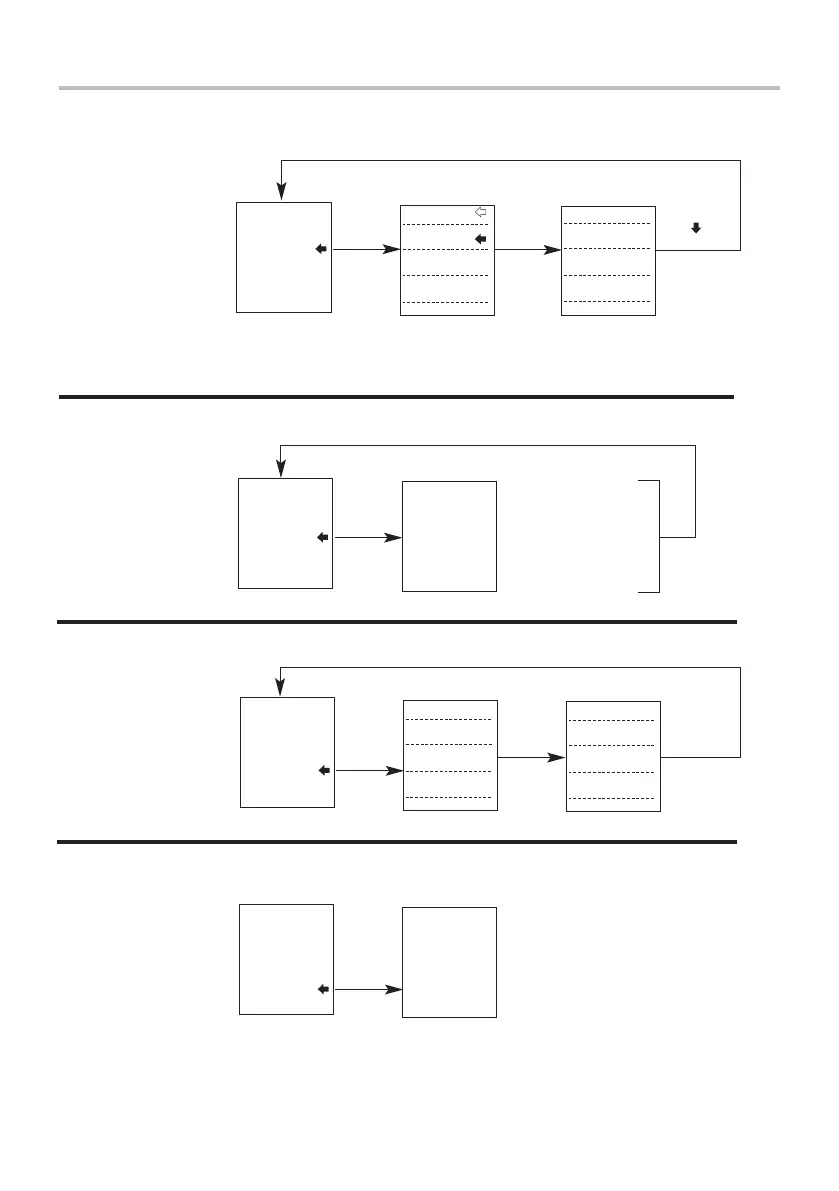
Advanced Menu Options Flow Chart Page 2
Information
Calibration
Contrast
Constant
X CONST OFF
SET
FOOTSWITCH1
FOOTSWITCH2
COMMS
X CONSTANT
INFORMATION
CALIBRATION
CONTRAST
Page 2
press
ENTER
Once choice
is made, PLC
is turned ON
SET
00000.1
lbf
press
ENTER
x
press
ENTER
Press UP or DOWN
to increase or
decrease value
0000
FOOTSWITCH1
FOOTSWITCH2
COMMS
X CONSTANT
INFORMATION
CALIBRATION
CONTRAST
Page 2
press
ENTER
press
ENTER
4 times
-0.13%
T12008
C12011
I32754 Z32752
G9.80656
FOOTSWITCH1
FOOTSWITCH2
COMMS
X CONSTANT
INFORMATION
CALIBRATION
CONTRAST
Page 2
press
ENTER
Values are for illustration only
Tension span
Compression span
I=Initial Zero Z=Current Zero
Gravitational constant
press
ESC
press and
hold ESC
until screen
clears
1.234
FOOTSWITCH1
FOOTSWITCH2
COMMS
X CONSTANT
INFORMATION
CALIBRATION
CONTRAST
Page 2
press
ENTER
Press and hold UP
or DOWN key to
change contrast
Press DOWN key to
select from choices.

Other manuals for Mecmesin AFG Series

Related product manuals