Set the limit switches, turn each thumbscrew anticlockwise,
move to approximately 50mm either side of the moving
crosshead and re-tighten.
Check voltage selected is correct.
Connect your MultiTest-d to an appropriate mains supply;
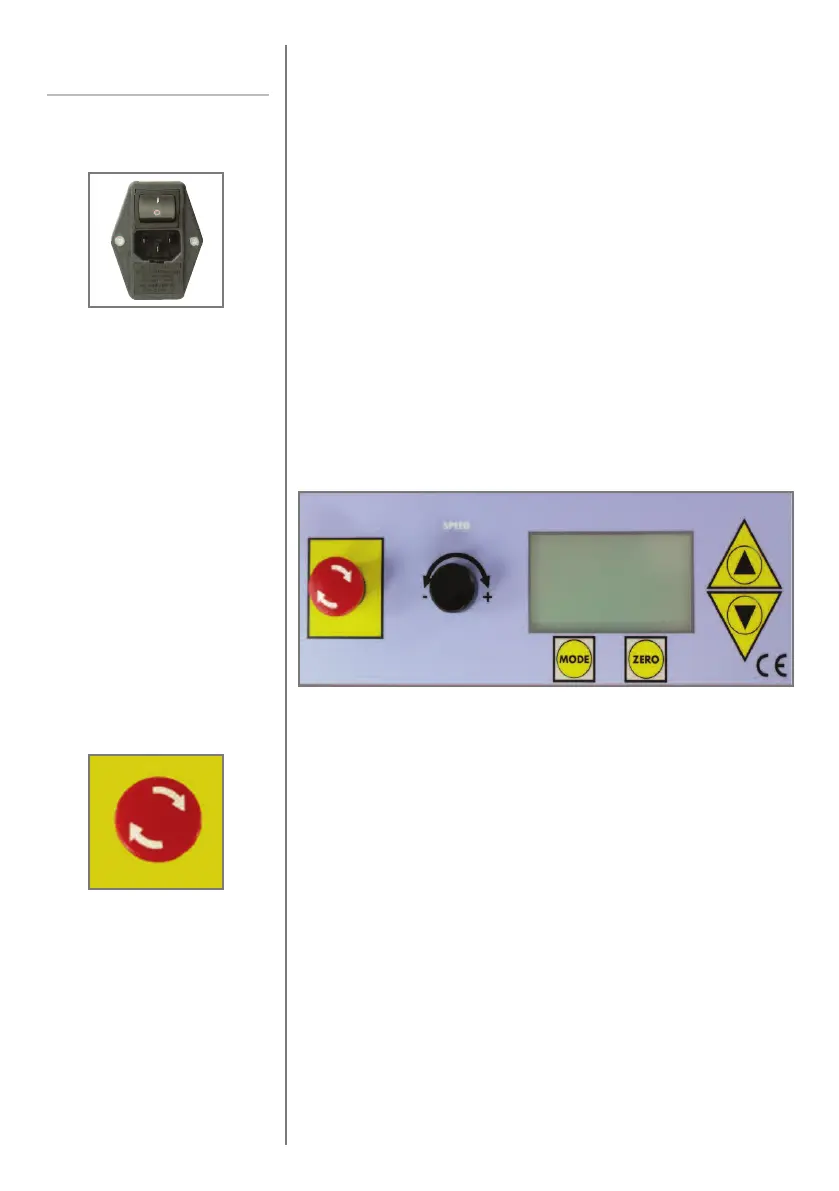
turn on the power switch at the bottom of the Mains Inlet
Connector and the display will illuminate indicating
“MultiTest 0.5-d”, “MultiTest 1-d” or “MultiTest 2.5-d.”
Pressing the red Emergency Stop button will, at any time, stop
the crosshead moving.
To disengage the stop button turn clockwise and then release.
It is advisable to check and become familiar with the
operation of the Emergency Stop once the system is connected
to the appropriate mains supply.
page 12
Using the
MultiTest-
d
Mains Inlet Connector
Emergency Stop
Front Panel Control The front control panel of the MultiTest-d has been designed
with a digital display for ease-of-use.



 To Next Page