35
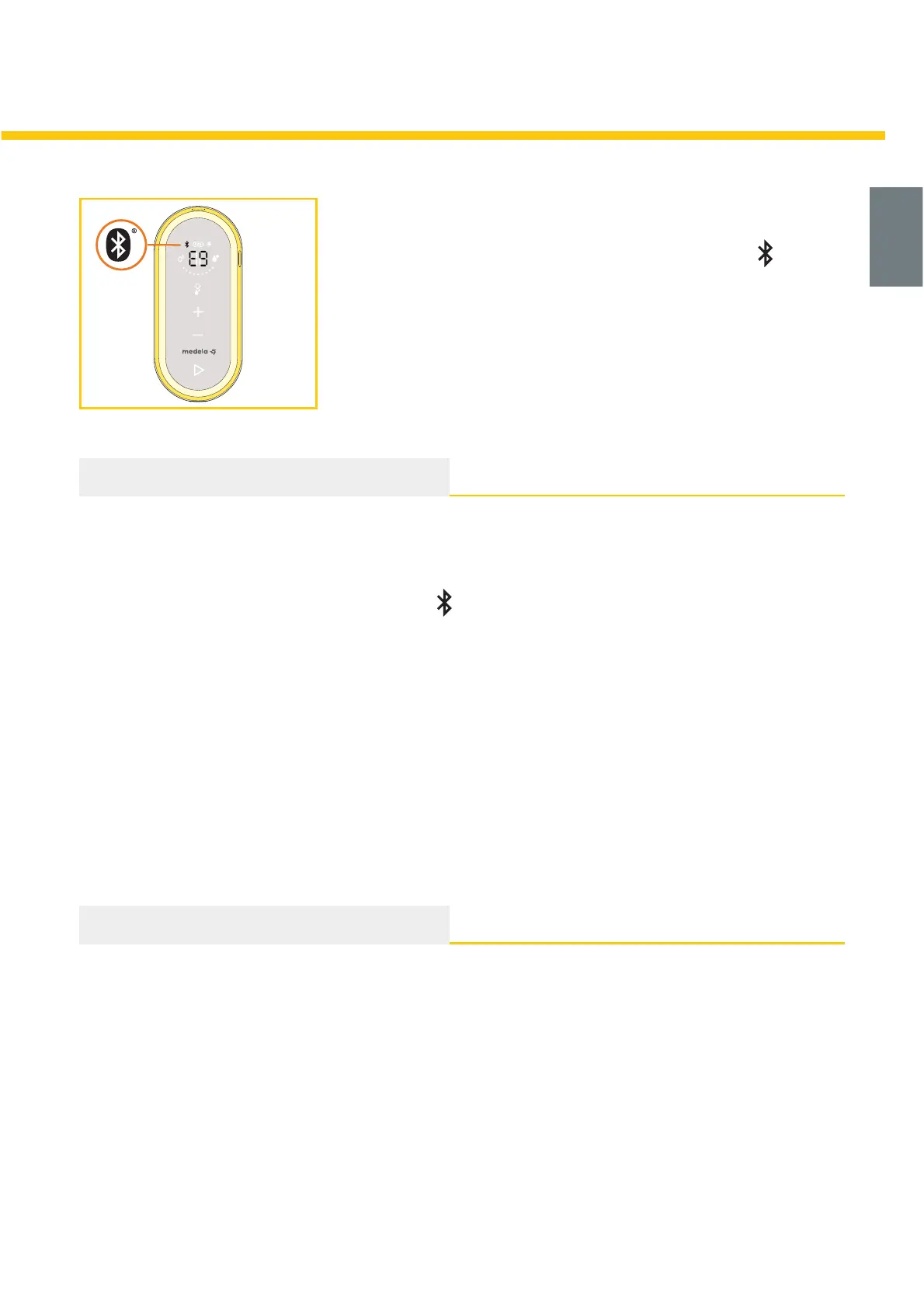
5. Read the pairing code from the multifunction display and
select the corresponding device in the MyMedela app.
Æ After successful pairing the Bluetooth indicator
on the
breast pump lights up continuously.
Æ If the pairing is not successful within two minutes, the
breast pump will switch off automatically.
i Information
• By tracking your pump sessions on the MyMedela platform, you can stay on-target with
daily highlights and custom content.
• Having visibility to your pumping history gives you the opportunity to plan efficiently each
day and track changes in your body like an increase or decrease in milk output.
• After initial set-up, the Bluetooth indicator
will automatically appear on your breast
pump, when powered on, if your paired device is near and MyMedela is open.
• You can pair multiple mobile devices with your Freestyle Flex breast pump.
• Only one mobile device at a time can interact with the Freestyle Flex breast pump.
• The Freestyle Flex breast pump has the ability to store your last 30 pump sessions in its
memory. If the pump is not connected prior to session 31 your history will be overwritten with
new session data.
• When connected to the pump, your MyMedela account will log an infinite number of
historical sessions.
Removing your Freestyle Flex breast pump from your mobile device
1. Navigate through the MyMedela platform.
2. Follow the instructions on the screen to remove (unpair) your Freestyle Flex breast pump.
i Information
• Removing the Freestyle Flex breast pump from your mobile device will not delete pumping
information stored in MyMedela.
• If you reconnect your breast pump and mobile device the last 30 records stored within your
pump will be transferred.
To learn more, please visit www.medela.com.





 To Next Page