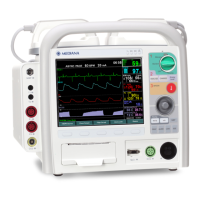
What causes a deformed display on Mediana Medical Equipment?
- MMrs. Amanda Macias DVMSep 15, 2025
If the LCD cable is disconnected, connect the cable properly. Otherwise, replace the main board or CPU board, or replace the LCD.
What causes a deformed display on Mediana Medical Equipment?
If the LCD cable is disconnected, connect the cable properly. Otherwise, replace the main board or CPU board, or replace the LCD.
How to troubleshoot poor ECG signal from paddles/pads on Mediana D500 Medical Equipment?
Ensure proper skin preparation and correction application. If necessary, apply new pads. Check the date code on the pads, and do not open the package until immediately prior to use. Check the connecting condition between ground and product. If the cable is disconnected, connect the cable properly.
What to do if the cuff does not inflate on my Mediana D500 Medical Equipment?
If the battery status is “Low battery” or “Critically low battery”, replace it with a fully charged battery or connect AC/DC power. If the cuff or cuff hose is folded, unfold them. If the issue persists, the NIBP module or the main board may need replacement.
What causes pacing energy output failure in Mediana Medical Equipment?
Check if the pads or paddles are correctly connected. If the problem continues, you may need to replace the HV connector cable or the H/V board.
What to do if some pixels or lines are missing on Mediana D500 Medical Equipment display?
If the LCD cable is disconnected, connect the cable properly. Otherwise, replace the main board or CPU board, or replace the LCD.
Why is the LED off on my Mediana D500?
If the LED is off on your Mediana Medical Equipment, it could be due to two reasons: either the self-test hasn't been performed, or the battery residual dropped below 60% after the self-test. To resolve this, turn on the defibrillator/monitor (connect to AC or DC power if it's not connected) and perform the manual self-test via the setup menu.
Why respiration value or waveform does not display on Mediana D500 Medical Equipment?
If the cable is disconnected, connect the cable properly. If the issue persists, the ECG board, CPU board, or main board may need replacement.
What to do if the paper won't move in Mediana D500 Medical Equipment printer?
If the battery status is “Low battery” or “Critically low battery”, replace it with a fully charged battery or connect AC/DC power. If the paper is wet, replace with fresh, dry paper. If the printer cable is disconnected, connect the cable properly. If the issue persists, replace the printer module or mecha, charger board, CPU board, or main board.
Why is no alarm generated on my Mediana D500 Medical Equipment?
If Alarm OFF key is pressed, no alarm is generated, so press Alarm OFF key again. If audio off time is set to indefinite, cancel the indefinite audio off time set in service menu. Otherwise, you may need to replace the speaker, CPU board, or main board.
How to fix soft keys control failure on Mediana D500?
If the cable is disconnected, connect the cable properly. Front board, CPU board, or main board replacement may be needed.
Contains essential safety guidelines for the D500 defibrillator/monitor.
Alerts to potential serious outcomes like death, injury, or adverse events.
Identifies practices that could result in damage to equipment or property.
Specifies the intended use of the defibrillator/monitor by trained medical personnel.
Details the indications for manual defibrillation, AED mode, and external pacing.
Provides an overview of the manual's content and how to use it.
Explains how to identify different D500 defibrillator/monitor configurations.
Identifies and describes the components located on the front panel.
Identifies and describes the components located on the top panel.
Identifies and describes the components located on the rear panel.
Identifies and describes the components located on the left panel.
Identifies and describes the components located on the right panel.
Details the various display areas and their functions.
Provides instructions for examining the device upon arrival.
Lists the standard accessories included in the package.
Instructions for connecting the device to AC mains power.
Instructions for connecting the device to a DC power source.
Details on connecting ECG cables and leads.
Instructions for connecting defibrillator paddles and pads.
Instructions for connecting NIBP hoses and cuffs.
Instructions for connecting SpO2 cables and sensors.
Instructions for connecting temperature probes.
Instructions for connecting the CO2 sensor.
Instructions for connecting IBP transducers.
Details on how to operate the device using battery power.
Explains the battery status icons and their meanings.
Provides steps for powering the device on and off.
Instructions for setting the device's date and time.
Guides on selecting the primary display screen.
Describes available display formats like 4-wave, numeric, and invert modes.
Explains general alarm states and indications.
Procedure for adjusting the alarm volume level.
Details alarm priorities (High, Medium, Low) and message display.
Describes visual alarm characteristics like color and flashing.
Describes audible alarm characteristics like tone pitch and beep rate.
Procedure for testing the audible alarm functionality.
Instructions on how to adjust parameter alarm limits.
Provides a table of possible alarm limits for various parameters.
Explains how to pause or turn off audible alarms.
Provides general information about ECG monitoring.
Instructions for connecting ECG electrodes and cables.
Details on acquiring and analyzing 12-lead ECG data.
Explains the methodology for ECG waveform measurement.
Describes the process of typing and analyzing QRS complexes.
Details the methods used for measuring ECG waveform components.
Explains analysis of QRS components, ST segment, and P/T waves.
Describes the measurement of ECG intervals.
Explains the ECG calculation feature and results categorization.
Details the functions and settings within the HR/PR menu.
Provides general information about the AED mode's function.
Defines Sudden Cardiac Arrest and its implications.
Explains how the device detects life-threatening heart rhythms.
Instructions on preparing the patient and device for AED use.
Step-by-step guide for operating the AED mode.
Details the 2010 AHA guidelines for CPR and ECC.
Explains the functions available in the AED mode menu.
Instructions for entering patient information in AED mode.
Instructions for preparing the device and paddles for manual defibrillation.
Step-by-step guide for operating the device in manual mode.
Procedure for performing asynchronous defibrillation.
Procedure for performing synchronized cardioversion.
Explains the functions available in the manual mode menu.
Details the setup options within the manual mode menu.
Provides general information about the monitor mode.
Configuration options for Heart Rate/Pulse Rate monitoring.
Configuration options for SpO2 monitoring.
Configuration options for Non-Invasive Blood Pressure monitoring.
Configuration options for Invasive Blood Pressure channel 1.
Configuration options for Invasive Blood Pressure channel 2.
Configuration options for End Tidal CO2 monitoring.
Configuration options for Respiration monitoring.
Configuration options for setting date and time.
Explains the two modes of pacing: Demand and Fixed.
Instructions on how to operate the pacing mode.
Details the process of Demand mode pacing.
Details the process of Fixed mode pacing.
Explains the functions available in the pacing mode menu.
Instructions on how to pause and resume pacing.
Details the setup options within the pacing mode menu.
Provides general information about NIBP monitoring.
Explains the oscillometric technique for NIBP measurement.
Instructions for connecting NIBP cuffs and hoses.
Explains the functions available in the NIBP menu.
Provides general information about SpO2 monitoring.
Explains the principles of pulse oximetry measurement.
Instructions for connecting SpO2 sensors and cables.
Explains the functions available in the SpO2 menu.
Provides general information about respiration monitoring.
Explains the principles of respiration monitoring via impedance.
Instructions for connecting ECG electrodes for respiration monitoring.
Explains the functions available in the respiration menu.
Provides general information about capnography monitoring.
Explains the infrared technique for CO2 measurement.
Instructions for connecting capnography sensors.
Procedure for calibrating the CO2 sensor.
Describes the operation of the mainstream capnography module.
Describes the operation of the sidestream capnography module.
Explains the functions available in the EtCO2 menu.
Provides general information about temperature monitoring.
Explains the functions available in the temperature menu.
Provides general information about Invasive Blood Pressure monitoring.
Explains the principles of invasive blood pressure measurement.
Instructions for connecting IBP transducers and cables.
Explains the functions available in the IBP 1 menu.
Explains the functions available in the IBP 2 menu.
Provides an overview of the device's self-test capabilities.
Instructions for performing a manual self-test.
Details on configuring and scheduling automatic self-tests.
Instructions for testing the functionality of device buttons.
Lists the specific functions tested during the self-test process.
Provides general guidance for troubleshooting device errors.
Instructions on how to get technical support or order service manuals.
Information about the device's factory default settings.
Lists default ranges and selections for various parameters.
Details the specifications of the device's display screen.
Details the specifications of the device's controls.
Details the specifications related to device alarms.
Describes the physical dimensions and printer specifications.
Details the parameters for pacing mode.
Details the parameters for defibrillator modes (AED, Manual).
Details the specifications for heart rate measurement.
Details ECG lead usage and detection features.
Details ECG signal input and output specifications.
Provides supplemental information on ECG arrhythmia analysis.
Details technical specifications for AED mode operations.
Details technical specifications for Manual mode operations.
| Type | Fetal Monitor |
|---|---|
| FHR Method | Doppler Ultrasound |
| FHR Range | 50-210 bpm |
| Parameters Monitored | FHR, TOCO |
| Power Supply | AC Adapter, Rechargeable Battery |
| Alarm | Audible and Visual |
| Printing Speed | 1 cm/min, 2 cm/min, 3 cm/min |
Loading...