Chapter 10 - DNS SRV Configuration Enabling DNS SRV on the Mediatrix 1104
160
Mediatrix 1104
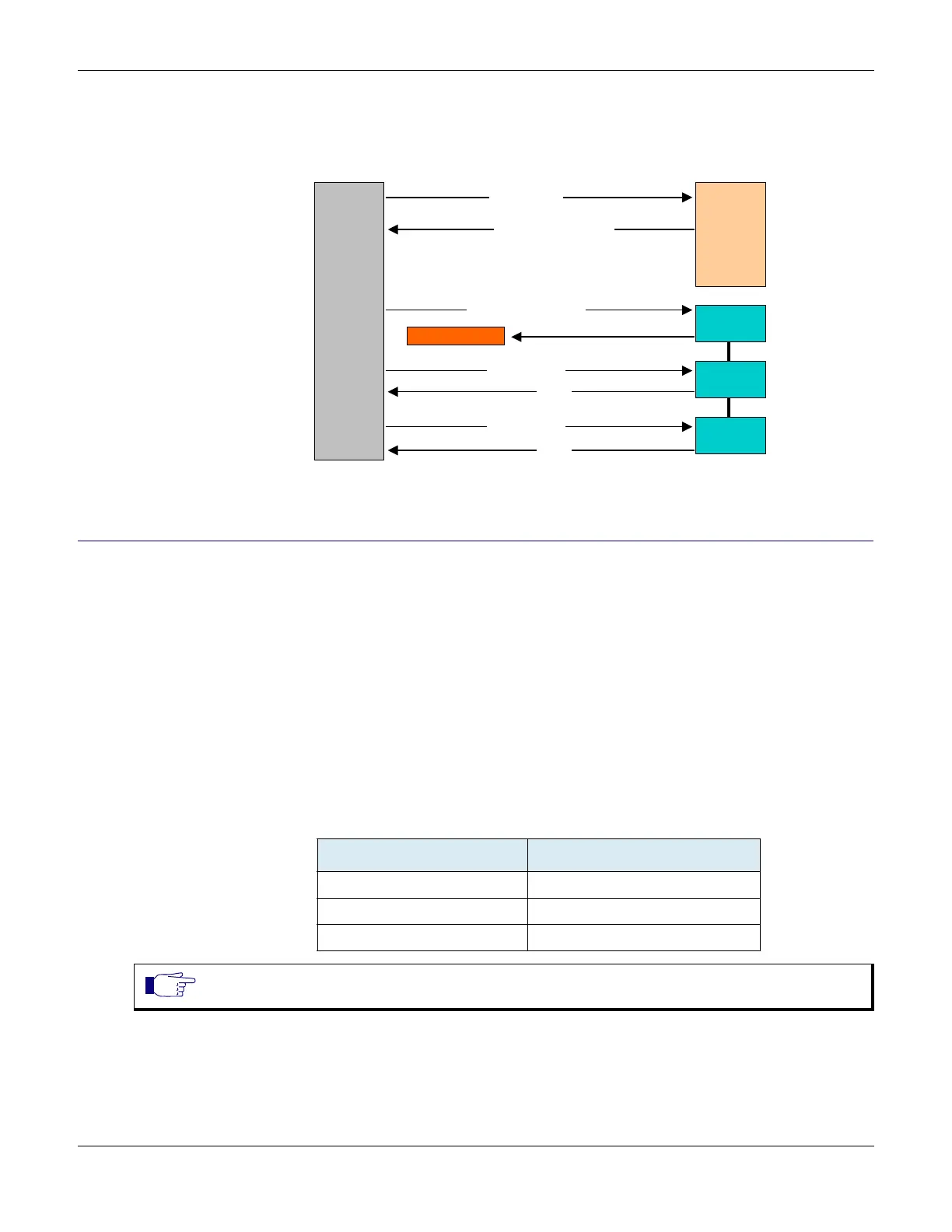
DNS SRV Call Flow
The following is a standard DNS SRV call flow:
Figure 72: DNS SRV Call Flow
Enabling DNS SRV on the Mediatrix 1104
If the address of a service corresponds to a domain name that is bound to a SRV record, the port this service
uses must be set to 0 for the unit to perform DNS requests of type SRV (as per RFC 3263). Otherwise, the
unit will not use DNS SRV requests, but will rather use only requests of type A because it does not need to be
specified which port to use. See “Chapter 9 - SIP Servers” on page 151 for more details.
X To enable DNS SRV:
1. In the ipAddressConfig folder, locate the sipServerSelectConfigSource variable (under the
ipAddressConfigSipServer group).
This variable defines whether the Mediatrix 1104 must get its proxy server configuration through a
DHCP server or not.
2. Set the sipServerSelectConfigSource variable to static.
3. Set one or more of the following variables to 0:
DNS Query SRV
DNS Query Response SRV
Register (port#1 & port#2)
Register (port#1)
200 OK
Register (port#2)
200 OK
sip._udp.abc.com =
Priority=0 | Weigth = 1 | srv1.abc.com
Priority=1 | Weigth = 1 | srv2.abc.com
Priority=1 | Weigth = 1 | srv3.abc.com
Who is _sip._udp.abc.com?
No Answer
User
Agent
DNS
Server
Server #1
Server #2
Server #3
Table 90: Variables to Enable DNS SRV
Server Variable to enable
SIP Registrar server sipRegistrarStaticPort
SIP Proxy server sipHomeDomainProxyStaticPort
SIP Outbound Proxy server sipOutboundProxyStaticPort
Note: Any “SRV enabled” service must have a host name recognized by the DNS SRV server. “_sip._udp”
or “_sip._tcp” (depending on the transport type) is automatically added to the host name.



 To Next Page